 Installation guide
 Owner’s manual
 Error Codes





How do I reset my Kenmore electric range?
To reset your Kenmore electric range model 79095661102, we recommend doing a hard power reset: turn the range off, shut off power at the circuit breaker (or remove the fuse) for 1 to 5 minutes, then restore power and reset the clock and any oven settings per the 79095661102 owner’s manual.
Quick reset steps (hard reset)
- Turn all surface element knobs to OFF.
- If the oven is running, press Cancel/Off.
- Switch OFF the range circuit breaker (or remove the fuse).
- Wait 1 to 5 minutes.
- Switch power ON again.
- Reset the clock and reselect any cooking mode.
If the control is still acting up
A reset clears many temporary control glitches, especially after a power interruption. If the issue returns right away, focus on power supply and control inputs.
- Confirm the range has steady power (no tripped breaker, no loose cord).
- If the display is blank or flickers, check the house supply and range connection.
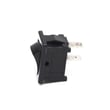
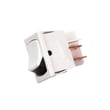
- If a burner stays on or won’t heat correctly, a surface element control switch can be the cause; see oven switch 316436000 for the small surface element control switch used on this model.
- If you see an error code, use Kenmore 790 range 4-digit error codes to match the code to the most likely failure.
What to expect after a reset
| Situation | What the reset does | What you do next |
|---|---|---|
| Power outage happened | Stops cooking and clears some faults | Reset clock and cooking function |
| Display frozen or unresponsive | Reboots the control | Retry bake/broil settings |
| Error code returns quickly | Confirms an ongoing fault | Troubleshoot by code, then test parts |
Why it matters
After a power failure, the range can resume operation when power returns if it was not turned off. A proper reset helps you start from a safe, known state and restores normal control operation.
Last updated: February 2026
How to replace Kenmore Range oven control board?
To replace the oven control board on Kenmore electric range model 79095661102, we shut off power, access the control area, label and move each wire one at a time to the new board, then reassemble and restore power. Finish by resetting the clock per the 79095661102 owner's manual.
Safety first (do this every time)
- Turn off the range at the house breaker; do not rely on the control panel being “Off”.
- Confirm the cooktop and oven are cool before working near wiring.
- Avoid operating the range during a power failure; if power returns, the range can resume operation and you will need to reset the clock.
- Use dry hands and dry tools around electrical connections.
Replacement steps (typical for this model style)
- Disconnect power at the breaker.
- Access the control area from the back of the console (remove the rear cover panel screws).
- Document wiring: take a clear photo and label connectors.
- Transfer wires one at a time from the old board to the new board (this prevents miswiring).
- Reconnect any ribbon cable: fully seat it in the connector, then lock the retainer.
- Reinstall the rear cover, restore power, then set the clock.
Quick checks if the new board still does not work
- Verify the breaker is fully reset (off, then on).
- Check for loose or mis-seated connectors, especially multi-pin plugs and ribbon cables.
- Inspect the power cord connection area for heat damage; a failing terminal block can cause control issues.
| Symptom | Most common cause | What we check first |
|---|---|---|
| Display dead | No power to range | Breaker, cord connections |
| Buttons unresponsive | Ribbon cable not seated | Reseat and lock ribbon |
| Random beeping/errors | Wiring/connector issue | One-by-one connector check |
Why it matters
The control board is the “brain” for bake, broil, clock, and keypad functions. Careful wire-by-wire transfer and solid connector seating prevents blown fuses, error codes, and repeat failures.
Last updated: February 2026
What causes a Kenmore oven to stop working?
A Kenmore 79095661102 electric range oven can stop working because of a power interruption, an electronic control fault (often with beeping and an F-code), or a failed heating or sensing component such as the bake element, broil element, or oven temperature sensor. Check the basics first, then test the likely parts.
Quick checks we recommend first
- Confirm power: make sure the range is not in a power-failure state; the manual warns not to operate during a power failure and to reset the clock/functions after power returns (see the 79095661102 owner's manual).
- Look for an error code or constant beeping: the control can stop operation and beep continuously when it detects a fault; pressing Cancel may stop the beeping temporarily.
- Try Bake and Broil separately: if Broil works but Bake does not (or vice versa), the failed circuit is usually isolated to one element or its wiring.
- Check for self-clean lockout: after self-clean, the door can stay locked until the oven cools for about an hour; do not force the door.
Most common part-related causes (electric range)
If the oven has power but will not heat, these are the most common failures:
- Burned-out bake element: common when the oven will not heat in Bake.
- Failed broil element: common when Broil will not heat.
- Bad oven temperature sensor: can cause no-heat, overheating, or inaccurate temperatures.
- Loose/burned wiring connection: especially at high-heat terminals.
- Control problem: if the control detects a fault (F1/F3/F9 style faults are common on ranges with diagnostics).
Helpful model-matched parts to consider:
- Frigidaire range bake element 316202200
- Frigidaire range broil element 316203301
- Oven probe 316233903
Symptom-to-cause guide
| What you notice | Most likely cause | What to do next |
|---|---|---|
| No display, no oven functions | No power supply | Check breaker, cord/terminal connections |
| Display works, no heat in Bake | Bake element or wiring | Inspect element for blisters/breaks; test continuity |
| Display works, no heat in Broil | Broil element or wiring | Test broil element continuity |
| Beeping with fault code | Control detected fault | Press Cancel; if it returns, service is typically needed |
Why it matters
An oven that “stops working” can be a simple power/reset issue or a failed heating/sensing part. Narrowing the symptom (no power vs. no heat vs. fault code) prevents replacing the wrong component and gets your Kenmore range baking safely again.
Last updated: February 2026
What does E1 F5 mean on Kenmore oven?
On the Kenmore electric range model 79095661102, the E1 F5 error points to a door lock (latch) problem during a self-clean cycle. The control is not sensing the lock mechanism moving or locking correctly, so the range stops the cycle for safety.
What to do first (quick checks)
- Press CANCEL/OFF to stop the beeping and clear the display.
- Let the oven cool completely; a hot door lock can stay engaged longer than expected.
- If the door is locked, wait 30 to 60 minutes after cooling, then try CANCEL/OFF again.
- Turn power off at the breaker for 1 minute, then restore power and retest.
- If the code returns when you start Self Clean, focus on the lock circuit.
Most common fix
A failed door lock assembly, its wiring, or the oven control’s lock sensing circuit causes E1 F5 most often.
What typically fails
| Symptom | Most likely cause | What we replace/check |
|---|---|---|
| Door won’t lock for Self Clean | Lock motor/gear failure | Door lock/latch assembly, harness connections |
| Door stays locked after cooling | Stuck latch or failed switch | Latch mechanism, lock switches |
| Code returns immediately | Electrical sensing issue | Wiring, connectors, control board output |
DIY troubleshooting tips (safe, practical)
- Cut power before accessing panels or wiring.
- Inspect the lock area for bent latch parts or debris.
- Check harness plugs for loose, burned, or corroded terminals.
- If you see heat damage at the power connection, inspect the terminal block 5304409888 because poor connections can cause control issues.
Why it matters
Self-clean uses high heat and relies on the door lock to prevent the door from opening. When the lock feedback is wrong, the control stops the cycle to protect you and the appliance.
Helpful references
- Use the 79095661102 owner's manual for Self Clean operation steps and control panel functions.
- For code patterns and what they mean across Kenmore ranges, use the Kenmore 790 self-cleaning range error codes guide.
Last updated: February 2026
Where is the model number on a Kenmore electric range?
On Kenmore electric range model 79095661102, the model and serial number are printed on a serial plate located on the right-hand side of the oven front frame, typically behind the storage drawer or warmer drawer (or in the lower panel area). See the 79095661102 owner's manual for the exact spot and illustration.
Quick places to check on model 79095661102
- Open the storage drawer and look on the right side of the oven front frame
- If your range has a warmer drawer, open it and check the right side of the frame
- Check the lower front panel area near the drawer opening
- Use a flashlight; the plate is often easier to read from a low angle
What to write down (and why)
The serial plate includes more than just the model number. Record these items before ordering parts or scheduling service:
- Model number (example: 79095661102)
- Serial number
- Lot number or letter (if shown)
- Voltage and kilowatt rating (helps confirm power requirements)
Common label locations (comparison)
| Range style | Most common label location | What you may need to open |
|---|---|---|
| Freestanding electric range (like 79095661102) | Right side of oven front frame | Storage drawer or warmer drawer |
| Some ranges | Lower front panel area | Drawer or lower access panel |
| Other brands/models | Door jamb or rear panel | Oven door or access from back |
Why it matters
Using the exact model number ensures we match the correct Kenmore parts and diagrams for your range, especially for items like a bake element, broil element, or control components.
Last updated: February 2026
Why does my Kenmore stove keep beeping and displaying a F1 symbol?
On Kenmore electric range model 79095661102, an F1 code with repeated beeping means the electronic oven control detected a fault condition and stopped operation. Press CANCEL to stop the beeping; if F1 returns after reprogramming, the control system needs service.
Quick fixes to try first
- Press CANCEL to clear the display and stop the beeping.
- Wait 30 seconds, then set BAKE and a temperature again.
- If the beeping continues, turn the range off at the circuit breaker for 1 minute, then restore power.
- If the code comes back, write down F1 and when it happens (preheat, broil, timed bake, idle).
- If the oven was running a timed feature, cancel it and reset the clock/timer settings.
What F1 usually points to
The control monitors internal circuits and key oven circuits; when it senses a failure, it will stop and beep continuously while showing an error code such as F1.
| What you see | What it means | What to do next |
|---|---|---|
| F1 + constant beeping | Control detected a fault | Cancel, power reset, then retest |
| F1 returns quickly | Persistent control or wiring issue | Plan for diagnosis/repair |
| Beeping every 60 seconds after cooking | Reminder beeps from a timed function ending | Press CANCEL to silence and clear |
Parts that are commonly involved
If F1 repeats after a power reset, the most common causes are the electronic control area, a stuck input, or a wiring issue at the control.
- Inspect the control area for loose connections or heat damage (power off).
- Check for a stuck surface control that is overheating the console area.
- If you are troubleshooting a surface control issue, the small surface element control switch is a common suspect: oven switch 316436000.
Why it matters
When the range detects an internal fault, it shuts down for safety and to prevent incorrect heating. Clearing the code may get you cooking again temporarily, but a recurring F1 means the underlying fault is still present.
Reference for your exact model
Use the troubleshooting and control-operation details in the 79095661102 owner's manual.
Last updated: February 2026





