 Owner’s manual
 Error Codes



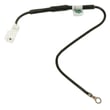
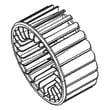

How to replace GE dryer sensor?
On the GE GFD14ESSN0WW dryer, most “sensor” complaints are caused by dirty moisture sensor bars, not a failed part. We clean the sensor first; if the dryer still shuts off early or leaves clothes damp, then we test wiring and replace the humidity sensor if needed using the steps in the GFD14ESSN0WW owner's manual.
Before you start (safety and access)
- Unplug the dryer (or switch off the breaker) before removing any panels.
- Let the dryer cool completely.
- Work with good lighting; keep screws organized.
- Avoid pulling on wires; release locking tabs on connectors.
- If the dryer is stacked, make sure it is stable before servicing.
Step 1: Clean the moisture sensor first
GE’s manual troubleshooting points to a dirty dry sensor as a common cause of damp loads.
- Locate the moisture sensor bars inside the drum near the lint filter housing (typical location on many GE dryers).
- Wipe the bars with a moist cloth.
- If there is residue from dryer sheets, lightly scrub with mild soap and water, then dry.
- Run a timed dry cycle to confirm normal heating and airflow.
Step 2: If cleaning doesn’t fix it, replace the humidity sensor
For this model, the moisture sensing system uses a humidity sensor component.
Typical replacement process (panel layout can vary; follow the manual for exact panel removal order):
- Disconnect power.
- Remove the top panel or front access panel as shown in the GFD14ESSN0WW owner's manual.
- Find the sensor wiring harness and connector.
- Disconnect the connector, release the mounting tab(s) or screw(s), and remove the sensor.
- Install the new sensor, reconnect wiring, and reassemble panels.
- Restore power and run a test cycle.
Part to consider
| Symptom | Most likely fix | Part that may be needed |
|---|---|---|
| Stops early, clothes still damp | Clean sensor bars | None |
| Still damp after cleaning, sensor-related behavior continues | Replace humidity sensor | Humidity sen WE01X26415 |
Why it matters
A dirty or failed moisture sensing system can make the dryer end cycles too soon, which increases drying time, energy use, and wear on fabrics. Cleaning the sensor is fast and often restores accurate dryness control.
Related troubleshooting
If you’re seeing an error code, use GE gfd model series error codes to match the code to the most likely cause.
Last updated: February 2026
Is a 7.4 cu ft dryer big?
Yes. A 7.4 cu. ft. dryer is considered a large-capacity dryer, and it easily handles bulky items and fewer loads per week. For GE dryers like model GFD14ESSN0WW, “big” also depends on your available space and required clearances; check the GFD14ESSN0WW owner's manual for exact fit and installation requirements.
What “large capacity” means in real laundry terms
A 7.4 cu. ft. drum is a good choice when you regularly dry:
- King or queen comforters (material and fill level matter)
- Full family mixed loads (towels, jeans, sweatshirts)
- Bulky items like blankets and mattress pads
- Larger loads from a matching front-load washer
Space and fit: capacity vs. physical size
Capacity (cu. ft.) describes drum volume, not the outside dimensions. For the GE GFD14ESSN0WW, the manual lists these key dimensions and notes:
| What you’re planning | What to check first | Why it matters |
|---|---|---|
| Standard install | Dryer width, depth, height | Confirms it fits the laundry area and door swing |
| Closet/alcove install | Door ventilation and clearances | Prevents overheating and long dry times |
| Stacking | Stacking kit requirement | Ensances stability and safe operation |
If you plan to stack, this model uses stacking kit GFA24KITL; see the 24 frontload stacking kit GFA24KITL for the correct kit.
Why it matters
A larger drum helps clothes tumble more freely, which improves airflow and can reduce wrinkles and dry time. If the venting is restricted or the dryer is crammed into a tight space, even a large-capacity dryer can dry slowly.
Quick tips to get the best performance from a large dryer
- Avoid packing the drum tight; leave room for tumbling
- Clean the lint screen before every load
- Use the right cycle (timed vs. sensor) for the fabric type
- Keep the exhaust ducting as short and smooth as possible
- Confirm closet/alcove ventilation meets requirements
Last updated: February 2026
What does GFD14ESSN0WW stand for?
GFD14ESSN0WW is the GE model number that identifies your specific dryer; it points to the GFD14 series platform and the exact configuration (features and finish) used for parts matching, service, and documentation. For the official identifiers and where to find them on the appliance, use the GFD14ESSN0WW owner's manual.
What the model number tells you (and why it matters)
Manufacturers use model numbers to tie your dryer to the correct wiring diagram, control settings, and replacement parts. On GE dryers, the letters and numbers typically indicate:
- Product family/series (GFD14 series)
- Design platform (shared components across similar models)
- Feature set (controls, sensor options, cycle package)
- Finish/variant code (color or trim differences)
Where to find the model and serial label
The model and serial numbers are printed on a label located:
- On the front of the dryer
- Behind the door
- Near the door opening area
How to use the model number for parts and troubleshooting
When you search parts or diagnose a symptom, always match the full model number exactly (including the final letters).
- Use GFD14ESSN0WW when ordering parts like a control board or door switch
- Use the model number when checking error codes and diagnostic modes
- Use the serial number to confirm production details when needed
Common examples (what the model number affects)
| What you’re doing | Why the exact model matters | Example part for this model |
|---|---|---|
| Replacing an electronic control | Connectors and programming can differ by revision | Control board WE04X27515 |
| Fixing a “won’t start” issue | Door switch and harness routing vary by model | Dryer door switch WE01X26341 |
| Stacking installation | Requires the correct kit for safe fit | 24 frontload stacking kit GFA24KITL |
Why it matters
Using the exact model number prevents wrong-part returns and helps ensure the dryer heats, tumbles, and senses dryness correctly after a repair.
Last updated: February 2026
What is the most common problem with a GE dryer?
The most common GE dryer problem is poor drying performance: clothes take too long to dry or come out damp. On the GE GFD14ESSN0WW, the first thing we check is airflow (lint screen and exhaust ducting), because obstructed venting is a top cause of long dry times and overheating-related shutdowns. See the GFD14ESSN0WW owner's manual for venting and troubleshooting steps.
Most common symptoms we see
- Clothes take too long to dry
- Dryer runs but there is little or no heat
- Dryer will not start or stops mid-cycle
- Dryer shakes or makes unusual noise
- Lint on clothes or excessive static
Quick checks that fix many GE dryer issues
- Clean the lint screen before every load (this is the fastest win for drying time and safety).
- Inspect the exhaust duct and hood; remove lint buildup and fix kinks or crushed ducting.
- Confirm the outside damper moves freely while the dryer is running.
- Sort loads by fabric weight; heavy items (towels) dry slower than lightweight items.
- Avoid overloading; smaller loads dry more evenly.
If drying is still slow: likely parts to test
Airflow problems come first, but if venting is clear and performance is still poor, these parts commonly affect heat and cycle results:
| Symptom | Common cause | Example part for GFD14ESSN0WW |
|---|---|---|
| Long dry times, cycles end early | Moisture sensing issue or airflow restriction | Humidity sen WE01X26415 |
| Overheating, shuts down, inconsistent heat | Temperature regulation problem | Temperature control WE04X28741 |
| Weak airflow, noisy air movement | Blower issue | Blower fan WE16X28729 |
Error codes can speed up diagnosis
If your display shows an error code, match it to the GE GFD series list and follow the recommended checks before replacing parts: GE gfd model series error codes.
Why it matters
A restricted exhaust duct can dramatically increase drying time and can also cause the dryer to run hotter than intended. Keeping the lint screen clean and the venting clear protects the heater system, improves efficiency, and reduces nuisance shutdowns.
Last updated: February 2026
Where is my thermal fuse located on my GE dryer?
On the GE GFD14ESSN0WW dryer, the overheat safety device is located inside the cabinet in the heater and airflow area, not on the control panel. Use the wiring and component views in the GFD14ESSN0WW owner's manual to identify the exact safety device and the panel you remove to reach it.
Where to look on GE compact electric dryers
On most GE compact electric dryers, the thermal safety device (often called a thermal fuse or thermal cutoff) is mounted on one of these assemblies:
- The heater housing or heater duct near the rear of the drum
- The blower housing near the exhaust outlet
- A metal duct in the airflow path where overheating is detected first
- Near a thermostat or temperature sensor mounted to the same housing
Safe access steps (basic)
We follow these steps before touching any internal wiring:
- Unplug the dryer or switch off the breaker
- Let the dryer cool completely
- Remove the panel indicated in the manual for component access
- Photograph wire positions before disconnecting anything
- Test the safety device with a multimeter for continuity
Don’t confuse a “thermal fuse” with a house fuse
The GFD14ESSN0WW manual troubleshooting notes that a blown house fuse or tripped breaker can cause a no-heat symptom even while the drum tumbles. Use this quick check first:
| Symptom | Common cause | What to do |
|---|---|---|
| Drum tumbles, no heat | One leg of power missing | Reset both breakers or replace both fuses (if applicable) |
| Dryer dead, no display | No power to dryer | Verify outlet power, cord, and breaker |
| Long dry times | Airflow restriction | Clean lint screen and check venting/air intake |
Why it matters
The thermal safety device opens when temperatures get unsafe. If it has opened, correcting the root cause (restricted airflow, lint buildup, or a temperature control problem) prevents repeat overheating.
Last updated: February 2026
Where to find part number on GE dryer?
On your GE dryer model GFD14ESSN0WW, the model and serial tag (which you will use to match the correct replacement parts) is typically located inside the dryer door opening, either on the door frame or just inside the front panel area. Use the tag’s model number to look up the exact part number you need in the GFD14ESSN0WW owner's manual.
What to look for on the label
The tag usually includes several identifiers. Here is what each one is used for:
- Model number: identifies the exact dryer version (use this to match parts)
- Serial number: helps date the unit and confirm production run
- Electrical ratings: voltage and amperage information
- Manufacturing information: factory codes and other internal identifiers
Quick steps to find it (and record it correctly)
- Open the dryer door.
- Inspect the door frame first (all around the opening).
- Check just inside the opening on the front panel area.
- Write the model number exactly as shown (for this dryer: GFD14ESSN0WW).
- Take a clear photo of the tag before ordering parts.
Why it matters when ordering parts
Many GE dryers share similar-looking components, but parts can vary by model revision. Using the correct model number helps ensure you get the right items the first time, such as a control board, door switch, or motor.
| What you have | What it helps you do |
|---|---|
| Model number (GFD14ESSN0WW) | Match diagrams and order correct parts |
| Serial number | Confirm production run details when troubleshooting |
| Electrical ratings | Verify power cord and installation requirements |
Example parts you might match using the model number
If you are diagnosing a symptom and need to confirm the correct replacement, the model number is what ties the part to your dryer:
- Control board WE04X27515 (no power, dead display, erratic operation)
- Dryer door switch WE01X26341 (won’t start when door is closed)
- Dryer drive motor WE03X28740 (hums, won’t tumble, intermittent running)
Last updated: February 2026





