 Owner’s manual
What is the life expectancy of a Hoover vacuum?
A Hoover upright vacuum like model UH70825 typically lasts 8 years with normal household use. With consistent maintenance (filters kept clean, clogs cleared, and the brush roll and belt kept in good shape), it commonly reaches 10 to 12 years before major performance drop-offs.
What affects how long your UH70825 lasts
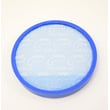
- Filter and airflow care: clogged filters and hoses overheat the motor and reduce suction.
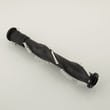
- Brush roll and belt condition: worn belts or jammed brush rolls strain the drive system.
- Home conditions: pet hair, fine dust, and large carpeted areas increase wear.
- How you store it: keeping it dry and avoiding cord damage prevents electrical issues.
- How quickly you fix small issues: a simple belt problem can turn into bigger damage if ignored.
Maintenance schedule that extends lifespan
Use this as a practical baseline; follow the exact steps and intervals in the UH70825 owner's manual.
| Task | Good routine | What it prevents |
|---|---|---|
| Empty bin or change bag (if equipped) | When 1/2 to 2/3 full | Loss of suction, clogs |
| Clean or replace filters | Monthly (more with pets) | Overheating, weak pickup |
| Clear clogs in hose/air path | As soon as suction drops | Motor strain |
| Remove hair from brush roll | Weekly to monthly | Brush roll stall, belt wear |
| Inspect belt | Every 3 to 6 months | Brush roll not spinning |
Signs it is near end-of-life (or needs a major repair)
- Suction stays weak even after cleaning filters and clearing clogs
- Burning smell, frequent shutoffs, or unusually hot housing
- Brush roll stops often, even after removing debris
- Loud grinding or high-pitched motor noise
- Cracks in the nozzle or air path that cause persistent air leaks
Why it matters
Most “worn-out vacuum” complaints are actually airflow restrictions or brush roll drive issues. Catching a stretched or broken belt early (the manual calls out belt and troubleshooting steps) helps protect the motor and keeps cleaning performance strong.
Last updated: February 2026
What is the number one rated upright vacuum cleaner?
There is no single “number one” upright vacuum cleaner for everyone; the best-rated choice depends on your floors (carpet vs. hard floor), pet hair needs, and whether you prefer bagged or bagless. For Hoover model UH70825, we recommend using the features in your UH70825 owner's manual to match performance to your home.
How to pick the best upright for your home
Use these factors to decide what “top rated” means for you:
- Floor type: adjustable height for carpet; a hard-floor setting for bare floors
- Pet hair: strong agitation and easy brushroll cleaning
- Filtration: sealed airflow and quality filters for allergies and fine dust
- Maintenance: easy access to the brushroll, belt, dirt cup, and filters
- Handling: weight, swivel steering, and hose reach for stairs and above-floor cleaning
What your Hoover UH70825 already does well
Your UH70825 includes features that align with what many reviewers score highly:
- Carpet height adjustment to balance deep cleaning and push effort
- Above-floor tools for upholstery, drapes, mattresses, and stairs
- Brushroll operation awareness: the brushroll can keep spinning even with the handle upright (important for protecting rugs and furniture)
Quick comparison: “top rated” priorities
| If you care most about... | Look for... | What to do on UH70825 |
|---|---|---|
| Deep carpet cleaning | brushroll agitation + correct height setting | set the dial to LOW for most carpets; raise height if it is hard to push |
| Hard floors | brushroll control and proper setting | use the Hard Floor setting when cleaning bare floors |
| Pet hair | anti-tangle design and easy belt/brush access | keep the brushroll clear; replace the belt if the brushroll slows |
| Reliability | simple maintenance and airflow protection | keep filters and the dirt cup installed and clean |
Why it matters
“Number one rated” lists change often, but your results come from matching the vacuum to your flooring and keeping airflow and the brushroll system (belt, brushroll, and filters) in good shape.
For repair and maintenance how-tos, we use the vacuum repair-guides landing page to find the right procedure by symptom.
Last updated: February 2026
What is the best inexpensive upright vacuum?
An inexpensive upright vacuum is “best” when it matches your floors and is easy to maintain. If you already own the Hoover UH70825, you can usually get the best value by keeping it performing like new with routine filter, dirt cup, hose, brushroll, and belt maintenance outlined in the UH70825 owner's manual.
What to look for in a budget upright
- Strong carpet agitation: a working brushroll and correct height setting matter more than extra features.
- Easy maintenance: simple access to the dirt cup and filters keeps suction consistent.
- Belt and brushroll support: common wear items should be straightforward to inspect and replace.
- Floor type fit: a height adjustment or hard-floor setting helps prevent scattering and improves pickup.
- Clog resistance: a clear hose path and clean filters reduce overheating and shutdowns.
Quick comparison: budget priorities
| If your home has... | Prioritize | Why it matters |
|---|---|---|
| Mostly carpet | Brushroll performance + correct height | Better deep-cleaning and less pushing effort |
| Mixed floors | Height adjustment / hard-floor setting | Prevents poor pickup and protects floors |
| Pets | Easy filter cleaning + clog access | Maintains airflow and reduces odor |
| Stairs/upholstery | Usable hose and tools | Makes above-floor cleaning practical |
How to get “best value” from the Hoover UH70825 you already have
The UH70825 includes carpet height adjustment guidance (use “Hard Floor” for bare floors; raise the setting if it’s hard to push). Keeping airflow and agitation strong is the difference between “cheap vacuum performance” and “good vacuum performance.”
Maintenance checklist (fast)
- Empty the dirt cup before it gets overfull.
- Clean or replace filters on schedule.
- Clear clogs from the hose and air path.
- Remove hair and string from the brushroll.
- Inspect the belt for stretching, glazing, or burning smell.
Why it matters
Most “budget vacuum” complaints are really airflow loss (dirty filters, clogs) or no agitation (worn belt, jammed brushroll). Fixing those restores cleaning performance without replacing the whole upright.
For step-by-step DIY help, use our vacuum repair-guides landing page.
Last updated: February 2026
What are common Hoover vacuum problems?
Common problems we see on the Hoover UH70825 upright vacuum are low suction, the vacuum not running, the brushroll not spinning, dust leaking, and overheating or shutting off. Most of these issues trace back to a full dirt cup, dirty filters, a blockage, or a worn or twisted belt (all covered in the troubleshooting checklist in the UH70825 owner's manual).
Most common symptoms and what usually causes them
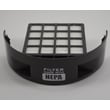
- Low suction or won’t pick up: full dirt cup, dirty rinsable filter or HEPA media filter, hose not installed correctly, or a clog
- Vacuum won’t run: power issue (home breaker/fuse), thermal protection from overheating, or an airflow restriction
- Brushroll won’t spin: belt broken, stretched, worn, or installed twisted
- Dust escaping: dirt cup not seated, filter not installed correctly, or a seal issue from debris buildup
- Hard to push: carpet height set too low for the surface, or brushroll/belt drag from debris
Quick checks we recommend first (fast, no tools)
- Unplug the vacuum before servicing.
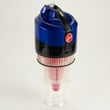
- Empty the dirt cup and re-seat it fully.
- Clean the rinsable filter and check the HEPA media filter condition.
- Check for clogs in the hose and air path; re-install the hose correctly.
- Rotate the brushroll by hand to confirm the belt is not twisted.
Troubleshooting map (symptom to next step)
| Symptom | Most likely check | Typical fix |
|---|---|---|
| Low suction | Filters and clogs | Clean filters; clear blockage |
| Brushroll not spinning | Belt condition/twist | Replace belt; re-route correctly |
| Shuts off during use | Overheating from restriction | Clear clog; clean filters |
| Difficult to push | Carpet height setting | Adjust height for the floor |
Why it matters
Airflow problems (dirty filters, full dirt cup, clogs) reduce cleaning performance and can make the motor run hotter. Belt and brushroll issues reduce agitation, so the vacuum may sound normal but leave debris behind.
Helpful DIY guides
Last updated: February 2026


