 Owner’s manual
 Error Codes



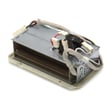

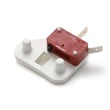
How do you know if a thermal fuse is blown on a whirlpool dryer?
On a Whirlpool dryer like model WED7500VW0, a blown thermal fuse commonly shows up as a dryer that will not start, or a dryer that runs but has no heat. The sure way to know is a continuity test with a multimeter; a good fuse shows continuity, a blown fuse reads open.
We rule out power and simple interlocks first because this model can tumble with no heat if one leg of power is lost.
- Confirm the dryer is getting 240 volts (electric dryers use 2 household fuses or breakers).
- If the drum turns but there is no heat, reset the breaker(s) or replace the house fuse(s).
- Make sure the door fully closes and the Start button is pressed.
- Verify the cycle is not set so the dial is sitting in an “off” position.
- Clean the lint screen and check the vent path for restrictions.
For model-specific operating and troubleshooting notes, use the WED7500VW0 owner's manual.
- Unplug the dryer (or shut off power at the breaker).
- Access the fuse (commonly on the blower housing or heater housing, depending on configuration).
- Pull the wires off the fuse terminals.
- Set your meter to continuity or ohms.
- Touch a probe to each terminal.
| Meter result | What it means | What to do next |
|---|---|---|
| Beep or near 0 Ω | Fuse is good | Keep troubleshooting heat or start circuit |
| No beep / OL / infinite Ω | Fuse is blown | Replace the thermal fuse and correct the airflow problem |
A thermal fuse is a one-time safety device; when it opens, it is usually protecting the dryer from overheating. The most common root cause is restricted airflow, such as a clogged lint screen, crushed vent hose, or blocked exterior vent hood.
If you are also diagnosing overheating or cycling issues, these related controls are commonly checked in the same repair:
- Dryer safety thermostat W10843940
- Dryer thermostat WPW10483239
- Lint buildup in the blower housing and vent duct
Last updated: February 2026
How to hard reset a whirlpool dryer?
To hard reset your Whirlpool dryer model WED7500VW0, we recommend a full power reset: unplug the dryer (or switch the breaker OFF) for 5 minutes, then restore power and start a new cycle. This clears most control glitches without changing cycle settings.
- Turn the Cycle Control knob to OFF.
- Unplug the dryer from the outlet (or turn the circuit breaker OFF).
- Wait 5 minutes to let the control fully discharge.
- Restore power.
- Close the door, select a cycle and temperature, then press START (as described in the WED7500VW0 owner's manual).
These checks solve the most common “dead” or “won’t run” complaints after a power cycle.
- Confirm the door fully closes; a failed door switch can prevent starting.
- Check the house power supply; many electric dryers use two fuses or two breakers.
- Try a different cycle selection; some cycles require the door to be closed before pressing START.
- If the drum turns but there is no heat, check the second breaker or fuse again.
- If the dryer stops mid-cycle, inspect airflow and lint buildup (restricted venting can trigger safety shutoffs).
| Action | What it does | When to use it |
|---|---|---|
| Power reset (unplug 5 minutes) | Clears many electronic/control glitches | Random stopping, unresponsive controls |
| Restart cycle (door/knob OFF then START) | Stops and restarts a cycle normally | You changed your mind mid-cycle |
A true power reset restores normal operation after minor control errors, but it will not fix a failed component (like a door switch) or a power supply issue. If the dryer will not run, verifying the door switch and the two-breaker power feed prevents repeat shutdowns and no-start symptoms.
Last updated: February 2026
What does F1 mean on a whirlpool dryer?
On a Whirlpool dryer like model WED7500VW0, an F1 code points to an electronic control problem (the main control is detecting a fault). The fastest path is to reset power, then check wiring connections to the control before replacing parts; see the WED7500VW0 owner's manual.
- Unplug the dryer (or switch off the breaker) for 5 minutes, then restore power and try a cycle.
- If F1 returns, unplug power again and inspect the control-area wiring.
- If the code persists after connections are confirmed, the main control board is typically the failed component.
- Loose or partially seated wire connectors (push each connector fully onto its pins)
- Corrosion, heat discoloration, or damaged terminals
- Pinched wires in the console area
- Signs of moisture intrusion
- Disconnect power; electric dryers use 240 volts.
- Confirm the dryer is on a proper 240V supply and that both breakers/fuses are good (a dryer can run but still act up if one leg is lost).
- Reseat harness plugs at the control; take a photo first so every connector goes back correctly.
- Run a short timed cycle to see if the code returns immediately.
| Result after reset and connector check | Most likely fix | What it means |
|---|---|---|
| F1 clears and stays cleared | No parts needed | Temporary control glitch or loose connection |
| F1 returns quickly | Replace electronic control | Control is failing self-checks |
| F1 appears intermittently | Repair harness/connector issue | Vibration or heat is opening a weak connection |
When the control detects an internal fault, it can stop the dryer mid-cycle or prevent starting. Addressing F1 early helps avoid repeated shutdowns and reduces the chance of heat-related wiring damage.
For model-specific operating and troubleshooting guidance, use the WED7500VW0 owner's manual. For code definitions and common fixes across Whirlpool electronic-control dryers, use Whirlpool electronic control model dryer error codes.
Last updated: February 2026








