 Installation guide
 Owner’s manual
 Error Codes





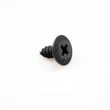
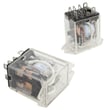
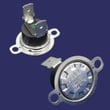
How to get KitchenAid replacement parts?
For your KitchenAid KEBK206SSS04 30" electric built-in double oven, we recommend ordering factory-specified replacement parts by matching your model number to the correct parts list, then selecting the exact part you need (for fit and performance). Use the owner's manual to confirm your model and part identification details.
Fast way to order the right part
- Confirm the full model number: KEBK206SSS04 (use the model and serial tag on the oven).
- Identify the failed system: bake, broil, temperature sensing, door latch, cooling, or lighting.
- Choose the exact replacement from the model parts list.
- Match by part ID when possible (most accurate).
- Order only factory-specified parts for proper fit.
Common replacement parts for this model
These are frequently replaced items for heating, temperature accuracy, and door operation:
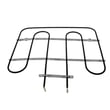
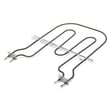
- Bake element WPW10207398
- Range broil element WP9760774
- Wall oven temperature sensor WPW10131825
- Door latch W11029221
- Wall oven thermal fuse WP8304452
- Wall oven cooling fan assembly WP8303972
What to have ready before you order
Having these details prevents wrong-part returns and delays:
| What to gather | Where to find it | Why it matters |
|---|---|---|
| Model number (KEBK206SSS04) | Oven ID tag | Ensures correct parts diagram |
| Symptom (no heat, overheats, won’t latch) | During operation | Points to the right part category |
| Part ID (example: WPW10131825) | Parts list or old part label | Best match for compatibility |
| Upper vs. lower oven issue | Your observation | Double ovens can use different parts |
Why it matters
Wall ovens use model-specific components (elements, sensors, fuses, latches). Ordering by the exact model number and part ID helps the part fit right and work right, especially on a built-in double oven like the KEBK206SSS04.
Last updated: February 2026
How to replace KitchenAid oven temperature sensor?
To replace the oven temperature sensor on your KitchenAid KEBK206SSS04 double wall oven, we disconnect power, remove the sensor mounting screws inside the oven, pull the sensor forward to access the connector, swap in the new sensor, then reassemble and restore power. Use the KEBK206SSS04 owner's manual for safety and access guidance.
Before you start (safety and prep)
- Turn the oven off and let it cool completely.
- Shut off power at the breaker; this is a 240-volt appliance.
- Wear cut-resistant gloves; sheet metal edges can be sharp.
- Use a flashlight so you can see the sensor connector clearly.
- Keep screws together so they do not fall behind the liner.
Replacement steps (typical for this model style)
- Disconnect power at the breaker.
- Open the oven door and locate the temperature sensor probe (usually on the rear oven wall).
- Remove the mounting screws holding the sensor to the oven liner.
- Gently pull the sensor toward you a few inches until the wire connector is accessible.
- Unplug the connector (do not pull on the wires).
- Connect the new sensor, tuck the wiring back through the opening, and reinstall the screws.
- Restore power and test bake operation.
If you need the correct replacement part for this model, use the wall oven temperature sensor WPW10131825.
Quick troubleshooting after replacement
- If the oven still heats incorrectly, verify the connector is fully seated.
- If the display shows an error or the oven will not heat, check the house breaker and wiring per the installation instructions.
- If the oven is completely dead, inspect the thermal cutoff circuit; a failed fuse can stop operation.
Common symptoms and likely causes
| Symptom | Most common cause | What to check first |
|---|---|---|
| Oven temperature is inaccurate | Sensor out of range | Sensor connector and mounting |
| Oven will not operate | Power supply issue | Breaker, wiring, control settings |
| Oven shuts down unexpectedly | Overheat protection opened | Cooling airflow, thermal fuse circuit |
Why it matters
A failing temperature sensor can make the KEBK206SSS04 run too hot or too cool, which affects baking results and can trigger control faults. Replacing the sensor restores accurate temperature feedback to the electronic oven control.
Last updated: February 2026
How do I reset my KitchenAid oven control panel?
To reset the control panel on your KitchenAid KEBK206SSS04 double wall oven, turn the power off at the breaker for about 1 minute, then restore power. The display should light briefly and may show “PF” (power failure), which confirms the control rebooted.
Quick reset steps (recommended)
- Set the oven to OFF and cancel any active cooking cycle.
- Turn OFF the oven circuit breaker (or remove power at the home electrical panel).
- Wait 60 seconds.
- Turn the breaker ON.
- Set the clock if prompted.
- Test Bake or Broil on the upper or lower oven.
If the panel looks “frozen,” check Control Lock first
This model has a Control Lock feature that disables most keys. If the lock icon is on or most buttons do nothing:
- Touch and hold START for about 5 seconds to toggle Control Lock.
- When locked, only TIMER SET/START, TIMER OFF, and OVEN LIGHT work.
For the exact key names and display messages used on your control, follow the steps in the owner's manual.
What “PF” means after power is restored
After a reset or power interruption, “PF” typically indicates a power failure event was detected.
| Display message | What it indicates | What to do |
|---|---|---|
| PF | Power was interrupted | Set the clock; run a quick test bake |
| Lock icon / “control locked” | Control Lock is on | Hold START ~5 seconds to unlock |
| Blank display | No power to control | Recheck breaker; confirm power is restored |
Why it matters
A breaker reset clears many temporary control glitches (stuck keys, unresponsive display, odd beeps) and restores normal operation without replacing parts. If “PF” appears repeatedly without any known outage, use the installation guide to confirm power was reconnected correctly and securely.
Last updated: February 2026
What are the parts of an electric oven?
For the KitchenAid KEBK206SSS04 30-inch electric built-in double oven, the main oven parts include the electronic oven control, oven vent, broil elements, hidden bake element, oven lights, door lock latch, and door gasket. Your exact configuration is shown in the owner's manual.
Common electric oven parts and what they do
- Electronic oven control: sets bake, broil, and timed cooking functions
- Bake element: provides primary heat for baking (often hidden under the oven floor on this model)
- Broil element: provides high, top-down heat for broiling
- Oven vent: routes heat and moisture out of the oven cavity
- Oven lights and light switch: illuminates the cavity when the door opens or the light is turned on
- Door lock latch: locks the door during self-clean on many wall ovens
- Door gasket: seals the door to keep heat inside for stable temperatures
Parts you can replace on KEBK206SSS04
These are common service parts we see customers replace when heating or usability problems show up:
| Symptom | Part to check | Example part for this model |
|---|---|---|
| Oven not heating or uneven baking | Bake element | Bake element WPW10207398 |
| Broil not working | Broil element | Range broil element WP9760774 |
| Oven temperature seems off | Temperature sensor | Wall oven temperature sensor WPW10131825 |
| Oven completely dead after overheating | Thermal fuse | Wall oven thermal fuse WP8304452 |
| Light out | Light bulb | Wall oven light bulb WPW10169757 |
Why it matters
Knowing which part does what helps you troubleshoot faster. For example, a failed bake element can cause slow preheat and underbaking, while a bad temperature sensor can cause the oven to run hot or cold even though it still heats.
Last updated: February 2026







