 Owner’s manual










Is it worth replacing a heating element in a Samsung dryer?
Yes. For a Samsung dryer like model DVE54M8750V, replacing the heating element is worth it when the dryer otherwise runs normally (drum turns, controls work) because a failed heater is a single-component repair that typically restores heat without replacing the whole appliance. Use the DVE54M8750V owner's manual for safety and troubleshooting guidance.
When replacement makes sense
We recommend replacing the heating element when the symptoms point to a heat-only failure and the rest of the dryer is in good condition.
- The dryer tumbles but clothes stay cold or damp
- Cycles run but take much longer than normal
- No burning smell, no repeated shutdowns, and airflow is strong at the vent
- You have stable power (electric dryers need a proper 240V supply)
- You can access and test heater-circuit parts safely with power disconnected
Parts that commonly get replaced with (or instead of) the heater
On this model, “no heat” is often caused by a safety device or sensor opening the heater circuit, not only the element itself. These parts are commonly involved:
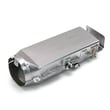
- Samsung dryer heating element assembly DC93-00154A
- Dryer thermal cut-off fuse, 320-degree f DC47-00015A
- Dryer thermal cut-off fuse DC96-00887A
- Dryer high-limit thermostat DC47-00018A
- Dryer thermistor DC32-00007A
Quick decision guide
| What the dryer does | Most likely focus | Typical next step |
|---|---|---|
| Tumbles, no heat | Heater circuit open | Test element, thermal cut-off, high-limit thermostat |
| Heats briefly then stops | Overheating or airflow restriction | Clean venting, then test thermostat and thermal cut-off |
| Long dry times but some heat | Airflow or moisture sensing issue | Clean lint path, verify venting, check thermistor |
Why it matters
A heating element usually fails “open” and simply stops producing heat. Replacing the correct heater-circuit part restores drying performance and helps prevent repeat failures caused by overheating from restricted venting.
Ordering the right part
We match parts to your exact model DVE54M8750V. Order from the parts list for this model, or search by model number on Sears PartsDirect.
Last updated: February 2026
How to reset Samsung dryer error code?
To reset an error (information) code on your Samsung DVE54M8750V dryer, we recommend a simple power reset: turn the dryer off, then disconnect power for about 1 minute and restore power. If the code returns, use the code’s recommended checks because a reset will not correct the underlying issue.
Quick reset steps (power cycle)
- Press POWER to turn the dryer off.
- Unplug the dryer (or switch the dryer breaker off).
- Wait about 60 seconds.
- Restore power.
- Press and hold START/PAUSE (Hold to Start) to restart a cycle.
For control-panel functions and button behavior, follow the steps in the owner's manual.
What to do if the code comes back
Many Samsung information codes point to airflow, temperature sensing, or a door/controls condition. Start with the basics:
- Clean the lint screen and confirm it seats correctly.
- Check the vent duct for kinks, crushing, or heavy lint buildup.
- Make sure the door closes fully and laundry is not pinched in the opening.
- Try a different cycle to see if the code is cycle-specific.
- If the dryer is overheating or not heating, stop using it until airflow and heating components are checked.
Common codes and the first checks
| Code | What it usually indicates | First action to try |
|---|---|---|
| dC | Door open or not latched | Close door; remove items caught in door |
| HC | High temperature heating check | Clean lint filter; check vent restriction |
| tC / tC5 | Thermistor resistance out of range | Check lint screen; check vent restriction |
| FC | Power source frequency issue | Restart cycle; verify stable power |
If you’re seeing tC/tC5 repeatedly, a failed temperature sensor is a common cause; the dryer thermistor DC32-00007A is one of the model-matched parts used for temperature sensing.
Use Smart Care for code details (built-in help)
Your DVE54M8750V supports Smart Care. When an information code appears, you can activate Smart Care and use a smartphone app to read the code and get guided suggestions.
Why it matters
Repeatedly clearing an error code without fixing the cause can lead to long dry times, overheating, or repeated shutdowns. Airflow restrictions and temperature-sensing problems are especially important to correct to protect the heating system.
You can order replacement parts for your Samsung DVE54M8750V from the parts list for this model, or search by model number on Sears PartsDirect.
Last updated: February 2026
What is the average lifespan of a Samsung dryer?
A Samsung dryer lasts 10 to 15 years. For your Samsung DVE54M8750V, keeping airflow strong (lint screen and venting), avoiding overloads, and fixing new noises early are the biggest factors in reaching the high end of that range; see the care schedule in the DVE54M8750V owner's manual.
What most affects dryer lifespan
Dryers wear out fastest when heat and airflow are out of balance or the drum support system is stressed.
- Restricted venting (crushed duct, long run, clogged hood)
- Lint buildup in the lint screen area and blower housing
- Overloading that strains the belt, idler, and rollers
- Frequent high-heat cycles that stress thermostats and thermal fuses
- Ignoring thumping or squealing until parts fail
Maintenance that helps you reach 15 years
These habits protect the motor, heating system, and drum support parts.
- Clean the lint screen every load
- Clean the full vent path routinely (dryer outlet to exterior hood)
- Keep the dryer level to reduce roller and seal wear
- Leave room for tumbling; do not pack the drum tight
- If dry times increase, correct airflow first before replacing heating parts
Quick symptom guide
| Symptom | Most common cause | First step |
|---|---|---|
| Long dry times | Vent restriction or lint buildup | Clean venting and lint areas |
| Thumping/rumbling | Worn drum support rollers | Inspect rollers and drum support |
| Squealing | Idler or belt wear | Inspect belt path and idler |
| No heat | Overheat protection opened | Fix airflow, then test heat parts |
Why it matters
A dryer can seem “worn out” when it is really overheating from poor airflow. Good venting reduces heat stress on the thermistor, high-limit thermostat, and thermal cut-offs, and it also lowers strain on the drive motor and drum belt.
If you are ordering parts, use the model parts list first; you can also search by model number on Sears PartsDirect.
Last updated: February 2026







