 Error Codes










How do I tell what model my Frigidaire stove is?
Your Frigidaire stove’s model number is printed on an ID label attached to the range body, not the control panel. On the Frigidaire electric range model LGEF3033KBB, the label is most often found around the oven door frame area or near the storage drawer opening; use the full letter and number string.
Check these common spots in this order:
- Oven door frame: open the oven door and look along the frame (top, sides, and bottom lip)
- Storage drawer area: pull the bottom drawer out and look on the frame around the opening
- Lower front frame: just behind the toe area near the floor
- Side trim area: along the left or right side frame near the front edge
- Back panel: if the range is accessible, look on the rear panel
The model number is usually a mix of letters and numbers (for example, LGEF3033KBB). Copy it exactly, including any suffix letters.
- Write the model number and serial number
- Take a clear photo before the label gets worn
- Watch for look-alikes: 0 vs O, 1 vs I, 5 vs S, 8 vs B
| Item | What it identifies | Example format |
|---|---|---|
| Model number | The exact range version | LGEF3033KBB |
| Serial number | Your specific unit | Letters and numbers |
| Part number | A replacement component | 316490000 |
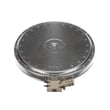
We use the model number to match the correct Frigidaire parts and diagrams for your range. That prevents ordering the wrong bake element, surface element, or control parts that may look similar but fit differently.
If you are troubleshooting an oven temperature problem while you are locating the label, the Frigidaire range oven temperature sensor 316490000 is one of the key parts involved in temperature regulation on many Frigidaire electric ranges.
Last updated: February 2026
Can I look up Frigidaire parts by model number?
Yes. For your Frigidaire electric range model LGEF3033KBB, looking up parts by the full model number is the most reliable way to get compatible replacement parts because it filters results to the exact configuration (cooktop, oven, controls, and wiring) used on that range.
On most Frigidaire freestanding electric ranges, the model and serial tag is typically located in one of these spots:
- Along the oven door frame (visible when you open the oven door)
- On the lower drawer frame (storage or warming drawer area)
- Behind the control panel area (less common)
Use the complete model number exactly as shown on the tag, then match the part by name and symptoms.
- Enter LGEF3033KBB exactly (letters and numbers matter)
- Choose the system you are repairing (bake, broil, surface elements, controls)
- Confirm the part description matches what you are replacing
- Compare the failure symptom to the part’s job (heat, sense temperature, switch power)
- If multiple versions appear, match by your range’s features (for example, dual element vs. single)
These are examples of model-matched parts customers often search for on LGEF3033KBB:
| Symptom | Part type to check | Example model-matched part |
|---|---|---|
| Oven temperature is inaccurate | Oven temperature sensor | Frigidaire range oven temperature sensor 316490000 |
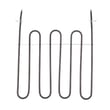
| Oven will not bake | Bake element | Frigidaire range bake element 316505500 |
| Surface element will not heat | Surface element switch or element | Frigidaire range small surface element control switch 316436000 |
| Oven light is out | Light bulb or socket | Appliance light bulb, 40-watt 316538904 |
Frigidaire ranges can look similar across model families, but internal parts like the electronic control, surface element circuits, and oven sensor calibration can differ. Using the exact model number helps prevent wrong-part returns and repeat repairs.
Last updated: February 2026
How to reset a Frigidaire electric range?
To reset your Frigidaire electric range model LGEF3033KBB, we recommend doing a full power reset: turn the range off, shut off power at the breaker (or unplug it), wait 5 minutes, then restore power. This clears many control glitches and restores normal operation.
- Turn all surface element knobs to OFF.
- If the oven is running, press Cancel/Off.
- Switch the range circuit breaker OFF (preferred) or unplug the power cord.
- Wait 5 minutes (10 minutes if the display was frozen or beeping).
- Turn the breaker ON (or plug back in).
- Set the clock and test Bake and a surface element.
A reset fixes temporary electronic issues. If the problem returns right away, focus on the most common causes below.
- Error code showing: use our Frigidaire self-cleaning range error codes guide to match the code to the likely failure.
- Oven temperature is way off: a failing sensor can cause odd heating and error codes; check the Frigidaire range oven temperature sensor 316490000.
- No heat in bake or broil: inspect elements for visible damage; common replacements include the Frigidaire range bake element 316505500 and Frigidaire range broil element 316203301.
- One surface burner will not regulate: a bad infinite switch is common; see the Frigidaire range small surface element control switch 316436000.
| Symptom after reset | Most likely area | What we check first |
|---|---|---|
| Beeping with an error code | Control sensing a fault | Look up the code, then inspect sensor and wiring |
| Oven heats unevenly or wrong temp | Temperature sensing | Oven temperature sensor and its connector |
| Bake works, broil does not (or vice versa) | Heating circuit | Failed element or loose wire connection |
| One radiant element stuck high/low | Surface control | Infinite switch for that burner |
A proper power reset clears the electronic control’s temporary memory and can stop nuisance beeping, blank displays, and unresponsive keypads. If the issue is caused by a failed sensor, element, or switch, the reset helps confirm it is a real hardware problem so you can replace the right part.
Last updated: February 2026





