Owner’s manual



What is the bar on the back of a tiller for?
On the Craftsman 917293180 rear-tine tiller, the bar at the back is the depth stake (also called a drag stake). We use it to control how deep the tines dig, help the tiller “bite” into the soil, and steady the machine so it does not surge forward.
What the depth stake does (and why it matters)
The depth stake sets resistance against the ground. More resistance means deeper tilling but slower forward travel; less resistance means shallower tilling and easier movement.
- Controls tilling depth (shallow cultivating vs. deep breaking)
- Helps keep the tiller from pulling forward too fast
- Improves traction and reduces bouncing in hard soil
- Lets you raise it for transport so tines do not scuff the ground
How to adjust it on model 917293180
Adjustment is done by moving the stake up or down and locking it with the pin.
- Shut the engine off and let moving parts stop
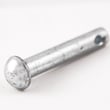
- Pull the depth stake pin
- Move the depth stake to the hole that matches the depth you want
- Reinstall the pin fully so the stake is locked
- For deeper tilling, run the throttle faster; for cultivating, use any comfortable speed
Quick settings guide
| Goal | Depth stake position | What you will notice |
|---|---|---|
| Transporting | Highest (least in ground) | Tines stay up; easier to roll |
| Cultivating | Mid | Smoother control; lighter soil disturbance |
| Deep tilling | Lowest (most in ground) | Slower forward travel; deeper bite |
Safety and performance tips
- Always release the drive control bar before shifting gears.
- Keep feet and legs away from the tines when turning.
- For best tilling performance, keep tire pressure even; this model’s manual calls out 20 PSI.
For diagrams and the exact adjustment procedure for your controls and pins, use the owner's manual.
Last updated: February 2026
Can a rear tine tiller cut through roots?
Yes. A rear-tine tiller like the Craftsman 917293180 can cut through small roots while tilling, but it is not meant to chew through large, woody roots. If the tines jam on roots or rocks, the tine shear pins are designed to break first to protect the transmission (see the owner's manual).
What to expect when you hit roots
Rear-tine tillers are built for tougher soil, but roots still create sudden shock loads.
- Small feeder roots usually get chopped and mixed into the soil.
- Larger roots can stop the tines and cause the tiller to bounce or pull.
- If the tines lock up, shear pins can break to prevent internal gear case damage.
- Dry, hard ground makes root cutting harder; lightly moisten soil before tilling.
- Extremely wet soil can clump and reduce cutting performance.
How to improve root-cutting performance (without damaging the tiller)
- Till in shallow passes first, then gradually work deeper.
- Aim for typical tilling depth of about 4 to 6 inches for general soil prep.
- Do not lean on the handle; it reduces wheel traction and control.
- For tough sections, apply slight upward pressure on the handle or adjust the depth stake.
- Clear long grass and vines first so they do not wrap around the tine shaft.
Quick guide: roots vs. best approach
| Root type you encounter | What usually happens | Best action |
|---|---|---|
| Thin, stringy roots | Tines chop and mix them | Make 2 to 3 shallow passes |
| Pencil-size roots | May stall or jerk the tiller | Reduce depth, slow down, re-pass |
| Thick, woody roots | Tines can jam; shear pins may break | Cut and remove roots before tilling |
Parts that commonly get involved
If you are troubleshooting after hitting roots, these are the most common wear or protection items.
- Shear pins (protect the transmission when tines jam)
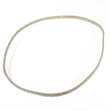
- Drive belt (loss of tine drive under load can point to belt issues); see husqvarna rear-tine tiller drive belt 591372401
- Tine control cable (if the tines will not engage consistently); see tiller clutch cable 532110675
Why it matters
Roots create high resistance that can overload the tine shaft and drivetrain. Using shallow passes and the correct depth setting helps you cut what the tiller is designed to handle while avoiding repeated shear-pin failures and premature belt wear.
Last updated: February 2026
Where is the model number on a Craftsman rear tine tiller?
On the Craftsman rear-tine tiller model 917293180, the model number is printed on the product identification label. On this style of tiller, that label is most often found on the tine shield/tine guard area or on/near the fuel tank; some units place it toward the front of the frame. For diagrams and decal locations, use the owner's manual.
Where to look first (fastest checks)
- Check the tine shield (tine guard) above or near the tines
- Look on the fuel tank or the tank mounting area
- Inspect the front of the main frame (especially if the rear area is dirty or worn)
- Wipe off dirt and oil; labels are easy to miss when coated
- Use a flashlight and look for a silver/white sticker or stamped plate
What the label looks like and what you need
The label typically includes the model number in a format like 917.293180 (same model, different punctuation). Record these items for parts lookup and troubleshooting:
| Item to record | Example for this tiller | Why it matters |
|---|---|---|
| Model number | 917293180 (or 917.293180) | Ensures correct Craftsman parts match |
| Engine model/type | Briggs & Stratton engine details (varies by engine tag) | Needed for engine-specific parts |
| Serial/date code | If shown on the label | Helps confirm production version |
Why it matters
Craftsman tillers often share similar frames across multiple model numbers. Using the exact model number helps us match the correct drive belt, clutch cable, tines, and hardware so you do not end up with a part that fits a different tine width or transmission setup.
If the label is missing or unreadable
- Check the decal set area shown in the manual; sometimes the model is referenced near decal callouts
- Compare your tiller’s key wear parts to the parts list (for example, the tiller clutch cable 532110675 or husqvarna rear-tine tiller drive belt 591372401) to confirm you are in the right model family
Last updated: February 2026
Why are the tines on my tiller not turning?
On the Craftsman 917293180 rear-tine tiller, the tines usually stop turning because the machine is set to a transport mode (where tines are designed not to turn), the tines are jammed, a shear pin has broken, or the drive system (belt or clutch cable) is out of adjustment.
Quick checks first (fastest fixes)
- Confirm you are in a till position, not a transport setting; in transport, the wheels move but tines will not turn.
- Shut the engine off and disconnect the spark plug wire before touching the tines.
- Clear wrapped vines, long grass, string, or packed soil from the tine shaft.
- Check for a broken shear pin; shear pins are designed to break if the tiller is overloaded or jammed.
- Verify the drive control bar is being held firmly against the handle during operation.
Most common causes and what to do
| What you observe | Most likely cause | What we do next |
|---|---|---|
| Wheels move but tines never turn | Tiller is in transport or not in a till position | Set the shift lever to a till position per the owner's manual |
| Tiller shuts off when drive control bar is engaged | Shift lever is between till positions, or tines are jammed | Shift fully into a till position; clear the tines |
| Tines “skip” or intermittently grab | Shear pin(s) broken | Replace the correct shear pin(s) listed in the manual parts section |
| Tines turn slowly or slip under load | Drive belt worn or loose, or cable tension off | Inspect belt and adjust cable tension; replace belt if worn |
Parts that commonly solve “tines not turning”
If the controls are set correctly and nothing is jammed, we typically focus on the drive system:
- Replace a worn belt with the husqvarna rear-tine tiller drive belt 591372401
- If engagement feels loose or inconsistent, inspect/replace the tiller clutch cable 532110675
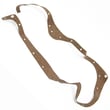
- If you hear grinding or see oil seepage at the transmission area, inspect the gear case sealing surfaces; the rally tiller gear case gasket 532431022 is one common service part
Why it matters
When the tines stop turning, continuing to force the machine can overload the drivetrain. The shear pins are meant to fail first to protect the transmission, so checking for a jam and broken shear pins prevents bigger repairs.
Last updated: February 2026
What are the common problems with lawn tillers?
Common problems on the Craftsman 917293180 rear-tine tiller include hard starting, rough running, overheating, excessive bouncing in hard soil, soil clumping when it is too wet, and wheels or tines not moving when the drive or tine control is not engaged or the belt is misadjusted. See the owner's manual troubleshooting chart for model-specific checks.
Most common symptoms and what they usually mean
- Engine will not start or runs poorly: stale fuel, dirty spark plug, restricted airflow, or carburetor mixture needing adjustment (especially below 32°F).
- Engine overheats: low or dirty oil, dirty air screen, debris on cooling fins, partially plugged muffler, or carburetor set too lean.
- Tiller runs but will not move: tine control not engaged, drive belt out of adjustment, or belt off the pulleys.
- Excessive bounce or difficult handling: ground is too dry and hard; soil needs moisture before tilling.
- Soil balls up or clumps: ground is too wet; wait for better soil conditions.
- Tines skip over ground: shear pin(s) broken (common after hitting rocks or roots).
Quick checks we recommend (in order)
- Confirm controls are fully engaged (drive and tine control).
- Check oil level and condition; change oil if dirty.
- Inspect the spark plug; clean or replace if fouled.
- Inspect the drive belt and pulleys for wear, glazing, or misrouting; the husqvarna rear-tine tiller drive belt 591372401 is a common wear item.
- Check belt tension and cable adjustment; a stretched or binding cable can prevent full engagement (see tiller clutch cable 532110675).
- Match tilling depth to conditions; most garden prep is best at 4 to 6 inches.
Symptom-to-fix snapshot
| Symptom | Most likely cause | First action |
|---|---|---|
| Overheats | Low/dirty oil, dirty air screen, debris on engine | Check oil; clean air screen and cooling areas |
| Bounces badly | Soil too dry/hard | Moisten soil; reduce depth |
| Soil clumps | Soil too wet | Wait until soil dries out |
| Engine runs, no movement | Belt/cable/engagement issue | Engage control; inspect belt routing and tension |
Why it matters
Most “tiller problems” come from basic maintenance (oil, airflow, spark) or setup (belt tension, cable adjustment, depth stake). Fixing those early prevents premature belt wear, poor tilling performance, and hard handling.
For step-by-step belt service, use our guide: how to replace a tiller drive belt.
Last updated: February 2026