Installation guide
 Owner’s manual
 Error Codes







How do I reset my Kenmore Elite electric oven?
For the Kenmore electric range model 79045482502, the most reliable “reset” is a power reset: turn the range off at the breaker for 1 minute, then restore power and set the clock. If the control is locked and shows “LOC”, cancel the lockout instead.
Quick reset options (what to try first)
- Power reset (best first step): switch the range circuit breaker OFF for 60 seconds, then ON.
- Cancel control lockout: press and hold the Oven Lockout pad for 3 seconds until the door unlocks and normal operation returns.
- Clear a stuck cooking mode: press Cancel/Off, wait 10 seconds, then reselect Bake.
- If “Door Locked” is flashing: wait about 15 seconds for the lock motor to finish moving; do not pull on the door.
- After any reset: re-enter time of day and test Bake and Broil.
If you see “LOC” or the keypad won’t respond
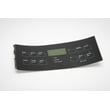
The manual for this model describes an Oven Lockout feature that locks the door and disables the control pads. When lockout is active, pressing pads can show “LOC” until you release the pad.
| Symptom | What it usually means | What to do |
|---|---|---|
| “LOC” in display | Control lockout is on | Hold Oven Lockout for 3 seconds |
| “Door Locked” flashing | Lock motor is moving | Wait; do not open the door |
| Oven won’t start after reset | Control still in a mode or error state | Press Cancel/Off, then set Bake again |
Why it matters
A breaker reset clears many temporary control glitches, but lockout is not a fault. If lockout is on, the oven can look “dead” even though power is fine. The steps in the 79045482502 owner’s manual match how the lock motor and “LOC” indicator behave.
Last updated: February 2026
What was the size of the Kenmore 79045482502 oven?
For the Kenmore 79045482502 electric range, the installation and owner documentation for this model focuses on features and setup, not the oven cavity’s exact cubic-foot capacity. Most Kenmore freestanding electric ranges in this series are about 30 inches wide, with a standard-size oven; use the 79045482502 installation guide for the exact cutout and clearance dimensions.
What “size” usually means (and what to check)
When customers ask for “oven size,” it typically refers to one of these:
- Overall range width (commonly 30 inches for freestanding ranges)
- Oven capacity (cubic feet)
- Interior oven dimensions (usable rack width and depth)
- Installation clearances (space to walls, cabinets, and countertop)
- Cooktop element sizes (6-inch, 8-inch, 9-inch elements)
For this model family, the manual shows the range can come with different cooktop configurations (coil elements or ceramic glass with radiant elements), so confirming the exact configuration for your unit matters. See the 79045482502 owner’s manual for the feature layout and model variations.
Quick reference: common size expectations
| Measurement type | What you can expect | Best place to confirm |
|---|---|---|
| Range width | About 30 inches | Installation guide clearances |
| Oven capacity | Standard-size oven for a freestanding range | Owner’s manual specs section |
| Cooktop element size | 6-inch and 9-inch (some dual 6 to 9-inch) | Owner’s manual feature pages |
Why it matters
Getting the right “size” prevents fit problems (cabinet clearance, anti-tip bracket alignment) and helps you choose compatible accessories and parts such as a bake element, oven racks, or an oven temperature sensor.
Last updated: February 2026
Where to find model number on Kenmore electric Range?
On the Kenmore electric range model 79045482502, the model number is printed on the serial plate. On this style of range, the serial plate is typically found on the oven frame behind the oven door opening, or in the frame area behind the storage/warming drawer.
Where to check first (fastest spots)
- Open the oven door and look along the door frame (door jamb) on the left or right side.
- Pull out the bottom storage drawer and look on the frame behind it.
- Check the back of the range near the upper vent area.
- Look on a side panel near the lower front edge.
What the label looks like
The serial plate usually includes both identifiers:
- Model number (for this unit, it starts with 790)
- Serial number (unique to your range)
| What you need | What it’s used for | Example format |
|---|---|---|
| Model number | Matching parts and diagrams | 79045482502 |
| Serial number | Production details, service reference | Letters and numbers |
Why it matters
We use the model number to match the exact version of your Kenmore range so you get the right parts the first time (for example, a control panel, bake element, or oven temperature sensor can vary by model revision).
Helpful tip when ordering parts
- Copy the model number exactly as shown on the serial plate.
- Include all digits (no spaces).
- If the label is hard to read, take a clear photo before it fades.
For the diagram and the manufacturer’s “serial plate location” reference, use the 79045482502 owner’s manual.
Last updated: February 2026
Why is my Kenmore electric oven not working?
If your Kenmore electric range model 79045482502 has surface burners working but the oven will not heat, the most common causes are a failed bake element, a bad oven temperature sensor, or an electronic control fault (often shown as an F-code). Start by clearing any fault and then check the heating and sensing parts.
Quick checks we recommend first
- Press CLEAR/OFF to stop beeping and clear the display; if an F1, F3, or F9 code returns, write it down (this points to a control-related fault).
- Confirm the oven is set to BAKE (not delay start or a timed mode) and allow a full preheat.
- Verify the range has proper power (electric ovens typically need full 240V; a partial power loss can leave the cooktop working while the oven will not heat).
- If the oven light is out too, check the bulb and socket while you are troubleshooting.
Parts that commonly stop an electric oven from heating
In this model, these parts are frequent culprits:
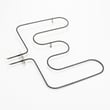
- Bake element: if it is cracked, blistered, or not heating, replace it.
- Oven temperature sensor: if it reads out of range, the control may prevent proper heating.
- Control or wiring: an F-code that keeps returning after CLEAR/OFF often indicates a control circuit problem.
Helpful model-matched parts:
What the symptoms usually mean
| Symptom | Most likely cause | What to do next |
|---|---|---|
| Cooktop works, oven never heats | Bake element open, sensor issue, or control fault | Inspect element; test sensor; note any F-code |
| Control beeps and shows F1/F3/F9 | Electronic control detected a fault | Press CLEAR/OFF; if it returns, troubleshoot by code |
| Oven heats unevenly or bakes poorly | Calibration, rack position, airflow | Use the guidance in the manual; adjust oven temp if needed |
Why it matters
An oven that will not heat is often a single failed component (like the bake element or sensor). Catching it early prevents repeated overheating attempts, nuisance error beeps, and inconsistent cooking results.
References we use for this model
- Use the troubleshooting and “adjusting oven temperature” sections in the 79045482502 owner's manual.
- For recurring fault codes, use Kenmore 790 self-cleaning range error codes to match the code to the next repair step.
Last updated: February 2026