 Owner’s manual










How to remove the front panel of a Maytag dryer?
To remove the front panel on a Maytag MGD5800TW0 dryer, we unplug the dryer first, then release the lower fasteners and top retaining clips, disconnect the door switch wiring, and lift the panel off the mounting tabs so you can access the drum, belt, and blower area.
Safety first (gas dryer)
- Unplug the power cord.
- Turn off the gas supply shutoff valve.
- Let the dryer cool completely.
- Wear cut-resistant gloves; cabinet edges are sharp.
Front panel removal steps (typical for MGD5800TW0-STYLE cabinets)
- Remove the lint screen.
- Take out the screws that secure the top panel (often at the lint screen housing or rear of the top).
- Lift the top panel and support it.
- Remove the screws holding the front panel to the cabinet (commonly inside the upper corners).
- Slide a putty knife under the top edge if needed to release spring clips.
- Disconnect the door switch wire harness.
- Tilt the front panel forward, then lift it up and off the lower mounting tabs.
What you can service once the front is off
| Symptom | Common area you can reach | Example part for this model |
|---|---|---|
| Drum not turning | Belt and idler pulley | Belt 341241 |
| Squealing or thumping | Drum support and idler | Dryer idler pulley WP691366 |
| Poor airflow/noisy airflow | Blower housing | Dryer blower wheel WP694089 |
Why it matters
Removing the front panel correctly prevents broken clips and damaged wiring, and it gives you safe access to wear items like the drum belt, idler pulley, and blower wheel that commonly cause noise, no-tumble, or long-dry complaints.
For model-specific cabinet fastener locations and any console/top variations, we follow the MGD5800TW0 owner's manual.
Last updated: February 2026
What's the life expectancy of a Maytag dryer?
A Maytag dryer typically lasts 12 to 15 years. With consistent airflow maintenance (lint screen and venting) and timely replacement of common wear parts, many Maytag dryers, including model MGD5800TW0, reach the upper end of that range.
What most affects dryer lifespan
- Airflow and venting: restricted venting overheats components and shortens life
- Load size: frequent overloading strains the drum support, belt, and motor
- Cycle habits: using Sensor Dry and Cool Down reduces overdrying and heat stress
- Routine cleaning: lint buildup increases drying time and operating temperature
- Wear parts replaced on time: prevents secondary damage (for example, a slipping belt can stress the motor)
Typical lifespan by what fails first
| Component area | What you may notice first | Common fix type |
|---|---|---|
| Drum drive system | Squealing, thumping, drum not turning | Belt, idler, rollers or bearing service |
| Heating system (gas) | No heat or heat cuts in and out | Igniter, coils, sensor, thermostat service |
| Air movement | Long dry times, weak airflow | Vent cleaning, blower wheel service |
| Controls | Timer issues, cycle won’t advance | Timer or control diagnosis |
Maintenance that adds years (and saves drying time)
- Clean the lint screen every load and wash it occasionally to remove residue
- Keep the vent run short, rigid where possible, and clear of lint
- Use Sensor Dry when possible; it shuts off when the load reaches the selected dryness (see the MGD5800TW0 owner's manual)
- Don’t overload; dry similar fabrics together to avoid repeated long cycles
- If you hear squealing or the drum hesitates, service the drive parts early (a worn belt 341241 is a common starting point)
Why it matters
A dryer that runs hotter or longer than normal wears out the drive motor, thermostats, and gas ignition parts faster. Good airflow and using the automatic moisture-sensing cycles help the dryer stop at the right time, reducing heat stress and extending overall life.
Last updated: February 2026
Why is my brand new Maytag dryer not drying?
If your Maytag MGD5800TW0 dryer runs but clothes stay damp, the most common cause is restricted airflow (lint screen, vent hose, or outside vent). Next, confirm you are using a heat-producing cycle (not Air Fluff or no-heat options) as described in the MGD5800TW0 owner's manual.
Quick checks that fix most “not drying” complaints
- Clean the lint screen before every load.
- Make sure the exhaust hood outside opens fully while the dryer runs.
- Check the vent hose for kinks, crushing, or long runs with too many elbows.
- Avoid overloading; tightly packed loads dry slowly.
- Use a Sensor Dry cycle for most loads; the dryer senses moisture and shuts off when the selected dryness is reached.
Cycle and setting check (heat vs no heat)
Some cycles are designed for no-heat tumbling, which will not dry wet laundry.
| Setting/cycle type | What it does | When to use it |
|---|---|---|
| Sensor Dry | Uses moisture sensing and stops when dry | Everyday loads |
| Timed Dry | Runs for a set time | Finishing damp items |
| Air Fluff / no heat | No-heat drying | Rubber, plastic, heat-sensitive items |
If it tumbles but does not heat (gas model basics)
For a gas dryer like the MGD5800TW0, “runs but no heat” is usually a burner-ignition or safety-cutoff issue.
- Verify the gas shutoff valve is fully open.
- Confirm other gas appliances work (gas supply present).
- If the igniter never glows or the flame never stays lit, common service parts include the igniter 279311 and the dryer gas valve coil kit 279834.
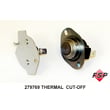
- If the dryer overheated from poor venting, a safety device may open; the cut-off kit 279769 is commonly used in no-heat situations.
Why it matters
Good airflow lets the burner heat the drum efficiently and lets the moisture sensor read dryness correctly. A clogged vent can cause long dry times, no heat symptoms, and repeated shutdowns.
Last updated: February 2026









