Installation guide
 Owner’s manual
 Error Codes


How to read Kenmore washer model numbers?
Kenmore washer model numbers are structured so the first 3 digits identify the manufacturer, and the remaining digits narrow down the washer’s design and feature set. For Kenmore model 11029132411, the 110 prefix is the key that tells us which parts system and service information to use; the rest of the number identifies the exact variation.
What each section of a Kenmore model number means
Most Kenmore washer model numbers follow this pattern:
- Prefix (first 3 digits): manufacturer code (example: 110)
- Middle digits: base design/platform (the “family” of the washer)
- Last digits: specific configuration (color, control style, revisions)
Quick example using your model
| Model number | What to look at | What it tells you |
|---|---|---|
| 11029132411 | 110 | Manufacturer prefix used to match correct parts and manuals |
| 11029132411 | Remaining digits | The exact washer version so you get the right fit and wiring-compatible parts |
Why the prefix matters when ordering parts
The prefix is the fastest way to avoid ordering the wrong part because different manufacturers used different designs under the Kenmore name.
Common examples you may see:
- 110: a major Kenmore washer platform (used for many top-load models)
- Other prefixes exist and can point to different internal designs
- Even small digit changes after the prefix can change fit, connectors, or calibration
Best way to confirm you have the right number
Use the model number from the washer’s rating label, then match it exactly when selecting parts and diagrams.
- Copy the model number exactly as shown (all digits)
- Also record the serial number (helps with production changes)
- Use the model number to pull the correct documentation and parts list
- If you are installing or moving the washer, follow the setup steps in the installation guide
Why it matters
Kenmore model numbers are essentially the washer’s “DNA.” Matching the full model number (not just the 110 prefix) helps ensure replacement parts like a lid lock, drain pump, or water inlet valve fit correctly and work with your control system.
Last updated: February 2026
How do I turn off the control lock on my Kenmore 11029132411 washer?
To turn off Control Lock on your Kenmore 11029132411 washer, press and hold the button that’s labeled for Control Lock for about 3 seconds until the lock indicator turns off. The exact button varies by console, so match the Control Lock label on your panel to the correct key in the owner's manual.
Quick steps to unlock the controls
- Make sure the washer is powered on (touch POWER).
- Look for “Control Lock” printed on or near a button (often a secondary function).
- Press and hold that button for 3 seconds.
- Confirm the lock light/icon turns off.
- Try selecting a cycle and pressing START/PAUSE.
If it still won’t unlock
These checks fix most “stuck lock” situations on this style of Kenmore top-load washer.
- Hold the correct button a full 3 seconds (a quick tap usually does nothing).
- Cancel the cycle by touching POWER, then turn the washer back on.
- If the washer is in SPIN, wait; the lid can take a few minutes to unlock after movement stops.
- Unplug the washer for 1 minute, plug it back in, then try the 3-second hold again.
- If the lid will not unlock at all, inspect the lid latch area for detergent buildup or a misaligned lid.
Control Lock vs. Lid Locked: what’s the difference?
| Feature | What it does | What you’ll notice |
|---|---|---|
| Control Lock | Disables the control panel buttons | Buttons won’t respond or a lock icon stays on |
| Lid Locked | Keeps the lid locked during sensing/spin for safety | Lid won’t open until the tub stops moving |
Why it matters
Control Lock prevents accidental button presses during a cycle, while Lid Locked is a safety feature during load sensing and high-speed spinning. Knowing which one is active helps you choose the right fix and avoid forcing the lid.
Last updated: February 2026
How to hard reset a Kenmore washing machine?
For Kenmore washer model 11029132411, the most reliable “hard reset” is a power cycle: unplug the washer (or switch off the breaker) for 2 minutes, then restore power and start a cycle. This clears many temporary control glitches and lets you restart normally; see the owner's manual for model-specific operation steps.
Quick reset steps (recommended)
- Press START/PAUSE/Unlock Lid once to stop the cycle.
- Unplug the washer for 2 minutes.
- Plug the washer back in.
- Close the lid fully.
- Select a cycle and press START/PAUSE/Unlock Lid to run.
If you’re trying to clear an error code
Your 11029132411 can often clear a displayed system error by using the Start/Pause button sequence.
- Press START/PAUSE/Unlock Lid once to clear the code.
- Press START/PAUSE/Unlock Lid again to restart.
- If the code returns, focus on the underlying cause (fill, drain, lid lock, load balance).
Common causes that look like a “needs reset” problem
- Lid not fully closed or lid not locking
- Suds or overloading causing the washer to pause
- Slow fill (water supply issue) or slow drain (drain restriction)
What to check before you reset (prevents repeat issues)
- Confirm the outlet has power; reset the breaker if needed.
- Make sure the lid is closed; the washer will not run with the lid open.
- Reduce the load and redistribute items evenly around the washplate.
- Use HE detergent only and avoid using too much.
Parts that commonly relate to “won’t start” symptoms
If the washer still will not run after a reset, these model-matched parts are common suspects:
| Symptom | What to check | Model-matched part |
|---|---|---|
| Won’t start, lid won’t lock | Lid lock mechanism | Washer lid lock assembly W10810403 |
| Won’t fill or fills slowly | Water inlet valve screens/valve | Washer water inlet valve W11165546 |
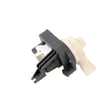
| Won’t drain or stops mid-cycle | Drain pump and drain path | Washer drain pump W10876600 |
Why it matters
A reset can clear a temporary control-board state, but repeated stoppages usually point to a lid lock, fill, drain, or load/suds condition that needs correction for reliable washing performance.
Last updated: February 2026
Is it worth repairing a Kenmore washing machine?
Yes, repairing a Kenmore washer is usually worth it when the problem is a common wear item (like a lid lock, drain pump, or inlet valve) and the machine is otherwise in good shape. For Kenmore model 11029132411, we recommend comparing the repair cost to the washer’s age and the price of major assemblies.
Quick way to decide (our rule of thumb)
Use these checkpoints to make a clear repair vs. replace call:
- Repair it when the fix is a single part and labor is straightforward.
- Repair it when the washer is under 8 years old and has no recurring leaks or spin issues.
- Consider replacing when the repair estimate is 50% or more of the cost of a comparable new washer.
- Consider replacing when multiple major symptoms stack up (won’t drain + won’t spin + loud grinding).
- Repair it when the issue is safety or usability related (lid won’t lock, won’t start) and the rest of the machine is solid.
For cycle behavior, error displays, and basic troubleshooting steps, follow the owner's manual.
Common repairs that are often worth it on this model
These are frequent, high-impact fixes for top-load HE washers like the 11029132411:
| Symptom | Likely fix | Typical difficulty |
|---|---|---|
| Won’t start or won’t spin with lid closed | Replace lid lock | Easy to moderate |
| Won’t drain or leaves water in tub | Replace drain pump; check drain hose for clogs/kinks | Moderate |
| Won’t fill or fills slowly | Replace inlet valve; clean inlet screens | Easy |
| Off-balance, banging, walking | Replace suspension/damper rods; re-level washer | Moderate |
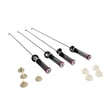
Model-matched parts we commonly see used for these symptoms include the washer lid lock assembly W10810403, washer drain pump W10876600, washer water inlet valve W11165546, and damper assembly W11130356.
Why it matters
A targeted repair restores performance and extends the life of the washer without the cost and hassle of replacement. On the other hand, repeated failures in drive or tub components can turn into ongoing downtime and higher total cost.
If you suspect a major drive problem
If the washer agitates poorly, slips, or makes a loud mechanical noise during spin, these parts are often involved:
- Clutch and slider wear (engagement issues)
- Drive assembly wear (spin performance)
- Rotor/stator issues (motor drive problems)
In those cases, compare the total parts and labor to your replacement threshold before committing.
Last updated: February 2026
How to unclog drain hose on Kenmore washer?
To unclog the drain hose on your Kenmore washer model 11029132411, unplug the washer, remove standing water, then disconnect and clear the drain hose and pump path. Most clogs are lint, coins, or small socks lodged in the hose, pump, or the tub-to-pump hose.
Safety first
- Unplug the washer (or switch off the breaker)
- Turn off both water faucets
- Keep towels and a shallow pan ready for spills
- Wear gloves; debris can be sharp
- Do not run the washer with the drain hose removed
Step-by-step: clear the drain hose and drain path
- Remove water from the tub: bail it out, or use a wet/dry vac at the standpipe/laundry tub end of the drain hose.
- Access the drain hose connection: pull the washer forward and locate the hose routing to the drain system.
- Disconnect the hose from the home drain (standpipe or laundry tub) and check the hose end for a visible blockage.
- Check for installation issues that mimic a clog (these can cause slow drain or siphoning):
- Drain hose should extend about 4.5 in. (114 mm) into the standpipe
- Do not force excess hose deep into the standpipe
- Do not tape over the drain opening
- Drain hose end should be below 96 in. (2.4 m) above the floor
- Use the drain hose form and secure the hose as shown in the installation guide
- Clear the hose: straighten kinks, then flush with hot water in a sink or outdoors. If needed, push a flexible plastic drain snake through the hose (avoid sharp tools that can puncture it).
- Inspect the pump area: if the hose is clear but draining is still slow, the clog is often at the pump inlet or impeller. Replacing a weak or jammed pump is common; use the model-correct washer drain pump W10876600 if needed.
Quick diagnosis table
| Symptom | Most likely cause | What to check first |
|---|---|---|
| Hums but won’t drain | Pump jam or blockage | Pump inlet/impeller area |
| Drains slowly | Partial clog or kink | Drain hose routing and flushing |
| Drains then refills | Hose pushed too far into standpipe | 4.5 in. standpipe insertion |
| Won’t spin and won’t drain | Suds or drain restriction | Use HE detergent; clear drain path |
Why it matters
A restricted drain hose can stop draining and spinning, trigger off-balance behavior, and leave water in the basket. Correct drain hose placement (depth and height) prevents siphoning and repeat “clog” symptoms.
Last updated: February 2026