Installation guide
 Owner’s manual
 Error Codes









How do I reset a Whirlpool duet dryer?
For a Whirlpool gas dryer like model WGD4810EW1, the most reliable reset is a hard reset: unplug the dryer (or switch off the breaker) for about 5 minutes, then restore power and start a new cycle. This clears many control glitches and stuck cycle states.
Quick reset steps (safe and effective)
- Turn the cycle knob to Off.
- Unplug the dryer (or turn OFF the circuit breaker).
- Wait 5 minutes.
- Restore power.
- Close the door fully, select a cycle, then press and hold PUSH to START until the drum begins moving.
For model-specific operating details and cycle behavior, use the WGD4810EW1 owner's manual.
If it still will not start after a reset
A reset will not fix a failed safety switch or a no-power condition. On WGD4810EW1, these checks solve most “won’t run” complaints:
- Door not fully closed: make sure the door latches completely.
- Start not held long enough: press and hold PUSH to START until you hear the drum moving.
- Power issue: confirm the outlet has power and the breaker is on.
- Vent restriction causing overheating shutdowns: check for crushed or kinked venting.
- Failed door switch: test or replace the door switch if the dryer acts like the door is open.
If the door switch is suspect, the correct replacement for this model is the dryer door switch WP3406107.
What “reset” does (and does not) do
| Action | What it helps | What it will not fix |
|---|---|---|
| Unplug for 5 minutes | Clears minor control glitches, cancels a stuck cycle | Broken belt, bad motor, failed switch, gas ignition failures |
| Press/hold PUSH to START | Starts the motor when everything else is OK | No power, open door circuit, failed motor |
Why it matters
Resetting is a fast first step, but a dryer that still will not run usually has a simple root cause (door not latched, start not held, power issue) or a common part failure like a door switch. Fixing the cause prevents repeat no-start problems.
Last updated: February 2026
What are the most common issues with WGD4810EW1?
The most common issues we see on the Whirlpool WGD4810EW1 gas dryer are no heat or weak heat, long dry times from restricted airflow, loud rumbling or squealing from worn drum support parts, and a drum that will not turn due to a broken belt or failed motor. Use the owner's manual for model-specific checks and safety steps.
Common symptoms and likely causes
- No heat: failed igniter, weak gas valve coils, or a bad radiant sensor
- Runs but takes too long to dry: clogged lint screen, crushed vent hose, blocked exterior vent hood, or a failing blower wheel
- Loud noise (squeal, thump, rumble): worn rollers, idler pulley, or rear seal
- Drum will not turn: broken belt, seized idler pulley, or failed drive motor
- Will not start: door switch not closing, timer issue, or wiring/connection problem
Parts that commonly fix these problems (when symptoms match)
If your symptoms line up, these model-compatible parts are frequent solutions:
| Symptom | Common part to check/replace | What it does |
|---|---|---|
| Drum will not turn | Belt 341241 | Transfers motor power to the drum |
| No heat | Igniter 279311 | Lights the gas burner |
| No heat after a few minutes | Dryer gas valve coil kit WPW10328463 | Opens gas valves during heating |
| Will not start when door closes | Dryer door switch WP3406107 | Confirms the door is shut |
| Long dry times, poor airflow | Dryer blower wheel WP694089 | Moves air through drum and vent |
Quick checks we recommend before replacing parts
- Clean the lint screen and confirm strong airflow at the outside vent.
- Verify the exhaust duct is short, not kinked, and free of lint buildup.
- Listen for motor hum with no drum movement (often belt or idler related).
- If there is no heat, watch for ignition: glow at the igniter, then burner flame.
- Unplug the dryer before accessing internal components; shut off gas if servicing the burner area.
Why it matters
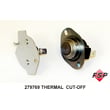
Airflow problems can mimic heating failures and can also overheat the dryer, which leads to repeated thermostat or cut-off issues. Fixing venting first often restores normal drying and protects the burner, motor, and thermostats.
Last updated: March 2026
What is the error code e01 on a Whirlpool dryer?
Whirlpool error code E01 (sometimes shown as E1) is used on certain Whirlpool dryers with electronic controls; it points to a temperature-sensing circuit problem (commonly the thermistor circuit). The Whirlpool WGD4810EW1 gas dryer uses knob-style controls and typically does not display E01; use the troubleshooting chart in the WGD4810EW1 owner's manual to diagnose the symptom you are seeing instead.
What to do on a WGD4810EW1 (match the symptom)
Start with the problem you actually have (won’t start, no heat, long dry times, shuts off early) and work through these checks:
- Clean the lint screen before every load.
- Confirm strong airflow at the outside vent hood while the dryer runs.
- Check the vent for kinks, crushing, excessive length, or lint buildup.
- Make sure the door closes fully; a failed door switch can prevent operation.
- Reset power by unplugging for 1 minute, then retry.
If your dryer has a display and shows E01
If you are working on a different Whirlpool dryer that has a digital display, use an error-code chart for that control style. Our Whirlpool duet dryer error codes guide is a good starting point for models that actually display codes.
| Dryer type | Will it show E01? | Best next step |
|---|---|---|
| WGD4810EW1 mechanical-control gas dryer | No | Troubleshoot by symptom using the manual |
| Whirlpool electronic-control dryer (with display) | Yes | Follow the model’s error-code diagnostics |
Parts that commonly relate to the symptoms
These parts are often involved when the symptom is “won’t start” or “heat issues” on this Whirlpool gas dryer:
- Door won’t start the cycle: dryer door switch WP3406107
- Overheating or cycling heat problems: dryer operating thermostat WP3387134
- No ignition or intermittent heat: igniter and burner components (inspect and test)
Why it matters
Chasing an E01 code on a mechanical-control dryer wastes time; symptom-based troubleshooting gets you to the real cause faster, especially for airflow restrictions that can create long dry times and heat complaints.
Last updated: February 2026