 Installation guide
 Owner’s manual
 Error Codes






Where to find model number on Frigidaire gas range?
On the Frigidaire gas range model LGGF3043KFM, the model and serial number identification plate is typically on the right-hand front frame of the oven opening, near the storage or warmer drawer area (you may need to open the drawer or remove the lower front panel to see it). See the LGGF3043KFM installation guide for the exact identification plate location description.
Where to look on LGGF3043KFM
Check these common spots in this order:
- Open the storage drawer and look at the right-hand front frame of the oven opening
- Look along the lower front panel area (some models use a removable lower panel)
- Check the oven front frame near the drawer opening for a metal or foil identification plate
- Record the model number and serial number exactly as shown (letters and numbers)
What the identification plate tells you (and why it matters)
The identification plate is more than a model tag; it helps match parts and setup details.
| Plate detail | Why you need it |
|---|---|
| Model number | Ensures parts fit LGGF3043KFM correctly |
| Serial number | Helps confirm production series for compatible parts |
| Fuel type and pressure info | Confirms how the range was adjusted when it left the factory |
| Burner ratings | Helps when troubleshooting flame and heat issues |
Tips for ordering parts and getting the right match
When you contact support or order parts, we recommend having this information ready:
- Model number: LGGF3043KFM
- Serial number (from the identification plate)
- Any lot number or letter shown on the plate
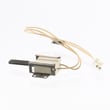
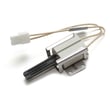
If you are troubleshooting an oven that will not heat, the model number also helps you match common ignition parts like the tappan range oven burner igniter 316489403.
Why it matters
Using the exact model and serial information prevents wrong-part returns and speeds up diagnosis for issues like no-heat, weak ignition, or inconsistent oven temperatures.
Last updated: February 2026
Can I look up Frigidaire parts by model number?
Yes. Looking up parts by model number is the most accurate way to get compatible replacement parts for your Frigidaire gas range model LGGF3043KFM, because it filters results to the exact burner, igniter, control, and hardware variations used on that unit. Use the model and serial tag on the range, then confirm the part ID before ordering using the LGGF3043KFM owner's manual.
Where to find the model number on LGGF3043KFM
For sealed burner ranges like this one, the identification plate is typically on the right-hand surface of the oven front frame near the storage or warmer drawer, or in the lower front panel area. The tag also lists burner ratings, fuel type, and the gas pressure setting.
Tips for a clean model-number lookup
- Write the model number exactly as shown: LGGF3043KFM
- Record the serial number too; it helps match production variations
- If the tag includes a lot number/letter, keep that with your notes
- Use the model number first, then match the part ID to your diagram
- Compare the part name and where it installs (oven vs surface burner)
How we recommend you confirm the right part
Once you search by model number, verify the part by function and symptom. For example, if the oven will not ignite or takes too long to light, an igniter is a common match for that failure.
| What you’re fixing | What to verify | Example part for this model |
|---|---|---|
| Oven will not heat (bake) | Igniter glows weakly or not at all | Tappan range oven burner igniter 316489403 |
| Oven temperature seems off | Sensor resistance and secure connection | Frigidaire Range Oven Temperature Sensor 316490000 |
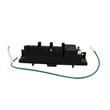
| Surface burners will not spark | Spark module output and wiring | Range Spark Module 5304508269 |
Why it matters
Gas ranges often have multiple similar-looking parts that are not interchangeable. Using the exact LGGF3043KFM model number helps prevent ordering the wrong igniter, burner cap, or control component and reduces downtime.
Last updated: February 2026
How do I fix an F30 error on a Frigidaire oven?
On the Frigidaire LGGF3043KFM gas range, an F30 error points to an oven temperature sensing problem. We start by resetting power, then checking the oven temperature sensor circuit (sensor, wiring, and control connections); a failed sensor is a common fix.
Quick reset steps (do this first)
- Turn the range off.
- Shut off power at the breaker (or unplug) for 5 minutes.
- Restore power and set the clock.
- Try Bake or Broil again.
- If F30 returns, move on to sensor and wiring checks.
For the model-specific “F code” guidance and the “Before You Call” section, use the LGGF3043KFM owner’s manual.
Check the oven temperature sensor (most common cause)
The oven temperature sensor is a probe inside the oven cavity (usually upper rear). If it is open, shorted, or has a poor connection, the control can trigger F30.
- Disconnect power.
- Locate the sensor connector (often behind the rear panel) and inspect for loose pins or corrosion.
- Measure sensor resistance with a multimeter at the sensor harness.
- If the sensor tests bad, replace it with the correct part for this model.
A good match for this model is the range oven temperature sensor 316490000.
Typical sensor readings (what to expect)
| Oven temp | Typical sensor resistance |
|---|---|
| Room temp (70 to 75°F) | ~1050 to 1100 ohms |
| 350°F | ~1650 ohms |
Inspect wiring and connectors (F30 can be a wiring fault)
- Check the sensor harness for pinched, burned, or broken wires.
- Verify the connector is fully seated at the sensor and at the control.
- Look for heat damage where the harness passes near the oven burner area.
If you need basic test technique, our how to use a multimeter to test electrical parts video is a solid walkthrough.
Why it matters
When the control cannot read oven temperature accurately, it may disable heating for safety and to prevent runaway temperatures. Fixing the sensor circuit restores normal Bake and Broil operation and improves temperature accuracy.
Last updated: February 2026




