Owner’s manual


What is the capacity of Kenmore 79640448900?
The Kenmore 79640448900 is a front-load washer; models in this Kenmore 796 series are typically about 4.0 to 4.5 cu. ft. capacity. For the exact rated capacity for your specific unit, we recommend confirming it in the 79640448900 owner's manual.
Use these quick checks to match what you see on the washer to the correct spec:
- Look in the specifications section of the 79640448900 owner's manual.
- Verify the full model number on the washer’s model tag matches 79640448900 exactly.
- Check whether your unit is a Kenmore Elite variant; some trims within a series differ slightly.
- If you are comparing to another washer, compare tub size and cycle options, not just “series” numbers.
| Washer type | Typical capacity range | Best for |
|---|---|---|
| Compact front-load | 2.0 to 2.8 cu. ft. | Apartments, small loads |
| Standard front-load | 4.0 to 4.5 cu. ft. | Family laundry, bedding |
| Large front-load | 4.6 to 5.2+ cu. ft. | Bulky items, fewer loads |
Capacity affects how much you can wash at once and how well the washer tumbles and rinses. Overloading a front-load washer can increase vibration during spin and leave detergent residue; underloading can reduce wash action on some cycles.
Last updated: January 2026
How do I know if my washer inlet valve is bad?
A bad water inlet valve on Kenmore washer model 79640448900 usually shows up as slow or no filling, overfilling, or water leaking into the tub when the washer is off. Confirm the symptom, then check screens, hoses, and valve operation before replacing parts.
- Washer will not fill at all, even though the cycle starts
- Fills very slowly (especially on one temperature setting)
- Overfills or keeps adding water when it should stop
- Water drips into the tub when the washer is turned off
- You hear a humming/buzzing at fill time but little or no water enters
- Verify water supply: Make sure both hot and cold shutoff valves are fully open.
- Check hose screens: Turn off water, remove hoses at the washer, and clean debris from the inlet screens.
- Inspect hoses: Look for kinks, crushed sections, or internal blockage.
- Confirm correct cycle settings: Some cycles use mostly cold water; test both hot and cold fills.
- Look for error codes: Fill-related codes can point to supply, valve, or control issues.
For model-specific access steps and panel removal guidance, follow the 79640448900 owner’s manual.
| What you see | Most likely cause | What to do next |
|---|---|---|
| No fill on any temp | No water supply, clogged screens, failed valve, control issue | Check supply and screens first; then test valve |
| No hot (or no cold) fill | One side of valve clogged or failed | Clean screens; if unchanged, replace valve |
| Overfilling | Valve stuck open or pressure sensing issue | Shut off water; inspect valve and pressure system |
| Water enters tub when off | Valve not sealing | Replace inlet valve |
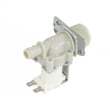
If cleaning screens and verifying supply does not fix the issue, the inlet valve is a common replacement on this model. Depending on the configuration, you may see one of these listed for 79640448900:
- Kenmore washer water inlet valve 5220FR2008F
- Washer water inlet valve 4769ER4001B
- Lg washer single-solenoid water inlet valve 5220FR2006H
A weak or leaking inlet valve can cause long cycle times, poor wash performance, and unwanted water entering the tub between loads. Catching it early helps prevent overflow risk and reduces strain on other components.
Last updated: January 2026
How to clear error codes on Kenmore washer?
On the Kenmore washer model 79640448900, most error codes clear after you correct the problem and reset power; unplug the washer (or switch off the breaker) for about 1 minute, then restore power and run a quick cycle to confirm the code is gone. For model-specific reset steps, use the 79640448900 owner's manual.
- Press Power to turn the washer off.
- Unplug the washer (or turn the circuit breaker off).
- Wait 60 seconds.
- Restore power.
- Press Power, then start a Rinse/Spin or Drain/Spin cycle.
- If the code returns immediately, stop the cycle and troubleshoot the cause.
Many “won’t clear” codes are symptoms of a drain, fill, or door-lock issue. Check these common causes:
- Drain problems: kinked drain hose, clogged pump filter, slow drain.
- Fill problems: closed water valves, kinked inlet hoses, clogged inlet screens.
- Door/lock problems: door not fully closed, latch not engaging.
- Load balance: bulky items causing out-of-balance conditions.
- Oversudsing: too much HE detergent can trigger repeated faults.
| What the code is usually about | What we do first | Parts often involved (if needed) |
|---|---|---|
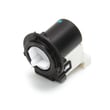
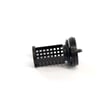
| Not draining | Clean filter, check hose for clogs/kinks | Washer drain pump filter 383EER2001A, washer drain pump assembly 4681EA2001T |
| Not filling | Verify water supply, clean inlet screens | Washer water inlet valve 4769ER4001B |
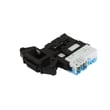
| Door won’t lock/unlock | Inspect latch area, check for binding | Washer door lock switch EBF49827801 |
Clearing the code without fixing the root cause usually makes the washer stop again mid-cycle. A proper reset plus a quick check of drain, fill, and door-lock basics prevents repeat shutdowns and protects the pump and control.
For code definitions and model-family troubleshooting, use Kenmore 796 front load washer error codes.
Last updated: January 2026