 Owner’s manual
 Error Codes
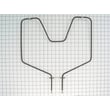


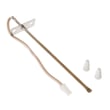



Can you replace the oven heating element in a Kenmore oven?
Yes. On the Kenmore 91145569893 electric drop-in range, we can replace a failed oven heating element (bake or broil) by shutting off power, removing the element mounting screws, transferring the wires to the new element, and reassembling everything securely using the steps in the 91145569893 owner's manual.
Before you start (safety and prep)
- Turn off power at the breaker (240V); confirm the oven is fully dead.
- Let the oven cool completely; elements and nearby metal stay hot.
- Pull the range forward only as needed; protect the floor.
- Never line the oven bottom with aluminum foil; it can cause poor heat flow and damage.
- Keep hands and tools away from the oven temperature sensor tube in the back of the oven.
How to replace the bake element
- Turn off the breaker.
- Remove oven racks for access.
- Remove the screws holding the bake element to the rear wall.
- Gently pull the element forward a few inches and hold the wires so they do not slip back.
- Remove the wire connectors from the element terminals.
- Connect the wires to the new element terminals (tight, fully seated).
- Reinstall mounting screws, reinstall racks, then restore power and test Bake.
Common replacement part for this model
If your symptom is no heat on Bake (but Broil still works), the bake element is a common fix: g.e. range bake element WB44K5012.
Quick symptom guide
| Symptom | Most likely cause | What to check first |
|---|---|---|
| Oven will not bake, broil works | Bake element open | Look for blisters, cracks; test continuity |
| Oven will not broil, bake works | Broil element open | Inspect broil element; test continuity |
| Oven heats poorly | Airflow or sensor issue | No foil on racks/bottom; avoid frequent door opening |
Why it matters
A weak or open heating element causes long preheat times, uneven baking, and can lead to repeated temperature swings. Replacing the correct element restores normal heat output and cooking performance.
Last updated: February 2026
How do I reset my Kenmore electric range?
To reset your Kenmore electric drop-in range model 91145569893, press CLEAR/OFF to stop the current function, then restore power by turning the range circuit breaker OFF for 1 minute and back ON. This clears many control glitches and “F” error flashes.
Quick reset steps (most common)
- Press CLEAR/OFF on the control panel.
- Wait 30 seconds.
- Turn the range breaker OFF (or remove the fuse) for 1 minute.
- Turn the breaker ON.
- Set the clock and try BAKE again.
For model-specific control details and keypad names, use the 91145569893 owner's manual.
If the display is flashing “F”
Your range uses an “F” plus a number/letter to indicate a control fault. The standard reset is:
- Press CLEAR/OFF.
- Let the range cool for 1 hour.
- Try starting an oven function again.
If the “F” code returns after the cool-down reset, the issue is typically in the oven control circuit, wiring connections, or a temperature safety device.
What to check next (power off)
- Confirm the range has full power at the breaker (a tripped breaker can leave the control acting odd).
- Inspect the power cord and terminal connections for heat damage.
- Check for loose or burned wires at the terminal block area.
- If the oven overheats or shuts down, test the range oven temperature limit switch WB24K5098.
- If baking is weak or uneven, inspect the g.e. range bake element WB44K5012 for blisters, breaks, or arcing.
Reset methods compared
| Reset method | What it does | When to use it |
|---|---|---|
| CLEAR/OFF | Stops a cycle and clears some keypad faults | Stuck program, beeping, minor glitch |
| Breaker reset (1 minute) | Reboots the control by removing power | Blank display, frozen keypad, odd behavior |
| Cool-down reset (1 hour) | Clears some “F” faults after overheating | “F” code appears during/after cooking |
Why it matters
A proper reset helps you separate a one-time control glitch from a real heating or wiring problem. That saves time and helps you target the right repair, such as a bake element, limit switch, or wiring connection.
Last updated: February 2026
How many watts does a Kenmore oven use?
For Kenmore electric drop-in range model 91145569893, oven wattage varies by mode (bake vs. broil) and cycles on and off to hold temperature. Most electric ranges use a 240V supply and the oven heating load typically falls in the 3,000 to 5,000 watt range while heating. For the exact rating for your unit, use the rating plate location shown in the 91145569893 owner's manual.
Typical wattage by function (what you will see in real use)
Because the elements cycle, the oven does not draw a steady wattage the entire time.
- Bake: usually lower than broil; cycles frequently once preheated
- Broil: usually higher output; often runs longer at full power
- Preheat: commonly the highest draw because multiple elements can run
- Convection fan (if equipped): small load compared to heating elements
- Cooktop elements: add significant wattage if used at the same time as the oven
Quick math: watts to amps (typical 240V range circuit)
Use this to estimate current draw when the oven is actively heating.
| Heating load (watts) | Approx. amps at 240V | What it represents |
|---|---|---|
| 3,000W | 12.5A | Light to moderate heating cycle |
| 4,000W | 16.7A | Strong bake or mixed cycling |
| 5,000W | 20.8A | Heavy preheat or high-output heating |
How to find the exact wattage for your 91145569893
The most accurate number is printed on the appliance, not inferred from a replacement part.
- Locate the rating plate (commonly under the cooktop area on drop-in ranges)
- Record volts (V) and watts (W) or kilowatts (kW)
- Compare the rating plate info with the identification guidance in the 91145569893 owner's manual
- If you are troubleshooting weak heat, a failed heating component such as the broil element WB44M5 can reduce performance even when power supply is correct
Why it matters
Knowing wattage helps you confirm the correct electrical supply, estimate current draw, and troubleshoot issues like slow preheat, weak broil, or a breaker that trips when the oven heats.
Last updated: February 2026
Where is the model number on my Kenmore electric stove?
On Kenmore electric drop-in range model 91145569893, the model and serial number label is located under the cooktop. Lift the cooktop up and look on the frame area beneath it; that is the primary identification location listed for this range in the 91145569893 owner's manual.
How to find it (quick steps)
- Turn the range off and make sure all surface elements are cool.
- Lift the cooktop (this model has a lift-up cooktop design).
- Look for a rating label on the metal frame area under the cooktop.
- Write down both the model number and serial number for future parts lookup.
- If the label is greasy or dusty, wipe it gently so the numbers are readable.
What you should see on the label
Most Kenmore ranges list these fields together:
| Label item | What it’s used for | Example format |
|---|---|---|
| Model number | Ensures you get the correct parts diagrams and replacements | 911.XXXXXX |
| Serial number | Helps identify production details for service | Letters and numbers |
Why it matters
We use the model number to match the correct Kenmore parts and diagrams for your exact configuration (cooktop components, oven heating circuit, and control layout). Using the serial number alongside it helps when troubleshooting or confirming compatible replacement parts.
Last updated: February 2026
Why is my Kenmore Elite stove not working?
If your Kenmore electric drop-in range model 91145569893 is totally inoperative, the most common cause is a power problem (tripped breaker, blown fuse, loose plug) or a control fault showing an “F” code; start with the power checks and then clear the control per the 91145569893 owner's manual.
Quick checks (fastest fixes first)
- Check the household circuit breaker or fuse box; reset the breaker fully OFF then ON.
- Confirm the range is plugged in firmly (if your installation uses a cord and receptacle).
- If the display is flashing “F” + a number/letter, press CLEAR/OFF, let the range cool for 1 hour, then try Bake again.
- If the cooktop works but the oven does not, verify the oven controls are set correctly (Bake temperature and Start, if applicable).
- If the oven works but the cooktop does not, make sure surface elements are seated and plugged into the receptacles.
What the symptom usually points to
| What you see | Most likely area | What to do next |
|---|---|---|
| Nothing works at all | House power supply | Breaker/fuse, outlet, cord connection |
| Display flashes “F” code | Control detected a fault | CLEAR/OFF, cool 1 hour, retry; service if it returns |
| Cooktop dead, oven OK | Surface element connection or control | Reseat element; inspect receptacle and switch |
| Oven won’t heat, broil/bake weak | Heating circuit | Test elements and wiring; replace failed part |
Parts that commonly fix “oven not heating”
If power is good and the oven runs but does not heat properly, these model-compatible parts are common suspects:
- G.e. range bake element WB44K5012 (bake heat)
- Broil element WB44M5 (broil heat, also helps preheat on some ranges)
- Range oven temperature limit switch WB24K5098 (opens if overheating occurs)
Why it matters
A range that is “dead” is usually a supply power issue, while an “F” code is the control protecting the appliance. Separating those two paths prevents unnecessary parts replacement and gets you to the right repair faster.
Last updated: February 2026




