 Owner’s manual








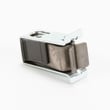


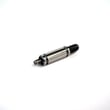
How do I know if my Maytag thermal fuse is bad?
On your Maytag MEDB400VQ0 dryer, a bad (blown) thermal fuse most often shows up as a dryer that will not start, or a dryer that runs but will not heat. The sure way to confirm is a continuity test with a multimeter after unplugging the dryer; see the owner's manual for safety and access guidance.
- Dryer will not run at all (no motor operation)
- Dryer runs but produces no heat (clothes stay damp)
- Thermal fuse blows again soon after replacement (overheating condition still present)
- Very long dry times along with a hot cabinet or burning smell (stop using the dryer)
- Lint buildup at the lint screen area or weak airflow at the outside vent hood
- Unplug the dryer (or shut off the breaker) before opening any panels.
- Access the fuse location (commonly on the blower housing or exhaust duct area).
- Remove at least one wire from the fuse terminal.
- Check continuity across the fuse with a multimeter.
| Test result | What it indicates | What to do next |
|---|---|---|
| Continuity present | Fuse is likely good | Keep troubleshooting heat or run issues |
| No continuity | Fuse is blown | Replace the fuse and correct the overheating cause |
If your fuse tests open, replacement is straightforward, but we always fix the overheating cause at the same time.
- Dryer thermal fuse WP3390719 (common no-heat or no-run safety fuse)
- Dryer thermal cut-off fuse kit 279973 (often replaced with related high-heat protection parts)
- Dryer high-limit thermostat WP8557403 (can contribute to overheating if it fails)
The thermal fuse is a one-time safety device designed to open if the dryer overheats. Replacing only the fuse without restoring proper airflow (lint screen, vent duct, outside hood) often leads to repeat failures and poor drying performance.
We recommend matching parts to the MEDB400VQ0 parts list first; you can also search by model number on Sears PartsDirect if you are shopping for additional Maytag dryer parts.
Last updated: February 2026
How do I know if my dryer start switch is bad?
If your Maytag dryer model MEDB400VQ0 will not start even with the door fully closed and you press START/PAUSE firmly, the start switch is a top suspect. The most reliable way to confirm is a continuity test with a multimeter; a bad switch will not show continuity when pressed (see the owner's manual).
These items can mimic a bad start switch and are worth ruling out first:
- Confirm the controls are set to a running or On position.
- Press START/PAUSE firmly (don’t tap it).
- Make sure the dryer is plugged in and the home power is on.
- Check household fuses or breakers (many electric dryers use two fuses/breakers).
- Verify the dryer door is fully closed and latching.
- Unplug the dryer (or switch off the breaker) before accessing any wiring.
- Access the start switch behind the console (layout varies by model; use the owner's manual for panel access guidance).
- Remove at least one wire from the switch terminal so you are not reading through the circuit.
- Set a multimeter to continuity (or lowest ohms).
- Press and hold the start button:
- Good switch: continuity when pressed; open circuit when released.
- Bad switch: no continuity when pressed.
A failed start switch often shows up like this:
- Dryer does nothing when you press Start (no motor sound)
- Dryer only runs while you hold the button in
- Start button feels loose, sticks, or does not “click” normally
- Intermittent starting that is not tied to door position
If the start switch tests good, these are common next checks:
| What you notice | Common cause | What to do next |
|---|---|---|
| Display shows PF | Power interruption | Press START/PAUSE to resume, or cancel and restart the cycle |
| Display shows L2 | Low/no line voltage (heater may not heat) | Check both breakers/fuses; restart a Timed cycle |
| Dryer shuts off after sitting | Control times out | Re-select cycle and press START/PAUSE within 5 minutes |
A bad start switch prevents the motor circuit from engaging, so the dryer cannot begin tumbling. Confirming the switch with a meter helps you avoid replacing unrelated parts like the drive motor or electronic control.
If you need replacement parts for MEDB400VQ0, order from the parts list for this model or search by model number on Sears PartsDirect.
Last updated: February 2026
How do I find the model number on my MEDB400VQ0?
Your Maytag dryer’s complete model number and serial number are printed on the model and serial number label attached to the dryer. For MEDB400VQ0, use that label to confirm the exact model number before ordering parts or using troubleshooting steps in the owner's manual.
On most Maytag dryers like model MEDB400VQ0, the model and serial number label is typically found in one of these spots:
- Inside the door opening on the front panel
- On the door frame (left or right side)
- Just behind the door on the cabinet opening
- On the rear panel of the cabinet (less common)
Record the information exactly as shown on the label:
- Complete model number (for example, MEDB400VQ0)
- Serial number
- Purchase or installation date (if you have it)
- Dealer or installer info (optional)
The model number identifies the exact version of your dryer; even small changes within a model series can affect which heating element, thermal fuse, door catch, or control fits correctly.
Use this checklist to avoid mismatches:
- Match every character in the model number (letters and numbers)
- Confirm the serial number if the model has multiple revisions
- Use the model number when selecting diagrams and parts
- Verify the part description matches your symptom (no heat, won’t start, noisy)
| Item | What it tells you | When you need it |
|---|---|---|
| Model number | Which dryer design you have | Always, for parts lookup and manuals |
| Serial number | Production details for your unit | Helpful when multiple versions exist |
Last updated: March 2026








