 Installation guide
 Owner’s manual
 Error Codes





How do I get my Kenmore Elite dishwasher out of lock mode?
To take your Kenmore Elite dishwasher model 66513962K017 out of lock mode, press and hold CONTROL LOCK for 3 seconds until the LOCK ON light turns off. Once unlocked, the dishwasher can run normally again (the door can still open while locked). See the 66513962K017 owner's manual for the exact button location on your control panel.
- Press and hold CONTROL LOCK for 3 seconds
- Confirm the LOCK ON indicator light turns off
- If you press a button while locked, expect the light to flash and a tone to sound
- Close the door fully before starting a cycle
- Press START/RESUME to begin (or to continue after opening the door)
| Status | What you see | What happens when you press buttons |
|---|---|---|
| Locked | LOCK ON lit | Buttons are disabled; light flashes and a tone may sound |
| Unlocked | LOCK ON off | Cycle and option buttons work normally |
- Make sure the door is fully latched.
- If you opened the door during a delay or cycle, press START/RESUME again.
- If the control panel is unresponsive, reset power by turning the breaker off for 1 minute, then back on.
Control lock prevents accidental cycle changes and keeps the dishwasher from running until you intentionally unlock the controls, which is especially helpful during cleaning or around kids.
Last updated: January 2026
How do I run a diagnostic on my Kenmore dishwasher?
On Kenmore Elite dishwasher model 66513962K017, diagnostics are typically started from the control panel using a specific key sequence, then the dishwasher runs a short self-check and may show stored error or status messages on the display. Use the exact steps in the 66513962K017 owner's manual.
If the dishwasher will not start or buttons seem unresponsive, we rule out the common blockers first.
- Make sure the door is fully closed and latched
- If Start/Resume is blinking, close the door and press START/RESUME
- If LOCK ON is lit, press and hold CONTROL LOCK for 3 seconds to unlock
- If a cycle seems “stuck,” use CANCEL/DRAIN to stop and reset
- Confirm the breaker is on and the dishwasher has power
If you are trying to clear an interrupted cycle or get the controls back to a known state:
- Open the door slightly to stop the cycle; wait for spraying to stop.
- Press CANCEL/DRAIN twice to reset the control.
- Select a cycle and press START/RESUME.
Many Kenmore Elite models use indicator lights or a text LCD to communicate what is happening.
| What you notice | What it usually means | What to do next |
|---|---|---|
| Buttons do nothing, LOCK ON lit | Control lock is enabled | Hold CONTROL LOCK 3 seconds |
| Cycle stops and messages appear | Cycle interruption or stored status | Press CANCEL to clear message, then retry |
| Unit will not run and lights other than Start/Resume blink | Service-required condition | Record what you see and follow the troubleshooting section |
Running diagnostics (or at least doing a proper reset) helps separate a simple control lock or interrupted cycle from a real failure such as a drain problem, fill problem, or control issue.
Last updated: January 2026
What are common problems with Kenmore dishwashers?
Common problems on the Kenmore Elite 66513962K017 dishwasher include not starting, detergent not dispensing, poor cleaning from loading or water temperature issues, draining problems, odors, and noise. Many of these are caused by simple issues like a door not latching, blocked spray paths, or a kinked drain hose.
- Dishwasher won’t run: confirm power, then close and latch the door; if the Start/Resume light is blinking, close the door and press Start/Resume.
- Detergent remains in the dispenser: make sure large items are not blocking the dispenser door; use fresh, lump-free detergent.
- Dishes come out dirty: verify incoming water is at least 120°F (49°C), choose the right cycle, and avoid overloading.
- Not draining: check for kinks in the drain hose and clear food obstructions in the drain path or disposer connection.
- Odors or white residue: clean the filtration system regularly and use rinse aid; hard water often needs monthly dishwasher cleaner use.
| Problem | Likely cause | Best first step |
|---|---|---|
| Won’t start | Door not fully latched or cycle not selected | Latch door, press Start/Resume, select a cycle (see 66513962K017 owner's manual) |
| Detergent tablet on tub bottom | Dispenser blocked by dishes | Re-load so nothing blocks the dispenser |
| Poor cleaning | Water too cool or wrong cycle | Set water heater to 120°F, use proper cycle/options |
| Standing water | Kinked hose or disposer plug not removed | Inspect hose routing; verify disposer inlet is open |
| Odor | Filter needs cleaning, infrequent use | Clean filter; run rinse cycle between loads |
If the basic checks don’t fix the symptom, these model-matched parts are often involved:
- Drain and standing water: dishwasher drain pump WPW10348269, dishwasher drain hose 8269144A
- Filling issues (no/low water): dishwasher water inlet valve W11175771
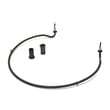
- Drying or heating complaints: dishwasher heater W10703867
- Poor wash coverage: dishwasher spray arm WPW10195601
- Odors and residue: dishwasher filter W10872845
Catching the simple causes first (door latch, loading interference, water temperature, drain hose routing) prevents repeat cycle failures, detergent waste, and performance problems that can look like a bigger pump, valve, or control issue.
Last updated: January 2026









