 Installation guide
 Owner’s manual
 Error Codes









How to know Kenmore oven model?
On a Kenmore range like model 79045599902, the model number is printed on the serial plate. For this style of range, the serial plate is located along the side of the oven door opening, visible when the oven door is open; match that number to your paperwork or use it when ordering parts.
Where to look on the range
Open the oven door and check these common spots first:
- Along the left or right side of the oven door opening (door open)
- On the front frame around the oven cavity
- Near the lower drawer opening (if equipped)
- On a label that includes model, serial, and sometimes a lot number/letter
For diagrams and model-specific details, use the 79045599902 installation guide.
What to write down (and why)
Record the full information exactly as shown on the label.
- Model number (example: 79045599902)
- Serial number
- Lot number or lot letter (often used for parts lookups)
- Brand (Kenmore)
Quick reference table
| Label item | What it’s used for | When you need it |
|---|---|---|
| Model number | Identifies the exact range design | Ordering parts, finding manuals |
| Serial number | Identifies your specific unit | Service history, warranty, support |
| Lot number/letter | Helps match production run details | Parts inquiries and compatibility |
Why it matters
Kenmore ranges can look similar across multiple series, but parts like a control board, surface element, or temperature sensor can vary by model. Using the exact model number helps us match the correct replacement part the first time.
Last updated: February 2026
How to unlock Kenmore stove top?
On Kenmore electric range model 79045599902, a lock message such as “Loc” indicates the oven lockout feature. To unlock, press and hold the oven lockout pad for 3 seconds until the control returns to normal; the exact pad name is shown in the 79045599902 owner’s manual.
Unlock the oven lockout (control lock)
- Press and hold the oven lockout pad for 3 seconds.
- If the Door Locked light is flashing, keep hands off the door until it stops.
- Allow about 15 seconds for the motorized door latch to finish moving.
- Test by pressing BAKE or BROIL; if “Loc” reappears, repeat the 3-second hold.
- CLOCK, TIMER, and OVEN LIGHT can still work even when lockout is on.
What’s locked on this model (and what is not)
This model’s lock feature is for the oven door and oven control pads. It is not a separate cooktop-only lock.
| Symptom | What it means on model 79045599902 | What to do |
|---|---|---|
| Display shows “Loc” | Oven lockout is active | Hold oven lockout pad 3 seconds |
| Door Locked light flashing | Door lock motor is moving | Wait; do not pull the door |
| Surface element will not heat | Not caused by oven lockout | Troubleshoot the burner circuit |
If the cooktop still will not heat after unlocking
- Confirm the knob turns smoothly and is not cracked or loose.
- Check the element for blisters, cracks, or burned spots.
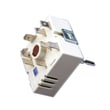
- If one burner is dead or cycles erratically, the infinite switch is a common cause.
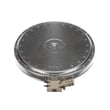
- For a dual radiant burner issue, inspect the range dual radiant surface element 316555800.
- If the knob feels abnormal or heat is inconsistent, replace the range surface element control switch 318293830.
Why it matters
Unlocking the oven lockout the right way prevents forcing the door while the latch is moving, which protects the door lock mechanism and restores normal baking and broiling.
Last updated: February 2026
What are the parts of an electric oven?
An electric oven in a Kenmore 79045599902 range is built around heating elements (bake and broil), temperature sensing and controls, and basic cavity hardware like racks, light, venting, and the door. These parts work together to heat evenly, regulate temperature, and keep the control area cooled.
Core oven parts you will find
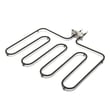
- Bake element (lower element): provides most baking heat; it should glow red during a bake cycle.
- Broil element (upper element): provides high top heat for broiling; it should glow red on BROIL.
- Oven temperature sensor: tells the control how hot the oven is so it can cycle heat accurately.
- Electronic oven control (clock/timer): runs bake, broil, timer, and other functions.
- Oven vent: releases hot air for proper circulation; it must stay unblocked.
- Oven light system: bulb, lens, and socket so you can see inside the cavity.
Parts on this model that commonly come up in repairs
If you are troubleshooting temperature accuracy or a dark oven cavity, these model-matched parts are common starting points:
| Symptom | Likely area | Example model-matched part |
|---|---|---|
| Oven temp seems off | Temperature sensing | Range oven temperature sensor 5304504897 |
| Oven light not working | Lighting | Appliance light bulb, 40-watt 316538904 |
| Light cover damaged or missing | Lighting cover | Range oven light lens 5304524341 |
| Light still out with a good bulb | Socket/wiring | Range oven light socket 316116400 |
Where to confirm what your oven includes
Feature sets vary by configuration (for example, some versions include convection and a cooling fan that runs on and off to protect electronics). We recommend matching what you see on your range to the diagrams and feature list in the 79045599902 owner's manual.
Why it matters
Knowing the main oven parts helps you diagnose faster. For example, if the oven will not heat, you can focus on the bake/broil heating circuit and temperature sensing; if baking is uneven, checking venting and sensor operation often saves time and prevents repeat failures.
Last updated: February 2026
Why is my Kenmore Elite stove not working?
If your Kenmore electric range model 79045599902 is not working, the most common causes are a power supply problem (tripped breaker, loose cord, incorrect voltage) or a control safety response after a power outage. Restore proper power first, then check whether the cooktop or oven is the only section affected using the 79045599902 owner's manual.
Quick checks we recommend first
- Confirm the range cord is fully seated in the outlet (or the unit is properly hardwired).
- Reset the double-pole range breaker by switching it OFF then ON.
- Verify the kitchen lights and other outlets work; a power outage can stop operation.
- If the range was moved from cold shipping or storage, let it sit in place 3 hours before powering on (cold-start can damage controls).
- If only one burner will not heat, make sure you are using the correct knob for that element.
If the whole range is dead (no display, no heat)
Power issues are the top cause.
| What you see | Most likely cause | What to do |
|---|---|---|
| No display, nothing works | Breaker tripped, loose connection, wiring issue | Reset breaker; check cord/terminal connections; use a qualified installer for wiring |
| Works sometimes, then stops | Loose power connection or unstable supply | Inspect connections at the terminal block; tighten/repair as needed |
A burned or loose connection at the terminal block is common on electric ranges; inspect and replace the terminal block 5304409888 if you see heat damage.
If the cooktop works but the oven will not heat
These checks narrow it down fast:
- Make sure the oven is not set to a delayed start or a timed mode.
- If the oven temperature is inaccurate or the oven will not regulate heat, test the sensor circuit; replace the range oven temperature sensor 5304504897 if it is out of spec.
- If the oven overheats or shuts down, a safety device such as a high-limit thermostat can be involved; consider the frigidaire range high-limit thermostat 318578506.
Why it matters
An electric range needs correct voltage and solid wiring connections to run safely. Fixing the power supply first prevents repeat failures and helps you avoid replacing good parts.
Last updated: February 2026






