Installation guide
 Owner’s manual








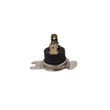
Where to find part number on GE dryer?
On a GE electric dryer like model GTX33EASK0WW, the part number you need is usually found on the appliance’s model and serial tag, not printed on every component. Check the inside of the dryer door opening and the door frame area first, then match the part by name and diagram.
Most GE dryers place the model and serial tag in one of these spots:
- Inside the door opening on the front panel
- On the door frame (around the opening)
- Behind the control panel area (less common)
- On the rear panel (occasionally)
Use the tag’s model number (GTX33EASK0WW) to ensure you’re selecting parts that fit your exact dryer.
Some parts have a stamped or printed number, but it is often a manufacturing code and may not match the orderable part number. For this model, we recommend identifying the part by location and function, then confirming the correct replacement using diagrams and the manual.
- Belts often have markings, but ordering by model is more reliable
- Switches and thermostats may show internal codes
- Heating components may list ratings (volts/watts) instead of a sellable part number
| What you’re replacing | What to match | Example part for GTX33EASK0WW |
|---|---|---|
| Drum belt | Belt routing and length style | Dryer drum belt WE03X29897 |
| Door won’t start when closed | Door switch style and connector | Dryer door switch WE04X28977 |
| No heat (electric) | Heater style and mounting | Dryer heating element WE11M10001 |
Using the model/serial tag prevents ordering a look-alike part that does not fit. GE often uses similar-looking components across multiple dryer series, and small differences (mounting holes, terminals, length) can stop a repair.
For diagrams, part identification, and safe access points, follow the GTX33EASK0WW owner’s manual.
Last updated: February 2026
How to reset GE dryer heating element?
On the GE GTX33EASK0WW electric dryer, there is no button or menu to “reset” the heating element itself. The practical reset is to fully power-cycle the dryer at the breaker, then re-test heat; if it still will not heat, a failed heater or safety thermostat is usually the real issue. See the GTX33EASK0WW owner's manual for the correct cycle and heat settings.
- Turn the dryer OFF.
- Switch the dryer’s circuit breaker OFF (or unplug the cord if accessible).
- Wait 2 to 5 minutes.
- Turn the breaker ON (or plug back in).
- Run a timed dry cycle with high heat and check for warm air.
Most “no heat” complaints are caused by power supply issues, airflow restrictions, or a failed heating circuit part.
- Confirm the dryer has 240V power (a tripped half-breaker can let the drum run on 120V but prevent heat).
- Clean the lint screen and verify strong airflow at the vent outlet.
- Check for a blown heating element, open high-limit thermostat, or open safety thermostat.
| Symptom | Likely area | Example part for GTX33EASK0WW |
|---|---|---|
| Runs but no heat | Heating circuit | Dryer heating element WE11M10001 |
| Heats then stops | Overheat protection | Dryer high-limit thermostat WE04X26139 |
| No heat, safety open | Safety cutoff | Dryer safety thermostat WE04X25194 |
A power-cycle can clear a control glitch, but an electric dryer that tumbles without heat often points to airflow or a failed heater/thermostat. Fixing the root cause prevents repeat overheating and long dry times.
If your dryer displays an error code, use the GE cleanspeak dryer error codes guide to match the code to the most likely failed part or condition.
Last updated: February 2026
Where is my thermal fuse located on my GE dryer?
On the GE GTX33EASK0WW electric dryer, the thermal fuse is typically mounted on the blower housing inside the cabinet, close to where the vent duct connects. You usually reach it by unplugging the dryer and removing the rear panel or front access (depending on the cabinet design shown in the GTX33EASK0WW owner's manual).
In most GE electric dryers like the GTX33EASK0WW, the thermal fuse is a small, flat safety device with 2 wires attached. It’s commonly located:
- On or next to the blower housing (airflow area)
- Near the lint duct path (not on the drum)
- Close to the exhaust outlet where the vent attaches
- Near other safety controls such as thermostats
Before opening the dryer cabinet, we recommend:
- Unplug the dryer (or switch off the breaker)
- Pull the dryer away from the wall and disconnect the vent
- Take a photo of wire locations before removing any connectors
- Use a nut driver to remove the access panel screws
- Avoid running the dryer with panels removed
These parts can look similar on the blower or heater area.
| Part type | Typical job | Common mounting area |
|---|---|---|
| Thermal fuse | One-time safety cutoff if overheating occurs | Blower housing or exhaust duct area |
| High-limit thermostat | Cycles protection at high temps; may reset when cooled | Heater housing or duct |
| Safety thermostat | Temperature safety control in the heat/air path | Heater or blower area |
If you’re troubleshooting a “won’t start” or “no heat” symptom, the thermostats listed for this model include the dryer high-limit thermostat WE04X26139 and the dryer safety thermostat WE04X25194.
A blown thermal fuse usually points to overheating caused by restricted airflow. Replacing the fuse without fixing the airflow issue (lint buildup, crushed vent, long vent run) often leads to repeat failures.
For airflow and maintenance tips that help prevent overheating, use how to keep a dryer clean and economical.
Last updated: February 2026
How do I turn off the buzzer on my GE dryer?
On the GE GTX33EASK0WW electric dryer, the end-of-cycle buzzer is typically silenced by disconnecting the buzzer inside the control console (or turning the signal setting to Off if your control panel includes it). Always unplug the dryer before opening any panels.
- Check the control panel for a signal/buzzer option and set it to Off (if present).
- If there is no signal setting, disconnecting the buzzer leads inside the console is the common fix.
- If the buzzer is part of the timer circuit, the timer and buzzer may be integrated on some designs.
- Unplug the dryer (or switch off the breaker) before removing the console cover.
- Remove the control console access panel as shown in the GTX33EASK0WW owner's manual.
- Locate the buzzer (small round or rectangular sounder) and note wire positions.
- Disconnect one buzzer wire (or the buzzer connector) and secure it so it cannot touch metal.
- Reassemble the console, restore power, and run a short cycle to confirm the buzzer is silent.
| Change | What it means for drying | What to do instead |
|---|---|---|
| No end-of-cycle sound | Dryer still heats and tumbles normally | Use a phone timer or check the load near cycle end |
| Some cycles still “click” | Timer motor and contacts still operate | Normal; only the buzzer sound is removed |
If the buzzer won’t silence or the timer knob feels loose or damaged, the issue can be in the timer/knob area. These model-matched parts are commonly involved:
A loud buzzer is annoying, but it can also be a useful reminder to unload promptly to reduce wrinkles and re-drying time. Disabling it is fine as long as you replace that reminder with a consistent routine.
Last updated: February 2026