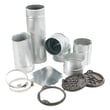
Installation guide
 Owner’s manual












Where is the thermal fuse on an admiral dryer?
On the Admiral AED4675YQ1 electric dryer, the thermal fuse is mounted on or very near the blower housing inside the cabinet, close to the exhaust outlet. You typically reach it by removing an access panel and locating the blower housing; see the AED4675YQ1 installation instructions for safe access and venting guidance.
Before opening the dryer, disconnect power and let the unit cool.
- Unplug the dryer or switch off the breaker.
- Remove the access panel screws (rear panel on many builds).
- Find the blower housing near the exhaust outlet.
- Look for a small, flat fuse with two wires on the blower housing.
- Take a photo of wire placement before disconnecting anything.
- If testing, remove at least one wire and check continuity with a multimeter.
A thermal fuse usually opens because the dryer overheated from restricted airflow.
- Lint screen clogged or coated with residue
- Lint buildup in the lint chute or blower housing
- Crushed, kinked, or excessively long vent run
- Blocked exterior vent hood
- Plastic or foil venting (use heavy metal venting)
| Safety device | Typical location | Common symptom when open |
|---|---|---|
| Thermal fuse | Blower housing | Dryer may not run at all |
| Thermal cut-off | Heater box area | Dryer may run but not heat |
If you are addressing a heater-side overheat condition, the compatible replacement option listed for this model is the dryer thermal cut-off fuse kit 279816.
Replacing a blown fuse without correcting the airflow restriction often leads to repeat failures. Restoring proper venting helps protect the heating circuit, motor, and wiring.
Last updated: January 2026
Who is the admiral dryer made by?
Admiral dryers such as model AED4675YQ1 are manufactured by Whirlpool Corporation. Admiral is a brand name used on certain Whirlpool-built laundry appliances, so many Admiral dryer parts and service procedures align closely with comparable Whirlpool designs (always match parts by model number).
The most reliable way to confirm the manufacturer for AED4675YQ1 is by checking the model and serial tag and matching it to the documentation for your unit.
- Look for the model/serial label inside the door opening (upper door cavity area is common)
- Match the model number exactly: AED4675YQ1
- Use the documentation for wiring, venting, and installation requirements
- When ordering parts, always use the model number, not just the brand name
Reference: AED4675YQ1 installation guide
Admiral-branded dryers can share platforms with Whirlpool-built models, but part compatibility still depends on the exact model number and revision.
| What you use | Best for | Why |
|---|---|---|
| Brand name (Admiral) | General identification | Not specific enough for parts |
| Model number (AED4675YQ1) | Parts matching | Ensures correct fit and wiring |
| Part ID/part number | Ordering | Identifies the exact replacement |
If you are repairing AED4675YQ1, these are examples of compatible parts listed for this model.
- Belt 341241 (drum drive belt)
- Dryer thermal fuse WP3392519 (safety fuse that can stop the dryer if it overheats)
- Dryer element 279838 (electric heating element)
Knowing the dryer is Whirlpool-built helps you use the right installation, venting, and electrical guidance, and it reduces the risk of ordering the wrong replacement part for your Admiral AED4675YQ1.
Last updated: January 2026
Why is my admiral dryer not heating up?
If your Admiral AED4675YQ1 electric dryer runs but does not heat, the most common causes are a tripped breaker (loss of one 120V leg), restricted venting, or a failed heating-circuit safety part such as a thermal fuse or thermal cut-off. Start with the power and vent checks in the AED4675YQ1 installation instructions.
- Confirm the dryer has full 240V power; many homes use two breakers and one can trip.
- Run a timed high-heat cycle for 5 minutes, then open the door and check for heat.
- Clean the lint screen and verify strong airflow at the outside vent hood.
- Inspect the vent for kinks, crushed sections, or long runs with too many elbows.
- Make sure the cycle is not set to Air fluff, no heat, or a low-temperature option.
These model-compatible parts are commonly involved in a no-heat condition:
- Dryer thermal fuse WP3392519 (opens if the dryer overheats; often caused by poor airflow)
- Dryer thermal cut-off fuse kit 279816 (thermal cut-off and related components used to protect the heater circuit)
- Dryer high-limit thermostat WP3977767 (opens if the heater housing gets too hot)
- Dryer operating thermostat WP3387134 (cycles heat on and off during normal operation)
Disconnect power before testing. Check continuity across each component.
| What you test | If it reads open (no continuity) | What it usually means |
|---|---|---|
| Thermal fuse | Dryer will not heat (and may not run on some designs) | Overheat event, often airflow-related |
| Thermal cut-off | No heat | Heater box overheated |
| High-limit thermostat | No heat or overheating shutdown | Heater housing got too hot |
| Operating thermostat | Poor temperature control, long dry times | Heat cycling problem |
On AED4675YQ1, airflow problems can overheat the heater circuit and repeatedly open fuses or cut-offs. Fixing venting first helps prevent repeat failures and improves drying performance.
Last updated: January 2026
Why is my admiral dryer not starting?
If your Admiral electric dryer model AED4675YQ1 will not start, the most common causes are a power supply issue (tripped breaker or loose cord/terminal connection), a failed door switch, a blown thermal cut-off, or a bad push-to-start switch. Use the safety and electrical checks in the AED4675YQ1 installation instructions first.
- Confirm the door is fully closed and latching.
- Set a Timed Dry cycle and a temperature (not Air/Fluff if your model has it).
- Press and hold Start firmly for 1 to 2 seconds.
- Reset the home breakers; many electric dryers use two breakers.
- Verify the cord is fully seated in the outlet; do not use an extension cord.
If the quick checks pass, these model-matched parts are common no-start culprits:
- Door switch WPW10237959 (the dryer will not run if the switch does not close)
- Dryer push-to-start switch WPW10420741 (won’t send the start signal when pressed)
- Dryer thermal cut-off fuse kit 279816 (an open cut-off can interrupt the motor circuit)
- Drive motor 279827 (may hum, bind, or fail to run)
- Power: confirm the outlet has proper voltage and both breakers are on.
- Door switch: listen for a click; test continuity with the door closed.
- Thermal cut-off: unplug the dryer; test the cut-off for continuity.
- Start switch: test continuity only while the button is pressed.
| What you notice | Most likely issue | What to check next |
|---|---|---|
| No sound at all | Power supply problem | Breakers, outlet, terminal block connections |
| Clicks but won’t run | Door switch or start switch | Door switch, then start switch |
| Hums but drum doesn’t move | Motor or drive system issue | Motor, belt, drum movement by hand |
A no-start problem is often a safety interlock or power issue. Correcting the root cause (especially electrical connections and overheating conditions) helps prevent repeat failures of switches, wiring, and thermal protection.
Last updated: January 2026