How many hours a day should you run a dehumidifier?
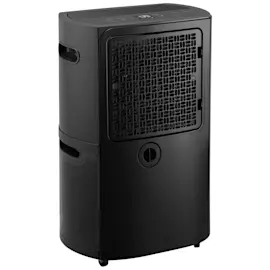
For a Comfort-Aire BHD-501 dehumidifier, we run it as long as needed to hold the room at a comfortable humidity, typically 40% to 50% RH. In many homes that works out to 4 to 12 hours per day, but very damp basements may need longer or continuous operation.
Instead of picking a fixed number of hours, we set a humidity target and let the unit cycle.
- Start with a 50% RH setting for general comfort.
- If you see musty odors or dampness, lower the target to 45% RH.
- If windows sweat or you have visible condensation, aim for 40% to 45% RH.
- If the air feels too dry (dry skin, static), raise the target to 50% to 55% RH.
- Run longer during rainy weather, after flooding, or when doing laundry indoors.
| Space / condition | Typical run time | Notes |
|---|---|---|
| Bathroom use (after showers) | 1 to 3 hours | Best with door closed and fan off after showering |
| Bedroom / living area | 4 to 8 hours | Often cycles once target RH is reached |
| Damp basement | 8 to 24 hours | May run most of the day in humid seasons |
| After water intrusion | 24 hours | Pair with airflow and frequent bucket checks |
Running long enough to reach and maintain the target humidity prevents mold-friendly conditions, reduces odors, and helps the dehumidifier avoid short-cycling (which can reduce moisture removal efficiency).
These checks usually fix the problem:
- Clean the air intake and keep the unit 12 to 18 inches from walls.
- Make sure doors and windows are closed in the area you are drying.
- Verify the bucket is seated correctly and the “full” float is not stuck.
- Confirm the room temperature is not too cold (many units remove less moisture in cool spaces).
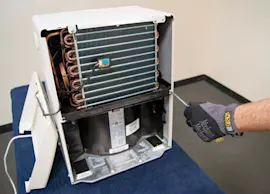
- If the fan is weak or noisy, inspect the blower wheel; replace the fan 5900A20007B if it is damaged.
For deeper troubleshooting, use our DIY steps in dehumidifier doesn't remove moisture.
Last updated: February 2026
How much does it cost to run a dehumidifier 24 hours a day?
Running a Comfort-Aire BHD-501 dehumidifier 24 hours a day typically costs about $1.00 to $4.30 per day in the U.S. (most units draw roughly 300 to 700 watts, and most electricity rates land around $0.12 to $0.25 per kWh). Your actual cost depends mainly on wattage, room humidity, and your local kWh rate.
Use this formula:
- Daily kWh = (Watts ÷ 1000) × 24
- Daily cost = Daily kWh × your $/kWh rate
| Dehumidifier draw | kWh per day | Cost/day at $0.15/kWh | Cost/day at $0.22/kWh |
|---|---|---|---|
| 300 W | 7.2 | $1.08 | $1.58 |
| 500 W | 12.0 | $1.80 | $2.64 |
| 700 W | 16.8 | $2.52 | $3.70 |
These factors change how long the compressor and fan run at full load:
- Humidity level: wetter basements cost more to dry
- Temperature: colder rooms can reduce efficiency and increase run time
- Airflow: dirty filter or blocked intake makes the unit run longer
- Drain setup: frequent bucket fills can interrupt operation
- Coil condition: frost or dirt on the evaporator reduces moisture removal
For performance basics and what “normal” run time looks like, see dehumidifier common questions.
A dehumidifier that runs nonstop can be normal in very damp spaces, but it can also signal restricted airflow, a dirty coil, or a control issue. If your BHD-501 runs constantly and still does not pull water, troubleshooting the moisture-removal system is the fastest way to reduce both humidity and electric cost.
If diagnostics point to a failed control or airflow problem, these model-matched parts are commonly involved:
Last updated: February 2026
How do I find the model number on my BHD-501?
The model number for your Comfort-Aire dehumidifier is printed on the unit’s rating label; on the BHD-501, it’s typically on the back of the cabinet or along a side panel near the power cord entry. Match the label exactly, including dashes.
Check these common rating-label locations first:
- Back of the cabinet near the bottom edge
- Side panel near the handle area
- Near the power cord entry point
- Behind the water bucket area (if your unit has a bucket compartment)
- On the base frame near the caster mounts
Copy the information exactly as shown on the label so we can match the correct diagrams and parts for your specific build.
- Model number (example format: BHD-501)
- Serial number (helps identify production run)
- Electrical rating (volts and amps)
- Refrigerant type (useful for service decisions)
| Label item | What it’s used for | Tip |
|---|---|---|
| Model number | Correct parts lookup | Include the dash (BHD-501) |
| Serial number | Version identification | Write it exactly, no spaces |
| Electrical rating | Power and safety checks | Match cord and outlet requirements |
| Refrigerant info | Sealed-system service | Keep for technician reference |
Use these practical identifiers to narrow it down:
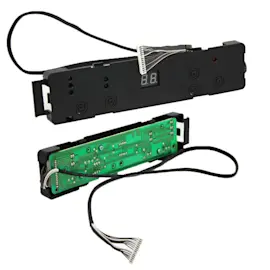
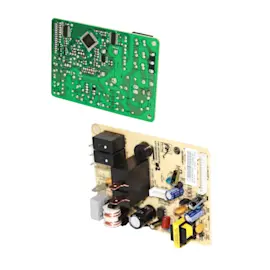
- Compare your control panel layout to the parts list (for example, the dehumidifier control board 6871A10141C and dehumidifier display board 6871A20460A)
- Check whether your unit uses a specific fan style like the fan 5900A20007B
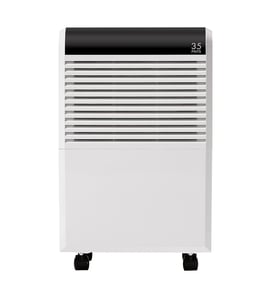
- Match cabinet and base style (such as cabinet 3090A10042A and base 3041A10042A)
Dehumidifiers often have multiple versions that look similar; using the exact model number ensures the right electrical parts (like the power cord) and refrigeration components fit and function correctly.
Last updated: March 2026