 Owner’s manual




How to replace bag in Kenmore vacuum?
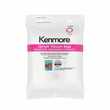
To replace the dust bag in your Kenmore upright vacuum model 11631140310, unplug the power cord, open the dust cover, remove the bag by the collar (not the bag material), then install a new Style O bag fully onto the holder and snap the cover closed. See the 11631140310 owner's manual.
Step-by-step: changing the dust bag (Style O)
- Unplug the vacuum before any maintenance.
- Pull the dust cover latch to remove the dust cover.
- Grasp the dust bag collar and pull gently to remove the bag from the holder.
- Dispose of the used bag; do not reuse it.
- Fold the safety seal tab on the new bag away from the collar opening.
- Push the collar opening completely over the dust bag holder as far as it will go.
- Tuck the bag into the chamber so all sides are inside, then press the cover until it snaps.
Quick checks while the bag is out
A full or misinstalled bag can reduce suction and may contribute to overheating.
- Check the dust bag holder area for dirt or clogs.
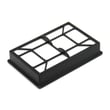
- Check the motor safety filter for dirt and clean it when needed.
- Make sure the bag is seated straight; a crooked collar can cause leaks and poor pickup.
What to expect if the bag is not installed correctly
The vacuum is designed to prevent the door from closing when the bag is missing or not seated.
| Symptom | Likely cause | What to do |
|---|---|---|
| Dust cover will not close | Bag missing or collar not fully on holder | Reseat the collar and try again |
| Low suction | Bag full, bag leaking, or clog | Replace bag, check hose and airflow path |
| Vacuum shuts off | Airflow restricted, motor thermal protector tripped | Clear clogs, replace bag, let it cool about 50 minutes |
Why it matters
A properly installed dust bag keeps airflow moving through the suction motor. Good airflow protects the motor, improves cleaning performance, and helps prevent the thermal protector from shutting the vacuum off.
Last updated: January 2026
What model is my Kenmore vacuum?
Your Kenmore vacuum’s model number is printed on the Model and Serial Number Plate; for Kenmore model 11631140310, you will use that full number when ordering parts, checking troubleshooting steps, or calling for service. The location and recording space are shown in the owner's manual.
Where to find the model number
Look for the Model and Serial Number Plate on the vacuum body (not on attachments). Common places include:
- The back of the main vacuum housing near the power cord
- The lower rear area near the base or brush housing
- Under the bag cover or near the bag compartment opening
- A label on the underside of the vacuum (tilt it back safely to check)
How to read it correctly
Model numbers must be copied exactly as printed.
- Write down the full model number and serial number
- Use uppercase letters if any appear on the label
- Avoid mixing up similar characters (0 vs O, 1 vs I)
- Keep the numbers with your receipt for future reference
| What you need | Why you need it |
|---|---|
| Model number | Ensures parts and diagrams match your exact vacuum |
| Serial number | Helps identify production details when requesting assistance |
| Date of purchase | Useful for maintenance records and service questions |
Why it matters
Kenmore vacuums can look similar across series, but parts like a hose, switches, and internal supports can vary by model. Using the exact model number helps you get the right replacement the first time.
Last updated: January 2026
Why is my Kenmore vacuum not suctioning?
Loss of suction on your Kenmore upright vacuum model 11631140310 is usually caused by a full dust bag, a clogged filter, or a blockage in the clean-out port or hose. We recommend checking those airflow points in order, then clearing clogs and reassembling correctly using the 11631140310 owner's manual.
Quick checks (in the right order)
- Check the dust bag; replace it if it’s full.
- Check filters; clean or replace if they’re clogged.
- Check for clogs at the clean-out port and through the extension hose.
- Inspect the hose for holes or splits; air leaks reduce suction.
- Confirm attachments are seated; a loose connection can leak air.
How to clear a clog in the hose
- Unplug the vacuum.
- Remove the hose handle from the hose holder by twisting and pulling straight up.
- Check the hose and clean-out areas for packed debris.
- Reinstall the hose firmly so it seals.
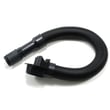
If you find damage or a persistent leak, replacing the hose restores airflow and suction on this model; use the vacuum hose KC84PDWFZV07.
Symptoms and likely causes
| What you notice | Most likely cause | What to do |
|---|---|---|
| Motor sounds normal but pickup is weak | Full bag or clogged filter | Replace bag; clean/replace filters |
| Suction is weak at the nozzle and wand | Blockage in clean-out port or hose | Remove clog; recheck airflow |
| Suction seems to “whistle” or leak | Hole or poor seal in hose/connection | Inspect hose; reseat or replace |
Why it matters
Suction loss is almost always an airflow problem. Keeping the bag, filters, and hose clear prevents overheating, improves cleaning performance, and helps the vacuum maintain consistent pickup.
Last updated: January 2026


