 Error Codes










How do I tell what model my Kenmore dryer is?
Your Kenmore dryer’s model number is printed on the appliance ID label; once you find it, match it exactly (for example, 11096512200) to look up the correct parts, diagrams, and troubleshooting info for your specific electric dryer.
Check these common Kenmore dryer locations first:
- Inside the door opening on the front panel (most common)
- On the door itself (edge or inner surface)
- On the back panel of the dryer cabinet
- Near the lint screen housing (lift the lint screen and look around the opening)
- On the side panel near the door opening
Kenmore model numbers often start with a prefix (such as 110 or 796) that helps identify the manufacturer family. The full model number is what we use to ensure parts like a belt, heating element, or door switch fit and wire up correctly.
| Label item | What it’s used for | Example format |
|---|---|---|
| Model number | Finding correct parts and diagrams | 11096512200 |
| Serial number | Production run tracking and service history | Letters and numbers |
Before you shop for replacement parts for Kenmore model 11096512200, we recommend:
- Copy the model number exactly as printed (include all digits)
- Take a clear photo of the label for reference
- If the label is worn, look for a second label on the back panel
- Use the model number to confirm fit before ordering common wear items
If you are troubleshooting while you identify the model, these are frequently replaced on electric dryers:
- Drum belt 341241 (drum won’t tumble)
- Element 279838 (no heat)
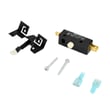
- Dryer door switch W10820036 (won’t start when door is closed)
Kenmore dryers can look similar across series, but small differences in wiring, drum size, and mounting points change which parts fit. Using the exact model number prevents returns and speeds up repair.
Last updated: February 2026
How much does it cost to replace a heating element in a Kenmore dryer?
For Kenmore model 11096512200, the heating element part typically runs about $20 to $120, and the total installed cost is commonly $100 to $350 when you pay for labor. If your dryer uses the Element 279838, the part cost is usually in the mid-range compared to complete heater assemblies.
- DIY (part only): $20 to $120
- DIY (part + related safety parts): $25 to $75 (common when replacing thermal cutoffs at the same time)
- Professional repair (parts + labor): $100 to $350
- Service call portion (often included): varies by area and company
A failed heater can be caused by overheating from restricted airflow, so we often see these replaced as a set:
- Element 279838: the heater coil that produces heat
- Cut-off kit 279816: thermal safety devices that open if temperatures get too high
- Lint screen and venting: airflow restrictions can shorten heater life
| Option | What you pay for | Best when |
|---|---|---|
| DIY replacement | Part(s) and your time | You’re comfortable using a multimeter and opening the cabinet |
| Professional replacement | Labor, diagnosis, part(s) | You want diagnosis of airflow, wiring, and controls |
- Dryer design and access: some cabinets take longer to open and reassemble
- Overheating damage: terminals and wires may need repair (especially at the heater connections)
- Airflow problems: crushed vent, clogged lint path, or a blocked exterior hood
- Electrical checks: confirming correct 240V supply and safe connections
Replacing only the heater without fixing airflow or failed thermal protection can lead to repeat failures, longer dry times, and higher energy use. Pairing the heater with the right safety parts helps the dryer heat correctly and cycle temperatures normally.
Last updated: February 2026
How to hard reset a Kenmore dryer?
To hard reset a Kenmore electric dryer model 11096512200, we recommend a simple power reset: unplug the dryer (or switch the breaker off) for 2 minutes, then restore power. This clears many control glitches; if the dryer still will not run or heat, a failed safety part or airflow problem is usually the real cause.
- Turn the dryer OFF.
- Unplug the power cord (or turn both dryer breakers OFF if it is hardwired).
- Wait 2 minutes.
- Restore power.
- Open and close the door once, then try a timed cycle and press Start.
These checks solve most “dead” or “won’t start” complaints on Kenmore 110-series dryers:
- Confirm the dryer has 240V power (a tripped half-breaker can let the drum run but stop heat, or stop everything).
- Make sure the door fully closes; a bad door switch can prevent starting (see dryer door switch W10820036).
- If you hear a hum but the drum will not turn, inspect the belt and idler system (see drum belt 341241 and dryer idler pulley WP691366).
- If the motor runs but airflow is weak, check for a clogged lint screen, lint chute, or venting restriction.
A reset will not fix an open heating circuit. On this model, the most common heat-related suspects are:
- Heating element (see element 279838)
- Thermal cut-off or high-limit protection (see cut-off kit 279816)
- Burned heater wiring at the element terminals (see dryer heating element wire kit 279457)
| Symptom | Most likely direction | Common related parts |
|---|---|---|
| No start, no sound | Power, door switch, start switch | Door switch, start switch |
| Hums, drum does not turn | Belt/idler jam or motor issue | Belt, idler pulley, drive motor |
| Runs, no heat | Heating circuit or airflow restriction | Heating element, cut-off kit |
Resetting clears temporary control faults, but dryers also shut down or stop heating to prevent overheating. Restoring proper airflow and replacing failed safety or drive parts protects the heater, motor, and wiring from repeat damage.
Last updated: February 2026
What does PF stand for on a Kenmore dryer?
PF on a Kenmore dryer (including model 11096512200) stands for power failure. It means the dryer’s electrical supply was interrupted during a cycle, so the control detected a loss of power and may stop or require you to restart the cycle.
- Press Start to resume (or reselect the cycle and start again if the cycle cleared).
- Check the dryer’s house breaker (electric dryers typically use a 240V double breaker).
- Make sure the power cord is fully seated and the outlet is not loose.
- Avoid using an extension cord; plug the dryer directly into the wall outlet.
- If PF happens repeatedly, inspect the terminal block connections; a loose connection can cause intermittent power loss.
| Likely cause | What you’ll notice | What to check first |
|---|---|---|
| Brief outage or flicker | PF appears after a storm or flicker | Restart cycle, monitor |
| Tripped breaker | Dryer dead or stops mid-cycle | Reset both breaker handles |
| Loose outlet/cord | PF happens when dryer vibrates | Outlet fit, cord seating |
| Loose terminal block wiring | Burning smell, heat at cord area | Unplug and inspect wiring |
A one-time PF is usually harmless, but repeated PF codes can point to a power supply problem that can overheat wiring at the terminal block and cause the dryer to shut down mid-cycle.
If you find heat damage or looseness at the cord connection, the wiring set is often the right fix for this model:
Last updated: February 2026
What is the average life of a Kenmore dryer?
A Kenmore electric dryer like model 11096512200 typically lasts 10 to 13 years. With consistent airflow maintenance and timely replacement of wear items, it’s common for these dryers to reach 15 years of service before major repairs become frequent.
Dryer life is mostly driven by heat stress and airflow restriction (lint buildup makes parts run hotter and longer).
- Light to average use: 10 to 13 years
- Heavy family use: closer to 8 to 12 years
- Well-maintained units: often 13 to 15 years
- Neglected venting: can shorten life quickly (overheating and longer dry times)
These steps reduce overheating, protect the heating circuit, and keep cycle times normal.
- Clean the lint screen every load; replace a damaged screen such as screen W10874409
- Inspect and clean the vent path (dryer outlet to exterior hood) at least yearly
- Keep loads sized correctly; overloading strains the drum support and belt
- If you hear squealing or thumping, service the drum drive parts early (belt, idler, rollers)
- Address “no heat” symptoms promptly to prevent repeated thermal trips
| Symptom | Most likely wear area | Example part for this model |
|---|---|---|
| Drum won’t turn, motor runs | Belt or idler system | Drum belt 341241 |
| Runs but no heat | Heating circuit | Element 279838 |
| Overheats or shuts off heat | High-limit safety components | Cut-off kit 279816 |
Knowing the typical lifespan helps you decide when a repair is a smart investment. If your 11096512200 is near the 10 to 13 year mark, fixing airflow issues and replacing common wear parts can restore performance and prevent repeat breakdowns.
Last updated: February 2026








