 Installation guide
 Owner’s manual




How to reset Kenmore dishwasher model 66517034402?
To reset your Kenmore dishwasher model 66517034402, we recommend clearing the current cycle by using CANCEL/DRAIN, letting the unit drain (about 2 minutes if needed), then restarting with START/RESUME. This resets the cycle and clears selected options. See the owner's manual for the exact button sequence on your control panel.
Quick reset steps (most common)
- Press CANCEL/DRAIN once.
- Keep the door closed and latched so the dishwasher can drain.
- Wait until the drain finishes (typically about 2 minutes if draining is needed).
- Select your desired cycle and options.
- Press START/RESUME to begin.
If the Start/Resume light is flashing
A flashing START/RESUME light usually means the door was opened mid-cycle or power was interrupted. Do this:
- Make sure the door is fully closed and latched.
- Press START/RESUME to continue the cycle.
- If you want to stop and reset instead, press CANCEL/DRAIN and let it drain fully.
Reset vs. cancel: what each button does
| Action | What it does | When to use it |
|---|---|---|
| START/RESUME | Resumes or starts the selected cycle | After closing the door, or after a brief interruption |
| CANCEL/DRAIN | Cancels the cycle and drains water (if needed) | When you want to reset the cycle or change cycles after the first minute |
Why it matters
Resetting the cycle the right way prevents standing water, clears option lights, and helps the dishwasher restart cleanly without leaving detergent undispensed or stopping mid-drain.
Last updated: February 2026
Does a Kenmore dishwasher model 66517034402 have a filter?
Yes. Your Kenmore dishwasher model 66517034402 uses a built-in filtration setup as part of its ULTRA WASH soil removal system; it filters food soil from the wash water during the cycle rather than relying on a single, user-removable filter. For cleaning and care details, use the owner's manual.
What “filter” means on this model
This dishwasher is designed to manage food soil automatically using a grinder and a filtration system.
- A triple action filtration system intermittently filters soil from the wash water
- A heavy-duty grinder breaks down larger food particles
- A sensor adjusts the cycle based on soil level
- A heating element helps maintain proper wash temperature for cleaning performance
How to check for a clog or drainage issue
If you suspect a filter-related problem (standing water, poor cleaning, gritty residue), focus on the areas that commonly trap debris.
- Remove the lower rack and look for food scraps around the sump area at the bottom
- Check the overfill protection float for free movement
- Inspect the lower spray arm for blocked holes
- If the dishwasher is not draining, check the drain air gap (if your installation has one)
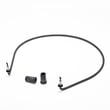
- Make sure the drain hose is not kinked; replace it if damaged using the dishwasher drain hose 8269144A
Quick symptoms guide
| Symptom | Most common cause | What to do first |
|---|---|---|
| Grit on dishes | Soil not being flushed out | Clean sump area; check spray arm holes |
| Standing water | Drain path restriction | Check air gap and drain hose routing |
| Poor drying and odor | Soil buildup over time | Run cleaning routine from the manual |
Why it matters
Dishwashers that use an internal filtration and grinding system can still collect debris in the sump and drain path. Keeping those areas clear helps prevent drain problems, improves wash performance, and reduces odor.
Last updated: February 2026
How do I tell what model Kenmore dishwasher I have?
Your Kenmore dishwasher model number is printed on the model and serial number label inside the door area. On Kenmore model 66517034402, that label is typically on the inner door frame or along the tub opening when you open the door; it’s the number you’ll use to match the correct parts and troubleshooting info in the owner's manual.
Where to look for the model number label
Check these common spots first (in this order):
- Along the top edge of the door opening (visible with the door open)
- On the left or right inner door frame
- On the tub wall just inside the opening
- Near the control panel area on the inner door
- If the label is worn: look for a faint imprint or adhesive outline where the sticker was
What the label looks like and what to write down
The label usually includes both a model and serial number. For parts lookup, the model number is the key.
| What you see | What it’s used for | Example |
|---|---|---|
| Model number | Ordering correct replacement parts | 66517034402 |
| Serial number | Identifying production details for service records | (varies) |
Why it matters for parts and troubleshooting
Kenmore dishwashers can look similar across multiple series, but internal components can differ (heater, door seal, circulation pump, control panel). Using the exact model number helps ensure the right fit and avoids repeat repairs.
Quick tip once you find it
After you confirm your model number, use it to match common repair parts for this dishwasher, such as the dishwasher door seal W10542314 if you’re dealing with leaks, or the dishwasher heater W10518394 if drying and water heating performance is poor.
Last updated: February 2026
Why is water standing in the bottom of my Kenmore dishwasher?
Water standing in the bottom of your Kenmore 66517034402 dishwasher usually means the wash cycle did not fully complete or the drain path is restricted (filter area, drain hose, air gap, or drain pump). A small amount of water can also be normal during operation. Use the owner's manual checks first, then inspect the drain components.
Quick checks that fix most standing-water problems
- Confirm the cycle is actually complete; the manual notes water can remain if the cycle is not finished.
- Cancel and drain (if your control has that option), then restart a short cycle.
- After starting a cycle, wait about 2 minutes and open the door; seeing some water in the tub at that point is expected during normal operation.
- Make sure the door closes fully and latches.
- Verify the sink drain is flowing freely (a clogged house drain can prevent proper dishwasher draining).
Clean and inspect the drain path
Standing water is most often caused by a restriction somewhere between the tub and the home drain.
- Remove the bottom rack and check the sump area for labels, glass, food, or twist ties.
- Clean the filter screen area (if equipped) and rinse away debris.
- Inspect the drain hose for kinks, crushing, or a sag that traps water.
- If your installation uses a countertop air gap, clean it; the manual recommends checking the drain air gap anytime the dishwasher is not draining.
Parts that commonly relate to draining
| Symptom | Most likely area | What to check first |
|---|---|---|
| Water won’t drain, pump hums | Drain pump area | Obstruction in sump/pump inlet |
| Drains slowly | Hose or air gap | Kink, clog, or blocked air gap |
| Leaks after moving hose | Hose connection | Clamp tightness and hose condition |
If the hose is brittle, split, or clogged internally, replacing it is often the fastest fix; see dishwasher drain hose 8269144A. If the dishwasher fills and washes but seems to stop mid-cycle or leaves water behind, a heating issue can also interrupt normal operation; the manual notes a flashing Clean light can indicate a heater circuit problem, which can point to the dishwasher heater W10518394 or related wiring.
Why it matters
Standing water can lead to odor, poor cleaning, and backflow into the tub. Restoring proper draining protects the circulation system, helps detergent rinse away cleanly, and keeps cycles running to completion.
Last updated: February 2026
What are common problems with Kenmore dishwashers?
Common problems on Kenmore dishwashers like model 66517034402 include not starting or resuming, poor cleaning, not draining, leaks, and drying issues. Many of these trace back to door latching, water supply and heating, clogged wash components, or worn seals and hoses; our owner's manual outlines several quick checks.
Most common symptoms and what usually causes them
- Won’t start or won’t resume: door not fully closed and latched; power interruption; START/RESUME light flashing after the door was opened mid-cycle.
- Runs a long time: incoming water not hot enough; the dishwasher extends run time while heating to the proper temperature.
- Water left in the tub: cycle not complete yet; drain path restriction (filter area, drain hose routing) or a drain system issue.
- Poor drying: rinse aid empty; overloaded racks blocking drainage; using air-dry instead of heated dry.
- Leaks or moisture at the door: worn door seal or misaligned door.
Quick checks we recommend first (fast, no parts)
- Press START/RESUME if the light is flashing; then confirm the door is fully closed and latched.
- Confirm the water shut-off valve is turned on.
- Make sure the overfill protection float moves freely; press it down to release if it is stuck.
- Use liquid rinse aid and avoid overloading so water can drain off dishes.
- If you hear grinding or crunching, check for a hard object in the wash area; if the noise continues after a full cycle, service is typically needed.
Parts that commonly fix these issues on 66517034402
| Symptom | Common part to inspect/replace | Example from this model’s parts |
|---|---|---|
| Not drying, “Clean” light flashing, heating complaints | Heater circuit components | Dishwasher heater W10518394 or dishwasher thermostat WP661566 |
| Not filling or weak wash | Water inlet valve | Dishwasher water inlet valve WP8531669 |
| Not draining | Drain hose, pump system | Dishwasher drain hose 8269144A |
| Leaking at the door | Door seal | Dishwasher door seal W10542314 |
| Detergent or rinse aid problems | Dispenser components | Dishwasher dispenser assembly WP8558129 or dishwasher rinse-aid dispenser cap WP8558307 |
Why it matters
Dishwashers depend on correct water fill, heating, spray action, and drain flow. A small issue like a stuck float, low incoming water temperature, or a worn seal can cause long cycles, poor cleaning, or leaks that get worse over time.
Last updated: February 2026







