 Installation guide
 Owner’s manual




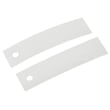

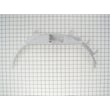





Where to find part number on GE dryer?
On your GE GTDN500EM1WS electric dryer, we typically find the model and serial tag (the label you will use to match parts) on the door opening area: either on the inside of the dryer door or on the door frame. Use that tag information when ordering replacement parts.
Where to look on the dryer
Check these common GE locations first:
- Inside the door opening on the door frame (most common)
- On the inside face of the dryer door
- On the back panel of the dryer cabinet (less common)
- Near the lint screen housing (some designs)
What number to use when ordering parts
Dryer labels often show multiple identifiers. Here is what each one means.
| Label item | What it’s for | Use it to order parts? |
|---|---|---|
| Model number | Identifies the exact dryer design | Yes (use GTDN500EM1WS) |
| Serial number | Production code and date info | Sometimes (for revisions) |
| Part number | Number printed on an individual component | Yes (when replacing that exact part) |
Tips to avoid ordering the wrong part
- Write down the full model number exactly as shown: GTDN500EM1WS
- Take a clear photo of the label before you start disassembly
- Match the failed component to the correct part category (belt, switch, thermostat, timer)
- If the dryer won’t start, confirm the door closes and latches before buying parts like a start switch
Why it matters
GE often uses similar-looking parts across multiple dryer models. Using the correct model tag information helps us match the right drum belt, door switch, heating element, or thermostat for your GTDN500EM1WS.
For diagrams and model-specific identification details, use the GTDN500EM1WS owner’s manual.
Last updated: February 2026
What is the most common problem with a GE electric dryer?
The most common GE electric dryer problem (including model GTDN500EM1WS) is poor or no heat, which usually traces back to restricted airflow (lint buildup or venting issues) or a failed heating or temperature-safety component. The next most common issue is the drum not tumbling due to a worn belt or idler system.
Most common symptoms and what they usually mean
- Runs but won’t dry or takes too long: clogged lint screen, crushed vent, blocked exhaust hood, or thermostat/heater issue
- No heat at all: heating element or safety thermostat problem, or a power supply issue (one leg of 240V missing)
- Drum won’t turn: belt broken or slipped, idler pulley seized, glides worn and binding
- Stops mid-cycle: overheating from poor airflow, high-limit/safety thermostat opening
- Won’t start: door switch, push-to-start switch, or timer/control issue
Quick checks we recommend first (fast, high-impact)
- Clean the lint screen and confirm strong airflow at the outside exhaust hood.
- Verify venting is correct: GE specifies 4-inch rigid metal ducting to the outdoors; flexible plastic ducting is not recommended because it can trap lint and restrict airflow. See the installation guide.
- Confirm power: electric dryers need a dedicated 120/240V (or 120/208V) 30-amp circuit; a partial power loss can let the motor run but prevent heating.
- If the drum does not tumble, inspect common wear parts like the dryer drum belt WE03X29897 and the idler pulley system.
Common parts involved on GTDN500EM1WS
| Symptom | Common part to check | Example part for this model |
|---|---|---|
| Drum won’t tumble | Belt, idler pulley | Dryer drum belt WE03X29897, idler pulley WE12X83 |
| No heat or overheating | Heater, thermostats | Mica unit WE11M10001, high-limit thermostat WE4M137, safety thermostat WE4M160 |
| Won’t start | Door switch, start switch | Dryer door switch WE4M415, push-to-start switch WE4M416 |
Why it matters
Airflow problems are a root cause for many “no heat” and “shuts off” complaints because restricted venting makes the dryer run hotter than designed, which can trip safety thermostats and dramatically increase dry times. Following the venting and electrical requirements in the installation guide helps prevent repeat failures.
Last updated: February 2026
What is the life expectancy of a GE dryer?
A GE electric dryer like model GTDN500EM1WS typically lasts about 10 years with normal household use. Keeping airflow strong (clean lint screen, correct 4-inch venting, and reasonable duct length) is the biggest factor in reaching that lifespan.
Typical lifespan (what to expect)
Most electric dryers fall into a straightforward range when they are installed correctly and maintained.
| Dryer type | Typical life expectancy | What shortens it fastest |
|---|---|---|
| Electric dryer (like GE GTDN500EM1WS) | ~10 years | Restricted venting, overheating, heavy loads |
| Electric dryer with excellent maintenance | 10 to 15 years | Skipped cleaning, worn drum support parts |
Maintenance that extends dryer life
These habits reduce heat stress on the heater, thermostats, motor, and drum support system.
- Clean the lint screen before every load.
- Use only 4-inch rigid metal duct to the outdoors; avoid plastic ducting.
- Keep the vent run as short and straight as possible; excessive length and bends increase drying time and wear.
- Do not use an extension cord or adapter plug; use the correct 120/240V (or 120/208V) 30-amp circuit.
- Avoid overloading; heavy loads strain the drum belt, idler, and motor.
For GE GTDN500EM1WS installation and venting requirements, follow the installation guide.
Parts that commonly wear out first
A dryer can still be “within lifespan” but need normal wear parts. On GTDN500EM1WS, common wear items include:
- Drum belt (if the drum will not turn or you hear slipping)
- Idler pulley (squealing, belt tension issues)
- Drum glides and felt seals (thumping, scraping, clothes catching)
If you are dealing with a no-tumble symptom, the dryer drum belt WE03X29897 is a common starting point for this model.
Why it matters
A dryer that is forced to run hot or run long because of restricted airflow uses more energy, dries slower, and puts extra stress on safety thermostats, the heating element, and the drive system. Correct venting and routine cleaning are the simplest ways to protect the dryer’s expected 10-year service life.
Last updated: February 2026
When I press the start button on my GE dryer, nothing happens.?
If your GE GTDN500EM1WS dryer does nothing when you press Start, the most common causes are a power supply issue, an open door switch, a failed push-to-start switch, or a control setting such as Control Lock. We recommend checking the simple items first before testing parts.
Quick checks (fastest fixes first)
- Make sure the dryer has 240V power (a tripped double breaker can leave the dryer “dead”).
- Confirm the door is fully closed; listen for a solid latch click.
- If your model has Control Lock, press and hold the lock key for about 3 seconds to unlock.
- Try a different cycle (Timed Dry is a good test) and press Start firmly.
- Unplug the dryer (or switch breaker off) for 2 minutes, then restore power and retry.
Parts that commonly cause “won’t start”
If the quick checks do not help, these parts are typical suspects on an electric dryer:
- Door switch: if it stays open electrically, the dryer will not run.
- Push-to-start switch: if it fails, pressing Start does nothing.
- Timer or cycle selector switch: can prevent power from reaching the motor circuit.
- Drive motor: may hum, click, or do nothing if failed.
| Symptom | Most likely cause | What to do next |
|---|---|---|
| No lights, no response | House power or cord/terminal issue | Check breaker, outlet, and connections per the installation guide |
| Lights work, won’t run | Door not sensed closed | Test/replace dryer door switch WE4M415 |
| Must press Start hard, intermittent | Start switch worn | Test/replace dryer push-to-start switch WE4M416 |
Why it matters
A dryer that will not start is often protecting you from an unsafe condition (door open) or it is missing proper power. Verifying power and door-switch operation first prevents unnecessary part replacement and helps you restore safe operation faster.
Where to find model-specific details
For control panel features (including Control Lock behavior) and basic troubleshooting steps, use the GTDN500EM1WS owner’s manual.
Last updated: February 2026





