 Error Codes




How to reset a GE electric oven?
To reset a GE electric oven on model JBP26WV2, we power-cycle the range: turn the breaker OFF (or unplug) for 1 to 2 minutes, then restore power. This reboots the control and clears many temporary glitches after a power surge or error.
Reset steps (safe power-cycle)
- Turn all oven and surface controls OFF.
- Switch the range circuit breaker OFF (preferred) or unplug the cord.
- Wait 1 to 2 minutes.
- Restore power and set the clock.
- Test Bake at 350°F and Broil for a short cycle.
If the oven still will not heat after a reset
These checks help separate a control issue from a heating circuit problem:
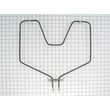
- If Broil works but Bake does not, suspect the range bake element WB44X5082.
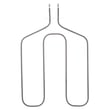
- If Bake works but Broil does not, suspect the broil unit f WB44X173.
- If temperatures are consistently off (overheats or underheats), the oven temperature sensor can be the cause; check the sensor WB23X5340.
- If the display is blank or the unit is dead, check the house breaker, cord connection, and the terminal block area.
Quick symptom guide
| Symptom after reset | Most likely direction | What we check next |
|---|---|---|
| Display works, no heat | Heating circuit | Bake element, broil element, sensor |
| Heat works, temp inaccurate | Sensing/calibration | Sensor, calibration settings |
| Completely dead | Power supply | Breaker, cord, terminal block |
| Error code returns | Specific fault | Use GE freestanding range error codes |
Why it matters
A reset clears “stuck” control logic after outages and can restore normal operation without parts. If the problem returns quickly, the pattern (no bake, no broil, inaccurate temp, dead display) points to the right component to test and replace.
Last updated: February 2026
Why is my GE electric oven not heating up?
If your GE JBP26WV2 electric range oven is not heating, the most common causes are a failed bake element or broil element, a bad oven temperature sensor, or a power supply issue (one leg of 240V missing). We start by checking for visible element damage and verifying proper voltage.
Quick checks we recommend first
- Confirm the range is getting 240V at the outlet; a tripped double breaker can leave you with lights but no heat.
- Set Bake and watch for heat after a few minutes; many elements do not glow brightly, so also feel for warming (carefully).
- Inspect the bake element for blisters, cracks, or burn spots.
- Try Broil; if broil heats but bake does not, the bake circuit is the likely issue.
- If the oven shows an error code, use GE freestanding range error codes to narrow the failure.
Parts that commonly fix “won’t heat” on JBP26WV2
| Symptom | Most likely part | What you’ll notice |
|---|---|---|
| No bake heat (broil may still work) | Range bake element WB44X5082 | Element looks damaged or stays cold |
| No broil heat | Broil unit f WB44X173 | Top element never heats |
| Temperature wildly off or heats then stops | Sensor WB23X5340 | Long preheat, overheating, or error codes |
Safe troubleshooting steps (before replacing parts)
- Shut off power at the breaker before removing panels or testing wiring.
- Check the element terminals for loose or burned connections.
- If you have a multimeter, test the element for continuity; an open circuit means it is failed.
- If the element tests good, check the sensor and wiring harness connections for damage.
Why it matters
An electric oven needs full 240V power and a working heating circuit to reach and hold temperature. A weak or failed bake element can cause slow preheat, undercooking, and uneven baking, while a sensor problem can make temperatures swing or trigger fault codes.
Last updated: February 2026
How do I find the model number on my JBP26WV2?
Your GE electric range model number is printed on the appliance’s rating label; on most GE freestanding ranges like model JBP26WV2, that label is found around the oven door frame or on the storage drawer frame. Match the full model number exactly before ordering parts.
Where to look on a GE JBP26WV2 range
Check these common label locations (look for a sticker or metal tag):
- Along the oven door frame when you open the oven door
- On the front frame behind the storage drawer (pull the drawer out)
- On the lower front frame near the drawer opening
- On the side trim area near the door hinge zone
What the label looks like and what to copy
The rating label usually includes the model number, serial number, and electrical ratings.
- Copy the model number exactly (letters and numbers)
- Include any suffixes after the model (they affect part fit)
- Use the serial number if you need to confirm production details
- If the label is worn, take a clear photo and zoom in
Why the exact model number matters
GE ranges often share similar designs across model families, but parts like a bake element, surface element, or receptacle can vary by revision. Using the exact model number helps ensure the correct diagrams and compatible replacement parts.
| What you’re checking | Example | Why it matters |
|---|---|---|
| Model number | JBP26WV2 | Identifies the correct parts list |
| Suffix/revision | Extra characters after the model | Can change wiring or component style |
| Serial number | Letters and numbers | Helps confirm manufacturing series |
If you are ordering a common part
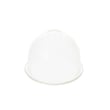
Once you confirm the model number, you can choose parts by symptom or diagram. For example, if the oven light is out, the range oven light bulb 40A15 is a common replacement item for this model’s parts list.
Why it matters
A one-character mismatch can lead to ordering a part that does not mount correctly, has different terminals, or does not match the cooktop configuration.
Last updated: March 2026




