Owner’s manual



How to force GE washer to drain and spin?
To force your GE GFWS1705H0DG washer to drain and spin, select Rinse & Spin and turn Extra Rinse off to make it a Drain + Spin cycle, then press Start. This uses the washer’s built-in drain and spin routine without running a full wash cycle.
Fast steps (Drain + Spin)
- Press Power to turn the washer on.
- Select Rinse & Spin.
- Deselect Extra Rinse (this changes it to Drain + Spin on this model family).
- Press Start/Pause to begin.
- If the door won’t lock, open and close it firmly, then press Start/Pause again.
If it still won’t drain or won’t spin
These checks fix the most common “won’t drain” and “won’t spin” situations on front-load washers:
- Reduce suds: oversudsing can keep water in the tub; use only HE detergent and use less.
- Check the drain hose: straighten kinks, make sure the washer is not sitting on the hose, and keep an air gap at the standpipe.
- Balance the load: pause, open the door, redistribute items, then run Drain + Spin again.
- Clean the pump filter: a clogged filter can block draining; follow the steps in the owner's manual.
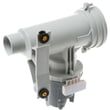
- Inspect drain components: if the filter is clear but draining is weak/noisy, the pump WH11X34740 or washer drain pump filter WH11X34741 are common service parts.
What to expect during the cycle
Front-load washers often pause to sense and rebalance before spinning. If the load is hard to balance, the washer can slow spin speed and add time while it attempts multiple rebalances.
| Symptom | Most likely cause | Best next step |
|---|---|---|
| Hums but won’t drain | Pump filter clogged | Clean pump filter per manual |
| Drains slowly | Kinked hose or partial clog | Straighten hose; check air gap |
| Won’t reach high spin | Unbalanced load | Redistribute; run Drain + Spin |
| Water left with lots of suds | Too much detergent | Run Drain + Spin again; reduce detergent |
Why it matters
Running Drain + Spin is the quickest way to remove standing water after an interrupted cycle, oversudsing, or a load that stopped due to imbalance. It also helps confirm whether you have a simple hose/filter issue versus a drain pump problem.
Last updated: February 2026
How to fix H20 supply on washer?
The H2O supply message on your GE GFWS1705H0DG washer means the washer is not filling correctly. We fix it by confirming both faucets are fully open, straightening inlet hoses, and cleaning the inlet screens and hose screen washers so water can flow normally (fill can start about 60 seconds after you press Start). See the owner's manual for the exact steps and checks.
Quick checks that solve most H2O supply problems
- Turn both hot and cold faucets fully on.
- Make sure the inlet hoses are not kinked or crushed behind the washer.
- Wait after pressing Start; this washer can delay water flow while it runs system checks.
- Check for low water pressure at the faucets (run water into a bucket briefly).
- Confirm the hoses are connected to the correct ports (hot to H, cold to C).
Clean the inlet screens (most common fix)
Sediment can clog the small screens and trigger an H2O supply error.
- Unplug the washer.
- Turn off both water faucets.
- Remove the inlet hoses from the back of the washer.
- Clean the screens in the washer’s water valve using a soft brush or toothpick.
- Remove and clean the screen washers in the hose ends (at the faucet side), then reinstall.
- Reconnect hoses (hand-tight plus about 2/3 turn with pliers), turn water on, and check for leaks.
When a part is likely needed
If screens are clean and water pressure is good, the fill problem is usually in the inlet valve or a related control issue.
| Symptom | Most likely cause | What to do next |
|---|---|---|
| No water enters at all | Failed inlet valve, no power to valve | Test valve operation; replace if faulty |
| Slow fill, then H2O | Clogged screens, restricted supply | Re-clean screens; verify pressure |
| Only hot or only cold fills | One side of inlet valve restricted/failed | Inspect hoses and valve; replace if needed |
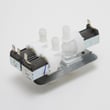
For a valve-related failure on this model, the washer water inlet valve WH13X10029 is the correct replacement part.
Why it matters
A restricted fill can cause long cycle times, poor rinsing, and repeated stopping. Cleaning screens also prevents debris from damaging the inlet valve and helps protect the washer from leaks at the hose connections.
Last updated: February 2026
What does code 170 mean?
On the GE GFWS1705H0DG washer, “code 170” is not a standard washer fault code; it is commonly seen as an insurance or medical billing denial code, not an appliance diagnostic. For washer troubleshooting, use the error-code list and procedures in the owner's manual.
How to confirm what “170” refers to
- Check whether “170” appears on the washer display, in an app, or on a service invoice.
- Look for a prefix (examples: E170, F170, Err 170) because the letter matters.
- Note what the washer was doing (fill, drain, spin, door lock) when the code appeared.
- Power the washer off for 1 minute, then restart and see if the code returns.
- If the code returns, follow the diagnostic steps in the GE front load washer error codes guide.
Most common washer issues that get mistaken for a “170” code
If the washer is actually failing during a specific step, these are the most common related systems to check:
| Symptom you see | What to check first | Related part for GFWS1705H0DG |
|---|---|---|
| Won’t drain, stops mid-cycle | Pump filter and drain path | Washer drain pump filter WH11X34741 |
| Hums but won’t drain | Drain pump | Pump WH11X34740 |
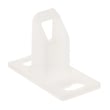
| Door won’t lock or unlock | Door lock and strike alignment | Washer door lock WH10X20821 and washer door lock strike WH01X20823 |
Why it matters
Using the correct code definition prevents replacing the wrong part. A true GE washer error code points to a system (drain, door lock, control) so you can troubleshoot efficiently and only replace what’s needed.
Last updated: February 2026
How do I reset the error code on my GE washer?
To clear an error on your GE GFWS1705H0DG washer, we reset the control by putting the washer into standby (Power off), then removing power for 60 seconds and restoring power. If the code returns, use the owner's manual to run the model’s recommended checks for that specific error.
Quick reset steps (safe first)
- Press Power to place the washer in standby (the display may go dark).
- Unplug the washer (or switch the breaker off) for 60 seconds.
- Restore power.
- Press Power to “wake up” the display.
- Start a cycle and watch for the code to reappear.
If the washer is stuck mid-cycle
If the washer is running and you need to stop it to clear the condition:
- Press Start/Pause once to pause.
- Wait a few seconds for the door to unlock (some cycles drain first, then unlock).
- If the cycle is not restarted within 15 minutes, the washer cancels the cycle.
Common reasons the code comes back right away
Many “resettable” errors are the washer protecting itself from a real problem. Check these first:
- Drain issue: A clogged pump filter can trigger recurring drain-related errors.
- No fill or slow fill: Confirm both hot and cold faucets are fully open.
- Power problem: Verify the cord is firmly plugged into a working outlet; reset the home breaker if needed.
- Unbalanced load: Pause, open the door, and redistribute items; then run Rinse + Spin.
Parts that often relate to recurring errors
| Symptom | What to check | Example part for this model |
|---|---|---|
| Won’t drain, drain error | Pump and filter for blockage | Pump WH11X34740 or washer drain pump filter WH11X34741 |
| Door won’t lock, door error | Latch/strike alignment and wear | Washer door lock WH10X20821 or washer door lock strike WH01X20823 |
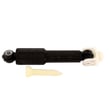
| Excess vibration, out-of-balance | Suspension and damping | GE washer shock absorber WH01X20826 or washer suspension spring WH05X10012 |
Why it matters
Clearing the code without fixing the cause can lead to repeat shutdowns, poor draining, or a door that will not unlock when expected. A quick reset is useful, but the best fix is addressing the condition that triggered the error.
Last updated: February 2026
What is one step wash and dry on GE washer?
One Step Wash and Dry is a GE feature that runs a wash cycle and then continues tumbling with airflow to help reduce dampness and keep clothes from sitting wet; it is not a heated dryer cycle. For your GE GFWS1705H0DG, confirm whether this option is on your control panel and how it operates in the GFWS1705H0DG owner's manual.
What “One Step Wash and Dry” means
- Washes the load, then keeps the drum tumbling after the wash finishes.
- Uses tumbling and airflow to improve freshness and reduce wrinkles.
- Helps when you cannot unload right away.
- Does not dry like a vented or condenser dryer; heavy cottons stay damp.
- Works best with smaller loads and lighter fabrics.
How to check if GFWS1705H0DG has it
Use these quick checks so you do not rely on the wrong cycle option:
- Look for a button or menu option labeled “One Step Wash + Dry” (or similar).
- Check which cycles allow the option; some options are cycle-dependent.
- Review the cycle chart and option descriptions in the GFWS1705H0DG owner's manual.
If you want drier results without that feature
These settings and habits improve moisture removal on most GE front-load washers:
- Choose the highest spin speed allowed for the fabric.
- Avoid overloading; bulky items can trigger rebalancing and reduce spin effectiveness.
- Use HE detergent only; excess suds can reduce spin and rinsing performance.
- Keep the drain path clear; a restricted pump filter can affect draining and spin.
What to expect (comparison)
| Feature/setting | What it does | Best use |
|---|---|---|
| One Step Wash and Dry | Post-wash tumbling with airflow | Keeping clothes fresher until you unload |
| High-speed final spin | Extracts more water before the cycle ends | Getting loads out as dry as possible |
| Timed tumble/refresh (if offered) | Short tumble after cycle | Reducing wrinkles and odor |
Why it matters
Front-load washers like the GE GFWS1705H0DG use less water and rely heavily on draining and high-speed spin. A post-wash tumble option (when equipped) helps prevent musty odor and wrinkles by keeping laundry from sitting packed and damp.
Last updated: February 2026