 Owner’s manual
 Error Codes
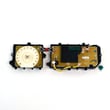




What is the most common problem with Samsung dryers?
A very common issue we see with Samsung dryers, including model DV42H5000EW, is no heat or weak heat, which leads to long dry times or clothes staying damp. The most frequent causes are airflow restrictions (lint or venting) or a failed heating component.
Most common symptoms and what they usually point to
- Dryer runs but doesn’t heat: heating element (electric models), igniter or gas valve coils (gas models), thermal fuse, or control issue
- Dryer heats but takes too long: clogged lint filter, crushed/long vent duct, blocked exterior vent hood
- Stops before clothes are dry: restricted airflow, overloaded drum, moisture sensor issues
- Error code on display: use Smart Care or the display code to narrow the failure
For cycle and troubleshooting checks specific to this dryer, use the DV42H5000EW user manual.
Quick checks we recommend first (before replacing parts)
- Clean the lint filter before every load.
- Confirm you’re not on Air Fluff (no-heat cycle).
- Check airflow: strong air should blow outside at the vent hood.
- Inspect venting for kinks, crushing, lint buildup, or excessive length.
- Verify load size: one washer load equals one dryer load for best results.
What to check based on dryer type
| Dryer type | Most common “no heat” causes | Notes |
|---|---|---|
| Electric | Heating element, thermal fuse, thermistor | A tripped breaker can let the motor run but prevent heating |
| Gas | Gas supply off, igniter, flame sensor, gas valve coils | You may hear the burner cycle on and off during normal operation |
Why it matters
No-heat and poor-airflow problems can quickly increase drying time, waste energy, and overheat internal components. Keeping the exhaust system clear is one of the best ways to prevent repeat failures.
If you’re seeing an error code, we also recommend Samsung dryer error codes to match the code to the most likely fix.
Last updated: January 2026
How to tell if Samsung dryer thermal fuse is bad?
On a Samsung DV42H5000EW dryer, a “bad” thermal fuse is typically one that has opened and interrupted power to protect the dryer from overheating. The user manual doesn’t provide a thermal-fuse test procedure for this model, so we confirm it through safe, standard electrical testing after checking airflow issues first.
What you can check first (no disassembly)
Samsung’s troubleshooting guidance for this model focuses on basics that often mimic a blown fuse.
- Make sure the door is fully latched
- Verify the outlet has power and the breaker is not tripped
- Clean the lint filter before every load
- Check the exhaust duct and outside hood for lint buildup or blockage
- Avoid Air Fluff if you’re diagnosing a “no heat” complaint
For the model’s official troubleshooting and safety guidance, use the DV42H5000EW use & care manual.
Signs that can point to an open thermal fuse
A thermal fuse is a safety device; when it opens, the dryer may stop running or stop heating depending on the design.
- Dryer won’t start even though power is present
- Dryer starts but produces no heat (some configurations)
- Dryer shuts off before the load is dry, especially with restricted venting
- Dryer takes much longer to dry than normal
How a technician typically confirms it
Because the manual doesn’t outline internal electrical tests, this is usually confirmed with a multimeter continuity check on the fuse after disconnecting power.
| Test result (continuity) | What it suggests | What to do next |
|---|---|---|
| Continuity present | Fuse likely OK | Keep diagnosing heat/airflow components |
| No continuity (open) | Fuse likely blown | Replace fuse and correct overheating cause |
Why it matters
If the fuse opened due to overheating, replacing it without fixing airflow (lint restriction, crushed duct, blocked hood) can lead to repeat failures and poor drying.
For airflow-related symptoms and fixes, see dryer takes a long time to dry.
Last updated: January 2026
Is it worth replacing a heating element in a Samsung dryer?
Yes, replacing the heating element is often worth it on a Samsung dryer like model DV42H5000EW when the dryer is otherwise in good shape and the no-heat problem is confirmed. It’s usually not worth it if the dryer has multiple major issues, severe overheating damage, or repeated failures.
Confirm it’s really the heating element first
On DV42H5000EW, a “no heat” or “takes too long to dry” complaint can also be caused by airflow restrictions or safety devices opening.
- Clean the lint filter before every load
- Check the venting for clogs, crushed ducting, or a stuck outside damper
- Verify you are not using an “Air Fluff” or no-heat cycle
- If it’s a gas version, confirm the gas supply is on and the burner is igniting
- If it’s electric, confirm the dryer is getting full power (a tripped breaker can cause heat loss)
For model-specific operating and troubleshooting steps, use the DV42H5000EW user manual.
Quick cost vs. value checklist
Use this simple comparison to decide.
| If this is true… | Replacing the heater is usually… |
|---|---|
| Dryer tumbles normally, controls work, and cabinet/drum are in good condition | Worth it |
| You’ve had repeated overheating, burning smell, or multiple heat-related failures | Not worth it until airflow and safety issues are fixed |
| Drying times are long and venting is restricted | Not worth it until venting is corrected |
| Dryer is near end-of-life with several other problems (noise, shutting off, won’t start) | Often not worth it |
Why it matters
A failed heating element is a straightforward repair, but poor airflow can overheat the dryer and repeatedly damage the heater, thermal fuse, or thermostats. Fixing venting first helps protect the new part and restores normal drying performance.
Helpful related DIY content
If you’re diagnosing heat problems or error conditions, these guides can speed up troubleshooting:
Last updated: January 2026









