 Installation guide
 Owner’s manual
 Error Codes



Can I look up Frigidaire parts by model number?
Yes. For your Frigidaire electric freestanding range model LFEF3052TFE, looking up parts by the exact model number is the most reliable way to get compatible replacement parts because it matches the correct diagrams, wiring, and component variations for that specific range.
Where to find the model number on this range
Frigidaire lists the serial plate location for this style of range as the lower oven drawer or storage drawer area. Use the full model number exactly as shown on the plate.
- Open the lower oven drawer (some models) or storage drawer (some models)
- Look for the serial plate label and copy the model number exactly
- Include all letters and numbers (for example: LFEF3052TFE)
- Record the serial number too; it helps confirm production variations
For additional details on locating and recording the model and serial information, use the LFEF3052TFE owner's manual.
How we recommend searching parts by model number
Once you have LFEF3052TFE, search by model first, then narrow by the symptom or the part category (surface elements, oven heating, controls, lighting).
- Start with the model number search to pull the correct parts list
- Use the symptom to guide you (won’t heat, won’t bake, burner won’t regulate)
- Match the part name and ID to your need before ordering
- Compare your existing part’s terminals, mounting points, and connector style
Common part examples for LFEF3052TFE
| Symptom | Part to check | Example part on this model |
|---|---|---|
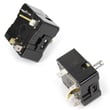
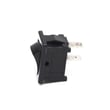
| Surface burner won’t regulate heat | Surface element control switch | Range surface element control switch 316436001 |
| Oven temperature seems off | Oven temperature sensor | Range oven temperature sensor 316233903 |
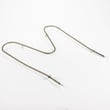
| Oven won’t bake | Bake element | Frigidaire range bake element 316225001 |
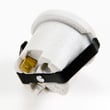
| Oven light out | Appliance light bulb | Appliance light bulb, 40-watt 316538904 |
Why it matters
Frigidaire ranges can use different switches, elements, and wiring harnesses that look similar but are not interchangeable. Searching by LFEF3052TFE helps prevent wrong-part returns and speeds up a successful repair.
Last updated: February 2026
How do I tell what model my Frigidaire stove is?
Your Frigidaire stove’s model number is printed on the serial plate; on the Frigidaire LFEF3052TFE electric freestanding range, you’ll typically find it by opening the lower oven drawer or storage drawer and looking for the label inside that area. Use the LFEF3052TFE owner's manual to confirm the exact serial plate location for your unit.
Where to look on a Frigidaire range
Check these common spots in this order:
- Open the storage drawer or lower oven drawer and look along the frame for the serial plate
- Check the drawer opening lip (front frame) once the drawer is pulled out
- Look around the oven door frame area (near the hinge side)
- Use a flashlight and look for a white or silver sticker/plate with a barcode
What the model number looks like
The model number is a mix of letters and numbers (for example, LFEF3052TFE). When you write it down:
- Copy it exactly, including all letters
- Watch for look-alikes (0 vs O, 1 vs I)
- Record the serial number too; it helps match the correct parts and diagrams
| What to record | Example | Why we ask for it |
|---|---|---|
| Model number | LFEF3052TFE | Identifies the exact range design |
| Serial number | (varies) | Helps confirm production details |
| Purchase date | (varies) | Useful for service history |
Why it matters
We use the model number to match the correct Frigidaire parts (like a bake element, oven temperature sensor, or surface element control switch) and to pull the right wiring diagram and troubleshooting steps.
If the label is hard to read
- Wipe the plate gently with a damp cloth (do not soak it)
- Take a close-up photo and zoom in
- If the sticker is damaged, check for a second label in the same drawer area
Last updated: February 2026
How to replace broil element in a Frigidaire oven?
On the Frigidaire LFEF3052TFE electric range, replacing the broil element is a straightforward rear-mount swap: disconnect power, remove the mounting screws inside the oven, pull the element forward, transfer the wires, then reinstall and test Broil. Use the LFEF3052TFE owner's manual for rack and broil-stop guidance.
Before you start (safety and access)
- Turn off power at the breaker (240V range circuit), then confirm the control panel is dark.
- Let the oven and racks cool completely.
- Remove oven racks for working room.
- Use gloves; sheet metal edges can be sharp.
- Keep the element supported so the wires do not slip back through the liner.
Broil element replacement steps
- Open the oven door and locate the broil element at the top of the oven cavity.
- Remove the screws securing the element mounting plate to the rear wall (typically 2 screws).
- Carefully pull the element a few inches toward you to expose the wire terminals.
- Remove the wire retainers or terminal screws (if present), then disconnect the wires.
- Connect wires to the new element terminals (tight, fully seated connections).
- Reposition the element, reinstall the mounting screws, and reinstall racks.
- Restore power and run Broil briefly to confirm the element heats.
Parts and tools checklist
| Item | Purpose |
|---|---|
| 1/4-in nut driver or screwdriver | Removes element mounting screws |
| Work gloves | Protects hands from sharp edges |
| Flashlight | Helps see terminals and screws |
| Frigidaire range broil element 316203200 | Replacement heating element |
Why it matters
A loose terminal connection or pinched wire can cause weak broiling, intermittent heating, or excessive smoking. After replacement, follow proper broiling setup (rack position and broil-stop door position) in the LFEF3052TFE owner's manual to get even results and reduce smoke.
Last updated: February 2026




