 Error Codes


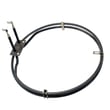

Does Thermador make a wall oven?
Yes. Thermador makes wall ovens, and the Thermador SC301T is a wall-oven model (an electric built-in oven). If you are shopping for parts or confirming fit, matching the exact model number is the key step before ordering.
How to confirm you have a Thermador wall oven (and the right model)
- Check the model tag on the oven frame (often visible when the door is open).
- Match the model number exactly, including any letters or suffixes.
- Use the model number to look up diagrams and compatible replacement parts.
- If your oven is not heating evenly or runs hot, confirm the model before troubleshooting parts.
- For older built-in units, verify whether you have a single or double wall oven configuration.
How to find your appliance model number (and what it means for parts)
Common wall oven parts customers replace on SC301T
These are typical service items for an electric built-in wall oven like the SC301T:
| Symptom | Common part to check | Example part for SC301T |
|---|---|---|
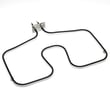
| Oven not heating or weak bake | Bake element | Thermador bake element 00367648 |
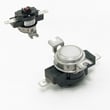
| Oven shuts off or goes dead | Thermal fuse (cut-off) | Thermador cut-off 00414633 |
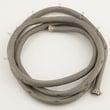
| Door leaks heat or won’t seal | Door gasket | Thermador door gasket 00486767 |
| Oven runs hot outside or fan noisy | Cooling fan/blower | Thermador oven blower 00444098 |
Why it matters
Wall ovens are built-in appliances, so correct model identification prevents ordering the wrong Thermador parts and helps you troubleshoot safely, especially for heating and electrical components.
Last updated: February 2026
What is the error code F34 on Thermador wall oven?
On a Thermador SC301T electric built-in oven, error code F34 points to a cooling or air-circulation problem that can be triggered by a failed cooling fan, a blown thermal cut-off, or damaged wiring in the cooling circuit. We focus troubleshooting on the cooling fan, fuse, and harness connections.
What to check first (safe, fast checks)
- Power reset: Turn the breaker off for 1 minute, then back on.
- Cooling fan operation: After preheat starts, listen for the cooling fan; it often runs during and after baking.
- Airflow: Make sure vents are not blocked by foil, pans, or cabinet obstructions.
- Overheating clues: If the oven shuts down mid-cycle or the exterior gets unusually hot, treat it as a cooling issue.
- Wiring condition: Look for loose connectors, heat-darkened terminals, or brittle insulation.
Parts commonly involved on model SC301T
If the fan is not running or is noisy, start with the cooling fan assembly. If the oven is dead or repeatedly faults after heating, check the thermal cut-off.
| Symptom | Most likely area | Part to consider (if failed) |
|---|---|---|
| Fan never runs, loud grinding, weak airflow | Cooling fan motor/assembly | Thermador oven blower 00444098 |
| Oven stops heating, may go completely dead after overheating | Thermal cut-off (thermal fuse) | Thermador cut-off 00414633 |
| Intermittent F34, especially when hot | Wiring/connectors to fan or fuse | Repair/replace damaged wiring |
How we recommend testing (power off)
- Shut off power at the breaker.
- Access the cooling fan area and inspect the harness and connectors.
- Use a multimeter to check continuity through the thermal cut-off and verify wiring integrity.
- If the fan blade is hard to spin by hand or the motor is seized, replace the fan assembly.
For tool basics, use how to use a multimeter to test electrical parts video.
Why it matters
The cooling system protects the control and surrounding cabinetry from overheating. When airflow is lost, the oven can trigger F34, shut down, or damage heat-sensitive components.
Last updated: February 2026
How do I find the model number on my SC301T?
The model number for your Thermador electric built-in oven is on the appliance’s model and serial tag. On SC301T wall ovens, the tag is typically found around the oven door opening (often along the frame/trim) or on the side edge of the oven door.
Where to look on a Thermador SC301T wall oven
Check these common locations first:
- Along the left or right side of the oven frame when you open the door
- On the front frame near the bottom edge of the oven cavity
- On the side edge of the oven door (visible when the door is open)
- Behind the lower drawer or access panel (if your installation includes one)
- On the unit frame just behind the decorative trim (visible with the door open)
What the tag looks like and what to copy
The tag usually includes both a model number and a serial number. Write them down exactly as shown.
| What you see | What it’s used for | Example format |
|---|---|---|
| Model number | Matching the correct parts diagrams and parts list | SC301T |
| Serial number | Identifying production details for the correct revision | Letters and numbers |
Why it matters
Thermador wall ovens can have multiple versions that look similar. Using the exact model number (and serial number when available) helps ensure parts like a door gasket, bake element, or blower match your SC301T correctly.
Next step after you find it
Once you confirm the model number, use the parts list for SC301T to choose the exact replacement part you need, such as the Thermador door gasket 00486767.
Last updated: March 2026





