 Installation guide
 Owner’s manual
 Error Codes



Which Jenn-Air oven do I have?
You can identify your Jenn-Air oven by matching the model number on the appliance’s ID label to the model you are shopping for. For this parts page, the oven/range model is JGS8860BDP; confirm your label shows JGS8860BDP before ordering parts.
Where to find the model and serial label on JGS8860BDP
On this Jenn-Air slide-in gas range, the model and serial tag is typically on the front frame behind the storage drawer. The installation instructions also reference this location.
- Pull the storage drawer out and look on the front frame
- Use a flashlight and read the full model number (letters and numbers)
- Write down both the model and serial number for parts matching
- If the label is dirty, wipe gently so characters are readable
- Match the full model number exactly (including any suffix letters)
For diagrams and label-location context, use the JGS8860BDP installation guide.
Quick model match checklist
Use this to avoid ordering parts for a similar-looking Jenn-Air range.
| What to compare | What must match | Why it matters |
|---|---|---|
| Model number | JGS8860BDP | Ensures correct parts and fit |
| Serial number | Your unit’s serial | Helps confirm production run |
| Fuel type | Gas range | Parts differ between gas and electric |
Why it matters
Jenn-Air model numbers can look very similar across Pro-Style ranges, but internal components (like igniters, sensors, and door parts) can vary by revision. Confirming JGS8860BDP first helps prevent wrong-part returns and installation delays.
Last updated: January 2026
Why is my Jenn-Air gas Range oven not igniting?
On the Jenn-Air JGS8860BDP gas range, an oven that will not ignite is most often caused by a weak or failed oven burner igniter, a gas supply issue, or a control setting such as Control Lock, Delay, or Sabbath Mode. Start with safe checks, then confirm whether the igniter glows and the burner lights.
Quick checks we recommend first
- Confirm the range has power (the igniter and gas valve need electricity to operate).
- Make sure the gas shut-off valve is fully open.
- Cancel any timed cooking or Delay settings.
- Verify Control Lock is not enabled.
- If the oven was just in Self-Clean, wait for it to cool and unlock.
For control and mode details specific to this model, follow the steps in the JGS8860BDP use & care manual.
What to look for during an ignition attempt
When you start Bake or Broil, the igniter should typically glow and then the burner should light shortly after.
| What you observe | Most likely cause | What to do next |
|---|---|---|
| No glow from igniter | No power to igniter, wiring/control issue | Check power, settings, then consider service |
| Igniter glows but no flame | Weak igniter or gas supply problem | Check gas supply; igniter often needs replacement |
| Flame starts then goes out | Burner/airflow issue or unstable ignition | Inspect burner area for blockage; service if persistent |
Parts that commonly fix “won’t ignite” on this model
If the igniter is not heating properly (or is slow to light), replacement is a common repair for JGS8860BDP.
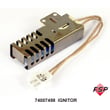
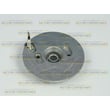
- Whirlpool range oven burner igniter 74007498: heats to ignite the oven burner gas
- Check the parts list for compatible wiring harnesses or related ignition components if you see damaged connectors
- If multiple burners (surface) also stop sparking, the ignition system may involve the spark module or switch harness
Why it matters
A weak igniter can prevent the oven gas valve from opening fully, so the oven may never light or may take a long time to ignite. Addressing ignition problems promptly helps restore normal baking and reduces nuisance shutdowns.
Last updated: January 2026
What are common problems with Jenn-Air stoves?
Common problems we see on the Jenn-Air JGS8860BDP gas range include surface burners that will not ignite, uneven or inaccurate oven temperatures, and oven heating failures. Many issues trace back to ignition components, airflow or burner cleanliness, or temperature sensing and control.
Most common symptoms (and what they usually point to)
- Gas burner will not light or keeps clicking: dirty/wet igniter area, mis-seated burner cap, or a failed igniter/spark system
- Weak, uneven, or lifting flame: clogged burner ports, burner cap not centered, or gas/air mixture issues
- Oven not heating or takes too long to preheat: weak oven igniter or burner ignition problem
- Oven temperature not accurate: sensor drift, calibration needed, or heat loss at the door seal
- Self-clean door will not unlock: oven still too hot, control lock, or a door lock issue
Quick checks you can do safely (no disassembly)
- Confirm the burner cap is seated flat and centered on the burner base.
- If a burner clicks but will not light, let parts dry completely after cleaning.
- Make sure the range is level; baking performance can change if it is not.
- For self-clean lock complaints, allow about 1 hour of cooling after the cycle ends before expecting the door to unlock.
- Review the model-specific troubleshooting steps in the JGS8860BDP use & care manual.
Parts that commonly solve these problems on JGS8860BDP
If troubleshooting points to a failed component, these are common matches for the symptoms above:
| Symptom | Likely part to inspect/replace | What it does |
|---|---|---|
| Surface burner will not spark/ignite | Range surface burner igniter WP74009336 | Creates the spark at the burner to light gas |
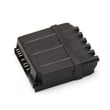
| Multiple burners not sparking or constant clicking | Spark module WPW10475147 | Distributes spark to the surface burners |
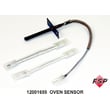
| Oven temperature inaccurate | Oven sensor 12001655 | Measures oven temperature for the control |
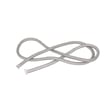
| Heat leaking, poor baking, odor/smoke at door | Door gasket WPW10162384 | Seals the oven door to hold heat in |
Why it matters
Ignition and temperature-control problems can waste gas, cause inconsistent cooking results, and put extra strain on components like the spark module, oven igniter, and sensor. Catching the root cause early usually prevents repeat failures.
Last updated: January 2026
Why does my Jenn-Air stove keep clicking?
On the Jenn-Air JGS8860BDP gas range, repeated clicking usually means the spark ignition system is still trying to light a burner. The most common causes are moisture or food residue around the burner cap/head, or a worn igniter electrode or spark module that keeps sparking.
Quick checks we recommend first
- Turn the burner knob to OFF; the clicking should stop within a few seconds.
- Remove the burner grate and lift off the burner cap; dry everything completely.
- Clean the burner head ports and the area around the igniter tip; grease can “track” the spark.
- Reseat the burner cap so it sits flat and centered.
- If clicking happens when no burner is turned on, suspect a stuck switch or a failing ignition control.
What typically causes clicking on this model
| Symptom | Most likely cause | What to do |
|---|---|---|
| Clicks only after cleaning or boilover | Moisture under cap or around igniter | Dry cap, head, and igniter area thoroughly |
| Clicks on one burner and it lights slowly | Dirty burner head/ports or misaligned cap | Clean ports, reseat cap |
| Clicks constantly even with knobs OFF | Igniter switch circuit or spark control issue | Inspect wiring/switches; replace failed component |
| Clicks but no spark at the burner | Failed ignition control or broken igniter | Test/replace the failed part |
Parts that commonly fix continuous clicking
If cleaning and drying do not help, these are the most common ignition parts involved:
- Range surface burner igniter WP74009336 (the electrode that creates the spark at the burner)
- Spark module WPW10475147 (the ignition control that sends spark to the burners)
Why it matters
Continuous sparking can prevent reliable burner ignition and can also shorten the life of the ignition components. Fixing the root cause helps your cooktop light faster and more consistently.
For model-specific operating and cleaning guidance, follow the burner care and ignition notes in the JGS8860BDP use & care manual.
Last updated: January 2026




