Owner’s manual




Where can I find my Samsung washer part number?
For your Samsung WF448AAW washer, the part number you need is usually found by first locating the washer’s model/serial tag; once you have the full model information, we can match the correct replacement part number for your exact version. Use the WF448AAW owner's manual as a quick reference for label locations and identification details.
Where to look on the washer
On most Samsung washers, the model/serial label is on one of these common spots:
- Around the door opening (on the cabinet frame behind the door)
- On the rear panel of the washer
- Along the inside edge of the door or door hinge area
- Occasionally behind the lower access panel area (varies by design)
What to write down (so you get the right part)
Record these items from the label before ordering parts:
- Model number (for this page, WF448AAW)
- Version code (often shown after a slash, like XAA, or as a revision)
- Serial number (helps confirm production run)
- Electrical rating (useful for motor, control, and wiring parts)
Model number vs. part number (quick comparison)
| Item | What it identifies | Example for this washer |
|---|---|---|
| Model number | The washer design family | WF448AAW |
| Version code | The exact build variation | XAA-05 (often shown on the tag) |
| Part number | The replacement component | DC64-00519B (door lock) |
Why it matters
Samsung often uses different parts across version codes, even when the model number looks the same. Matching the model plus version code helps ensure parts like a door lock, water inlet valve, or door boot fit and connect correctly.
Last updated: February 2026
How to fix 4E error on Samsung washer?
A 4E error on a Samsung washer (including model WF448AAW) points to a water supply or fill problem. We fix it by confirming strong water flow to the washer, clearing inlet screen filters, and checking for hose or valve restrictions before moving on to pressure-sensing checks in the WF448AAW manual.
Quick checks that solve most 4E errors
- Make sure both hot and cold water faucets are fully open.
- Confirm the fill hoses are not kinked, crushed, or frozen.
- Verify the hoses are connected to the correct hot and cold ports.
- Remove the hoses at the washer and rinse the small mesh inlet screens.
- Check household water pressure; low pressure can trigger 4E.
- Power reset: unplug the washer (or switch off the breaker) for 2 minutes, then retry.
If it still won’t fill: what to inspect next
If water flow is good at the wall but the washer still throws 4E, the restriction is usually at the inlet valve or the washer’s sensing.
| What you observe | Most likely cause | What we do next |
|---|---|---|
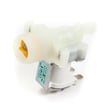
| No water enters at all | Failed/clogged inlet valve | Test/replace the washer water inlet valve DC62-30314K |
| Slow fill, then 4E | Partially clogged screens or low pressure | Re-clean screens; confirm pressure and hose condition |
| Fills briefly, then stops and errors | Pressure sensing issue (air dome/pressure hose) | Check for a loose, pinched, or blocked pressure hose |
Why it matters
A 4E error is the washer protecting itself from running with too little incoming water. Fixing the supply restriction prevents long cycle times, poor rinsing, and repeat error codes.
Safety and handling tips
- Turn off both water faucets before removing hoses.
- Keep a towel and shallow pan ready for hose water.
- Hand-tighten hose fittings; overtightening can damage threads or seals.
Last updated: February 2026
What is the lifespan of a Samsung front load washer?
A Samsung front load washer like model WF448AAW typically lasts 10 to 15 years with normal household use and basic maintenance. Consistent cleaning, correct detergent use (HE), and avoiding chronic overload are the biggest factors that keep the tub, bearings, and drain system healthy.
What affects lifespan the most
- Load size and balance: frequent overloading or washing heavy, unbalanced items speeds up wear.
- Detergent choice: using HE detergent and the right amount reduces residue and odors.
- Moisture control: leaving the door ajar between loads helps prevent mold and boot damage.
- Water quality: hard water can increase scale and valve issues.
- Maintenance habits: periodic cleaning cycles and filter checks reduce strain on the drain pump.
Typical lifespan by usage pattern
| Usage pattern | Typical lifespan | What usually wears first |
|---|---|---|
| Light (1 to 3 loads/week) | 12 to 15 years | Door boot, inlet valve |
| Average (4 to 7 loads/week) | 10 to 13 years | Drain system, shocks, bearings |
| Heavy (8+ loads/week) | 8 to 11 years | Bearings, suspension, motor components |
Maintenance that adds years (practical checklist)
- Run the washer’s cleaning cycle as described in the WF448AAW owner's manual.
- Wipe the door glass and door boot after the last load of the day.
- Keep the door slightly open so the tub can dry.
- Check pockets to prevent coins and screws from damaging the tub and pump.
- If fill problems start (slow fill, NF-type symptoms), inspect hoses and screens; a failing valve such as the washer water inlet valve DC62-30314K can also be a common cause.
Why it matters
A front load washer’s most expensive wear items are the tub bearings, suspension, and drive system. Good habits reduce vibration, moisture damage, and buildup, which are the main reasons a washer gets noisy, leaks, or stops draining before it reaches its normal service life.
Last updated: February 2026
Is a DC error a serious problem for my washer?
A DC error on a Samsung WF448AAW is serious enough to stop and diagnose because it usually means the washer is detecting excessive out-of-balance movement during spin. Most of the time it is caused by load, leveling, or suspension issues, but it can also point to a drive or sensing problem.
What to check first (fast, no parts)
- Cancel the cycle, redistribute the load, and run Spin Only with 3 to 5 similar items.
- Confirm the washer is level and solid on the floor; tighten the leveling legs.
- Make sure you are not overloading; bulky single items (blankets, rugs) commonly trigger DC.
- Check the tub for free movement by hand; it should move smoothly without grinding.
- Run a cleaning cycle and remove residue that can cause poor tumbling and imbalance.
When DC points to a repair
If DC returns with a properly balanced load and a level washer, focus on components that control spin stability and motor feedback.
Common repair-related causes include:
- Worn or weak suspension components (shocks, springs, mounts)
- Loose counterweight or mounting hardware
- Motor feedback/sensing issues (rotor position sensing)
- Door lock problems that interrupt high-speed spin
Helpful part checks for this model
| Symptom you notice | What it often indicates | Example related part for WF448AAW |
|---|---|---|
| DC happens mostly at high-speed spin | Suspension or sensing issue | Washer motor rotor position sensor DC31-00098A |
| DC appears with clicking, then stops spinning | Door lock not staying engaged | Washer door lock DC64-00519B |
Why it matters
Repeated DC events can leave clothes soaking wet and can increase wear on the tub support and suspension over time. Fixing the root cause improves spin performance and helps prevent repeat shutdowns.
Reference info
- Use the troubleshooting and error code guidance in the WF448AAW owner’s manual.
- For code meaning and targeted checks, we also use the Samsung front load washer dc error code guide.
Last updated: February 2026
How much does it cost to repair a Samsung washing machine?
For a Samsung washer like model WF448AAW, most repairs typically land in the $200 to $265 range for labor plus parts. Costs go up when the repair involves major components (motor, tub, or electronic controls) or when multiple issues are present; check the WF448AAW owner’s manual for model-specific diagnostics and error code guidance.
Typical repair cost ranges (parts + labor)
- Minor service (clogs, hose issues, basic adjustments): $150 to $250
- Common component replacement (valves, door lock, pressure switch): $200 to $350
- Major mechanical repair (motor, tub-related work): $350 to $700+
- Electronic control repair (main control board related): $300 to $500
Examples of common WF448AAW-RELATED parts that affect price
Parts pricing varies, but these are common “cost drivers” when symptoms match:
- Fill problems or NF-type symptoms: washer water inlet valve DC62-30314K
- Door won’t lock or won’t start: washer door lock DC64-00519B
- Water level sensing issues: washer water-level pressure switch DC96-01703B
- Leaks at the door boot: door boot and clamp parts (boot, spring clamp)
| Repair type | What you usually notice | What typically drives cost |
|---|---|---|
| No fill / slow fill | Long fill times, won’t start wash | Inlet valve, diagnostics time |
| Won’t start / door error | Door won’t latch, stops mid-cycle | Door lock, wiring checks |
| Not draining | Water left in tub | Drain path cleaning, pump-related labor |
| No spin / loud | Shaking, grinding, won’t reach high spin | Motor/tub work, longer labor |
How to keep the estimate accurate
- Write down the symptom and any error code before calling.
- Confirm the washer is getting proper water supply and power.
- If the issue is an error code, use Samsung front load washer error codes to narrow likely causes.
Why it matters
Front-load washers like the Samsung WF448AAW can be economical to fix for fill, lock, and sensor issues, but tub and motor repairs can approach the cost of replacement. A clear symptom description helps avoid paying for unnecessary parts.
Last updated: February 2026
Does a Samsung washer have a filter that needs to be cleaned?
Yes. Your Samsung WF448AAW front-load washer uses a drain pump debris filter that needs regular cleaning to prevent slow draining, odors, and “won’t drain” problems. We recommend cleaning it on a routine schedule and anytime you find water left in the tub after a cycle.
Where the filter is and what it does
On most Samsung front-load washers like WF448AAW, the debris filter is part of the drain pump system near the bottom front of the washer. It catches lint, coins, hair pins, and small items before they reach the pump.
Use the steps and diagrams in the WF448AAW owner's manual for the exact access location and panel details.
How often to clean it
A practical schedule that prevents most drain issues:
- Every 1 to 2 months for average use
- More often if you wash pet bedding, heavily soiled loads, or small items
- Immediately if you notice slow draining, a musty smell, or water remaining in the drum
Basic cleaning steps (safe DIY)
- Unplug the washer.
- Place towels and a shallow pan under the lower front area.
- Open the access door/panel and drain any residual water (if equipped).
- Unscrew the debris filter slowly; remove lint and foreign objects.
- Rinse the filter and wipe the filter housing clean.
- Reinstall the filter firmly to prevent leaks; run a quick rinse/spin to confirm normal draining.
What to check if it still will not drain
If the filter is clean but draining is still poor, these are the most common next checks:
- Kinked or clogged drain hose
- Blockage in the pump inlet or sump area
- Drain pump not running (humming, intermittent operation)
- Door not locking, which can stop drain/spin on some cycles
Common parts related to drain and fill symptoms
| Symptom you notice | What it often points to | Example part for WF448AAW |
|---|---|---|
| Won’t fill or fills slowly | Inlet screens clogged or valve issue | Washer water inlet valve DC62-30314K |
| Door won’t lock, cycle stops | Door lock problem | Washer door lock DC64-00519B |
Why it matters
A clogged debris filter makes the washer work harder to drain, increases odor and mildew risk, and can lead to repeated drain errors or incomplete cycles. Keeping the filter clean is one of the best maintenance steps for Samsung front-load washers.
Last updated: February 2026
How do I rebalance the drum on my Samsung washer?
On your Samsung WF448AAW front-load washer, most “out of balance” problems are fixed by correcting the load (size and distribution) and making sure the washer is level on a solid floor. If the drum still bangs or walks, the issue is usually worn suspension components rather than something you can “rebalance” by hand; use the WF448AAW owner's manual for the correct leveling and cycle guidance.
Quick fixes that solve most balance issues
- Pause the cycle, redistribute items evenly, then restart.
- Wash single heavy items (blanket, rug, jeans) with a few similar items to balance the load.
- Avoid overloading; leave enough room for the drum to tumble freely.
- Reduce spin speed for bulky loads.
- Run a rinse and spin after redistributing if the cycle stopped mid-spin.
Leveling check (most important)
A front-load washer like the WF448AAW must sit flat so the tub can center itself during spin.
- Confirm all four feet contact the floor firmly.
- Tighten the lock nuts on the leveling feet after adjustment.
- Place the washer on a rigid surface; weak flooring amplifies vibration.
- Recheck level after moving the washer back into place.
| What you notice | Most likely cause | What to do next |
|---|---|---|
| Light vibration, no banging | Normal high-speed spin | Reduce spin speed for bulky loads |
| Banging or thumping | Load not distributed | Redistribute, run spin again |
| Washer “walks” | Not level or floor flex | Level feet, reinforce floor |
| Loud shaking every load | Suspension wear | Inspect shocks/springs; plan repair |
When it’s a parts problem
If the washer is level and loads are balanced but the tub still slams the cabinet, inspect for wear or looseness. Common related areas include the tub seals and gaskets; if you see water leaks around the tub, address that first because leaks can damage other components.
Helpful model-matched parts to consider when you’re diagnosing leaks or tub movement:
- Washer outer tub gasket DC69-00804A (seal between tub sections)
- Washer rear tub gasket DC62-00156A (rear tub sealing surface)
Why it matters
Running out of balance repeatedly can damage the tub, bearings, door boot, and even the motor system. Fixing leveling and load habits early prevents bigger repairs and keeps spin performance strong.
Last updated: February 2026