Owner’s manual



How often should I change the oil in my tiller?
For the Craftsman rear-tine tiller model 917297020, we change the engine oil after every 25 hours of operation, or at least once a year if you do not reach 25 hours. We also check the oil level before starting and after each 5 hours of continuous use (details in the owner's manual).
Recommended oil-change schedule
Use this as your baseline maintenance plan:
- Before each use: check engine oil level
- Every 5 hours (continuous use): re-check oil level
- Every 25 hours: change engine oil
- At least once per year: change engine oil even with low hours
- More often: heavy load, high temperatures, dusty or dirty conditions
Quick oil-change steps (high level)
We follow the same basic process each time:
- Run the engine briefly so the oil is warm (warm oil drains faster).
- Park the tiller on a level surface.
- Remove the drain plug and drain oil into a suitable container.
- Reinstall and tighten the drain plug.
- Remove the oil fill plug and refill with the correct oil type.
Oil type and viscosity (what to use)
Your tiller uses high-quality detergent oil with API service classification SG-SL. Choose viscosity by temperature.
| Expected temperature | Typical choice | Notes |
|---|---|---|
| Above 32°F (0°C) | SAE 30 | Common warm-weather option |
| Variable temps | 10W-30 | Easier cold starts; check level more often |
| Cold weather | 5W-30 | Helps starting; monitor consumption |
Why it matters
Fresh oil protects internal engine parts from wear and overheating. On a rear-tine tiller like the Craftsman 917297020, clean oil also helps maintain steady power when the tines are under load in hard or compacted soil.
Last updated: February 2026
Where is the model number on a Craftsman rear tine tiller?
On a Craftsman rear-tine tiller like model 917297020, the model number is printed on the product ID label (a sticker or metal tag) attached to the tiller frame. It is commonly placed near the tine shield/tine guard area or on the main frame where it stays visible but protected; confirm the exact location using the 917297020 owner's manual.
Common places to check on model 917297020
Look for a label that includes “MODEL NUMBER 917.297020” (sometimes shown with a dot in the manual).
- On the tine shield or tine guard area (near the tines)
- On the mainframe, typically on the left side of the frame
- Near the handle support or control panel area
- Near the engine mounting area (on the frame, not on the engine itself)
- On a flat, easy-to-read surface that faces outward
What the label usually looks like
Most Craftsman tiller ID labels include the model number and may also include other identifiers.
| What you’ll see | What it’s used for |
|---|---|
| Model number (example: 917297020) | Finding the correct parts list and diagrams |
| Serial number | Identifying the exact production run |
| Brand name (Craftsman) | Confirming the equipment line |
Why it matters
We use the model number to match the correct parts diagrams and part numbers for your exact rear-tine tiller. That prevents ordering the wrong items when you need common repairs like a belt replacement, clutch cable adjustment, or tine hardware.
If the label is missing or unreadable
Use these practical workarounds to identify the tiller accurately:
- Check the 917297020 owner's manual parts diagrams to match your handle, tine shield, and mainframe layout
- Compare your existing parts to the diagrams before ordering (belt guard, wheels, tine assembly)
- If you are replacing wear items, match by part description and fitment for model 917297020
Last updated: February 2026
What is the bar on the back of a tiller for?
On the Craftsman 917297020 rear-tine tiller, the bar at the back is the depth stake. We use it to control how deep the tines dig, help the tiller track steadily, and raise it for easier transport so the tines do not scuff the ground (see the owner's manual).
What the rear bar (depth stake) does
- Sets tilling depth: raise it for deeper tilling; lower it for shallow cultivating.
- Stabilizes the tiller: helps keep the machine from “running away” as the tines pull forward.
- Helps with transport: moving it to the transport position keeps tines from contacting the ground.
- Improves control in hard soil: shallower settings reduce bogging and bouncing.
How to adjust it on this model
- Release the depth stake pin.
- Slide the depth stake up or down to the hole that matches the depth you want.
- Reinstall the pin to lock it.
Quick depth guide
| Depth stake setting | Best for | What you will notice |
|---|---|---|
| Shallow | Cultivating, weeding, mixing amendments | Easier control, less strain |
| Medium | General garden bed prep | Balanced bite and forward speed |
| Deep | Breaking new ground | More resistance; slower progress |
| Transport position | Moving around the yard | Tines stay off the ground |
Why it matters
Depth stake position directly affects traction, tine load, and how smoothly the tiller moves. If the tiller bogs down or “hops,” setting the depth stake shallower is one of the fastest ways to regain control and protect the drive system.
If the tiller still does not dig well
These checks usually solve poor tilling after the depth stake is set correctly:
- Run the throttle higher for deep tilling.
- Make multiple shallow passes instead of one deep pass.
- Inspect the drive belt for wear or slipping (common cause of weak tine power).
- Clear any debris jammed in the tines.
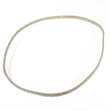
If you suspect belt slip on the 917297020, the husqvarna rear-tine tiller drive belt 591372401 is a common wear item.
Last updated: February 2026
What are the common problems with lawn tillers?
Common problems on the Craftsman 917297020 rear-tine tiller include an engine that will not start, rough running (especially in cold weather or at high altitude), poor tilling in hard or overly wet soil, and tines that stop turning after a jam because the tine shear pins break to protect the transmission. See the owner's manual for model-specific troubleshooting and adjustments.
Most common symptoms and what they usually mean
- Engine will not start: choke/throttle settings, stale fuel, spark plug issues, or carburetor mixture needing adjustment.
- Engine runs rough or lacks power: fuel mixture may need adjustment (often noticeable below 32°F or above 3,000 ft).
- Poor tilling or excessive bouncing: soil is too dry and hard, or the depth stake is set too deep for conditions.
- Soil clumps or “balls up”: soil is too wet; wait for it to dry out before tilling.
- Tines stop turning after hitting roots/rocks: shear pins may have broken by design to prevent internal damage.
- Tines/wheels performance feels inconsistent: traction and handling can change if you lean on the handle (it reduces wheel traction).
Quick checks we recommend before replacing parts
- Warm the engine up for a few minutes before engaging the tines.
- Set depth realistically: most tilling is best at 4 to 6 inches; cultivating is typically 1 to 3 inches.
- Match soil conditions:
- Moisten hard soil before tilling.
- Avoid tilling when soil is extremely wet.
- Inspect for jams: remove vines and long grass that can wrap around the tine shaft.
- Check drive components if tines do not pull well under load: belt, cable, and pulleys.
Common problem vs. likely fix (at-a-glance)
| Problem you notice | Likely cause | What to do next |
|---|---|---|
| Won’t start | Choke/throttle, fuel, spark | Follow starting steps in the manual; check spark plug and fuel quality |
| Runs rough in cold/high altitude | Carburetor mixture | Use the manual’s carburetor adjustment procedure |
| Poor tilling in hard ground | Depth too deep, soil too dry | Reduce depth; moisten soil; make multiple passes |
| Tines stop after impact | Shear pins broken | Replace shear pins with the correct type listed for this model |
Why it matters
Many “failures” are normal protection or operating-condition issues. For example, shear pins are designed to break during a jam to prevent transmission damage, and soil moisture directly affects tine penetration and handling.
Last updated: February 2026
Are Craftsman rear tine tillers any good?
Yes. Craftsman rear-tine tillers like model 917297020 are a solid choice for home gardens because they are built for controlled, deeper soil work and include serviceable wear items (tines, belts, cables) that help keep performance strong over time. For operating and maintenance details, use the owner's manual.
What “good” looks like on a rear-tine tiller
A rear-tine tiller is doing its job when it pulls itself steadily, breaks soil without excessive bouncing, and leaves a consistent tilled depth.
Common signs your tiller is performing well:
- Starts reliably and runs smoothly under load
- Tines dig without constant stalling or skipping
- Wheels track straight and hold depth consistently
- Controls engage smoothly (no jerky clutch action)
- Soil is chopped and mixed, not just scratched
What affects performance most (and what to maintain)
On model 917297020, the biggest performance drivers are normal wear parts and adjustments.
Key items to check:
- Tines: Worn tines make the tiller work harder and dig shallower; the manual notes checking wear and bending, especially near the transmission.
- Shear pins: These are designed to break if the tines jam, protecting the transmission; replace only the correct type listed for your model.
- Drive system: Belt condition and cable tension affect how well the wheels and tines drive.
- Fasteners and guards: The manual emphasizes keeping guards in place and checking bolts regularly.
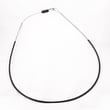
If you’re troubleshooting drive engagement, the husqvarna rear-tine tiller drive belt 591372401 and tiller clutch cable 532110675 are common wear items to inspect.
Quick comparison: rear-tine vs front-tine (for “is it good?” decisions)
| Feature | Rear-tine tiller (like 917297020) | Front-tine tiller |
|---|---|---|
| Best for | Larger gardens, tougher soil | Smaller beds, lighter soil |
| Control | More stable, less “pulling around” | Can be more effort to control |
| Depth consistency | Typically better | Varies more with soil |
Why it matters
A “good” tiller is one you can keep safe and productive for years. Staying on top of tine wear, shear pins, and drive adjustments prevents poor tilling and helps protect the transmission from overload.
Last updated: February 2026