Owner’s manual


How do I know what model my Kenmore dryer is?
Your Kenmore dryer’s model number is printed on the identification plate; for Kenmore model 41783142201, the plate is on the left side of the door opening. Use that exact model number when ordering parts or checking operating instructions in the 41783142201 owner’s manual.
Where to find the model and serial number
On Kenmore 417-series dryers like 41783142201, check these common label locations:
- Left side of the door opening (most common for this model)
- Inside the door opening area around the front panel
- Back panel (on some dryers)
- Near the lint screen housing (on some designs)
What to write down (and why)
Record both numbers exactly as shown on the plate:
- Model number (example format: 417.XXXXXXXX)
- Serial number
- Date of purchase (helpful for your records)
Quick reference
| Item | What it’s used for | Example you might see |
|---|---|---|
| Model number | Matching the correct parts diagrams and parts | 41783142201 |
| Serial number | Identifying production run details | Varies |
Why it matters
Kenmore dryers can look similar across different series, but parts like a drive belt, heating element assembly, timer, or thermostats can vary by model. Using the exact model number helps us match the right diagrams and avoid ordering a part that does not fit.
Tip if the label is hard to read
- Wipe the plate gently with a damp cloth and mild soap; dry it fully
- Take a clear photo and zoom in to confirm each digit
- Copy the number exactly, including any leading digits
Last updated: February 2026
How to remove Kenmore dryer panel?
To remove panels on your Kenmore electric dryer model 41783142201, we start by disconnecting power, then remove the control console fasteners, lift the top, and release the front panel clips or screws. Exact screw locations and panel sequence are shown in the 41783142201 owner's manual.
Safety first
- Unplug the dryer (or switch off the breaker) before removing any panel.
- Wear cut-resistant gloves; cabinet edges are sharp.
- If you smell burning or see scorched wiring, stop and have the dryer serviced.
Typical panel removal steps (most Kenmore 417 dryers)
- Remove the lint screen (if it pulls straight up from the door opening) and any screws revealed near the lint screen housing.
- Release the top:
- Remove screws at the back edge of the top (if present), then slide the top back slightly and lift.
- If your top uses spring clips, insert a flat screwdriver between the top and front panel near the corners to pop the clips.
- Lift the control panel (console):
- Remove console end-cap screws (or rear console screws), then rotate the console up.
- Label any wire connectors before unplugging them.
- Remove the front panel:
- Remove screws inside the cabinet (often near the upper corners).
- Lift the front panel up and off the lower retaining tabs.
- Disconnect the door switch harness if needed.
What you may need (and why)
| Item | Used for | Why it matters |
|---|---|---|
| Phillips screwdriver | Console and panel screws | Prevents stripped screw heads |
| Flat screwdriver | Releasing top/front clips | Avoids bending the cabinet |
| 1/4-in nut driver | Hex-head sheet metal screws | Faster, better grip |
If the dryer is noisy once it is open
Panel removal is often done to access the drum and drive system. If you find wear while you are inside, these parts commonly cause squealing or thumping:
- Belt 134503600 if the drum will not turn or the belt is cracked/glazed
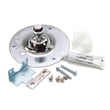
- Dryer drum bearing kit 5303281153 if you see scoring, wobble, or metal dust near the rear bearing
- Dryer drum glide 137513300 if the front drum support is worn through
Why it matters
Removing the correct panel in the correct order prevents broken clips, bent tops, and pinched wiring. It also makes it easier to reassemble the door switch and drum supports so the dryer runs safely and dries efficiently.
Last updated: February 2026
How to reset Kenmore 41783142201 dryer?
To reset your Kenmore 41783142201 electric dryer, we recommend doing a simple power reset: unplug the dryer (or switch the breaker OFF) for 1 minute, restore power, then start a cycle normally. This clears many control glitches without changing any settings in the timer.
Quick reset steps (safe and effective)
- Turn the cycle selector to OFF.
- Unplug the dryer (or turn the dedicated dryer breaker OFF).
- Wait 60 seconds.
- Restore power.
- Close the door firmly.
- Turn the START knob clockwise to ON, hold 1 to 2 seconds, then release (normal start method).
For model-specific operating steps and control details, follow the 41783142201 owner's manual.
If it still will not start after a reset
Use this checklist from the common “won’t start” causes for this style of Kenmore dryer:
- Confirm the outlet has power and the plug fits tightly.
- Check the house fuse(s) or breaker; many electric dryers use two fuses/breakers.
- Make sure the dryer is on a separate circuit (not overloaded).
- Verify the door is fully closed and latching.
- If the motor runs but heat is inconsistent or the dryer shuts down, a safety device may have opened.
What the symptoms usually mean
| Symptom | Most common cause | What we do next |
|---|---|---|
| No lights, no response | No power at outlet/breaker | Restore power, reset breaker(s) |
| Runs but no heat | One fuse/breaker open | Check both fuses/breakers |
| Dead after overheating | Thermal limiter opened | Inspect venting, replace limiter |
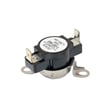
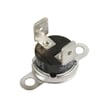
If overheating or repeated shutdown is part of the problem, the dryer thermal limiter 134120900 is a common safety part involved on this model family.
Why it matters
A proper reset rules out a temporary control or start-sequence issue. If the dryer still will not run, the next steps focus on power supply and safety cutoffs, which are the most frequent causes of a “dead” or “won’t start” dryer.
Last updated: February 2026