 Installation guide
 Owner’s manual
 Error Codes



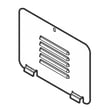
Where can I find my Kenmore electric range model number?
On Kenmore electric range model 79092903014, the model and serial number label (serial plate) is typically on the right-hand surface of the oven front frame near the storage or warmer drawer area, or behind the lower panel. Use that exact model number when ordering parts.
Common label locations to check
- Right-hand side of the oven front frame (open the storage or warmer drawer and look at the front frame)
- Behind the lower panel area (if your range has a removable lower panel)
- Under the cooktop (alternate location on some units)
- Around the drawer opening and frame edges (look for a silver or white serial plate)
Quick steps to find it fast
- Turn the oven light on and use a flashlight.
- Pull the storage or warmer drawer fully open.
- Look on the right front frame for a sticker or metal plate.
- If you do not see it, check the lower panel area.
- If needed, check the area under the cooktop.
What to write down (and why)
The serial plate usually includes more than just the model number. Recording everything helps us match the correct Kenmore range parts and diagrams.
| Label item | What it’s used for |
|---|---|
| Model number (example: 79092903014) | Identifies the correct parts list |
| Serial number | Confirms production run details |
| Lot number/letter (if shown) | Helps match revisions and substitutions |
Why it matters
Kenmore ranges often have similar-looking versions with different wiring, elements, or control boards. Using the exact model number from the serial plate prevents ordering the wrong surface element switch, bake element, or oven sensor.
For diagrams and model-specific details, use the 79092903014 owner’s manual.
Last updated: February 2026
How do you reset a Kenmore electric stove?
To reset your Kenmore electric range model 79092903014, we recommend doing a full power reset: turn the range off, cut power at the breaker (or unplug it), wait 1 minute, then restore power and re-test Bake and the surface elements. Use the 79092903014 owner's manual for model-specific control steps.
Quick reset steps (safe and effective)
- Turn all oven and cooktop controls to OFF.
- Switch the range circuit breaker OFF (or unplug the cord if accessible).
- Wait 60 seconds (this clears many control glitches).
- Restore power; set the clock if needed.
- Test Bake, Broil, and one surface element.
- If the display shows an error again, use the Kenmore 790 range 4-digit error codes guide to identify the fault.
If the range lost power during cooking
Our installation guidance for this style of range is clear: if there is a power failure, reset oven controls to OFF. When power returns, reselect your cooking mode and temperature rather than leaving the oven running unattended.
What a “reset” fixes (and what it does not)
| Symptom after reset | Likely outcome | Next most common cause |
|---|---|---|
| Display frozen or beeping | Often fixed | Control panel key stuck, control board issue |
| Oven not heating | Sometimes fixed | Failed bake element, sensor, control board |
| Hot surface light stays on | Not usually fixed | Surface element switch or indicator circuit |
Parts that commonly relate to “won’t heat” or control issues
If the reset does not restore normal operation, these model-compatible parts are common suspects:
- Frigidaire range oven temperature sensor 316490000 (incorrect temperature readings, error codes)
- Frigidaire range bake element 316563600 (no bake heat, slow preheat)
- Frigidaire range oven control board and clock 316560127 (dead display, recurring faults)
Why it matters
A proper power reset clears temporary electronic faults and ensures the range does not restart unexpectedly after an outage. It also helps you separate a one-time glitch from a failed component such as the oven temperature sensor, bake element, or control board.
Last updated: February 2026
Why is my Kenmore electric oven not getting hot?
If your Kenmore electric range model 79092903014 isn’t getting hot, the most common causes are a failed bake or broil heating circuit, a bad oven temperature sensor, or a control problem. Start with a quick visual check, then confirm heating and sensor operation using the steps in the 79092903014 owner's manual.
Quick checks we recommend first
- Confirm the range has proper power (electric ovens typically need full 240V to heat; a tripped breaker can leave lights working but no heat).
- Make sure you are using Bake (not Delay Start, Sabbath, or a timed mode that is not running).
- Look for an error code on the display; if present, use the Kenmore 790 self-cleaning range error codes guide.
- Set Bake to 350°F and watch through the window: the bake element should begin heating within a few minutes.
- If the oven heats but is inaccurate, suspect the sensor or calibration setting.
Parts that commonly cause “no heat” on this model
In an electric range, the oven can fail to heat if the heating element circuit is open, the sensor reads wrong, or the control cannot drive the relay.
| Symptom | Most likely cause | What to check next |
|---|---|---|
| No heat in Bake, Broil works | Bake element circuit issue | Inspect wiring, then test element continuity |
| No heat in Broil, Bake works | Broil element circuit issue | Inspect broil element for blisters/breaks |
| Heats but won’t reach temp | Sensor out of range | Test sensor resistance at room temp |
| No heat in any mode | Power supply or control | Verify breaker, terminal block, then control output |
Model-matched parts to consider
- Frigidaire range bake element 316563600 (common no-bake cause when open or visibly damaged)
- Frigidaire range broil element 316203301 (common no-broil cause)
- Frigidaire range oven temperature sensor 316490000 (common cause of low/erratic temps)
Safety and installation-related items that matter
We follow the installation guidance for safe operation and airflow. The installation instructions emphasize not pinching the power cord, not sealing the range to cabinets, and keeping vents unobstructed; poor installation can contribute to overheating, wiring damage, or inconsistent performance. Use the 79092903014 installation guide for placement and electrical requirements.
Why it matters
An oven that won’t heat is usually an electrical circuit problem (element, sensor, wiring, or control). Checking the simplest items first helps avoid unnecessary parts replacement and gets you back to reliable baking faster.
Last updated: February 2026
What causes a Kenmore oven to stop working?
On the Kenmore 79092903014 range, an oven that “stops working” is usually caused by a power supply problem (tripped breaker or loose terminal block connection), a failed heating component (bake or broil circuit), or a control issue such as a bad sensor or electronic control. Use the 79092903014 owner's manual for the exact checks and settings for your model.
Quick checks we recommend first
- Confirm the range has power; reset the house breaker fully OFF then ON.
- If the display is dead but the cooktop works, check the power cord connection and terminal block area.
- If the oven will not heat but the clock works, test Bake and Broil separately.
- If the oven heats erratically or shuts off, suspect the oven temperature sensor.
- If the oven stopped during a power outage, make sure all oven controls are reset to OFF.
Most common causes (and what they look like)
| Symptom | Likely cause | What to check next |
|---|---|---|
| No heat in Bake, Broil works | Bake circuit issue | Inspect wiring, then consider the bake element circuit (model-specific part varies) |
| No heat in both Bake and Broil | Control or power issue | Verify 240V supply, then evaluate control board and sensor |
| Oven temperature is way off | Sensor problem | Consider replacing the frigidaire range oven temperature sensor 316490000 |
| Oven works but shuts off mid-cycle | Overheat, airflow, or control | Check venting is not blocked; inspect sensor and control |
Why power and installation details matter
Ranges are sensitive to supply and connection issues. A loose connection at the terminal block can cause the oven to quit heating even when some functions still appear to work. We follow the grounding and connection guidance in the installation guide to prevent repeat failures.
Safety notes before troubleshooting
- Turn off power at the breaker before removing panels or checking wiring.
- Do not use the oven as storage; stored items can overheat and create hazards.
- Keep the oven vent area clear; blocked airflow can cause overheating and shutdowns.
When a part is the fix
If your oven is getting error codes or temperature swings, the sensor is a common, straightforward repair. If the sensor tests good, the next likely suspects are wiring connections and the electronic control board.
Last updated: February 2026






