 Error Codes





Where is the model number on my Kenmore range?
On your Kenmore range model 91193401990, the model number label is typically on the oven frame behind the door (door jamb area) or on the frame behind the storage drawer. Some units also place the label on a side panel or on the back of the range near the vent area.
Most common places to check
- Open the oven door and look along the left or right door frame (door jamb)
- Pull out the bottom storage drawer and check the frame behind it
- Check the lower front frame near the drawer opening
- Look on a side panel near the front edge
- Check the back panel near the vent or power cord area
Quick steps to find it fast
- Turn the oven light on and open the oven door fully.
- Scan the door frame on both sides for a rating plate or sticker.
- If you do not see it, slide the storage drawer out and look on the frame rails.
- As a last step, look at the back panel (use a flashlight).
What the label usually looks like
| What you might see | What it’s used for |
|---|---|
| Model number (example: 91193401990) | Matching the correct Kenmore parts list |
| Serial number | Identifying production run for service |
| Electrical ratings (volts/amps) | Confirming power requirements |
Why it matters
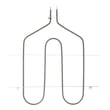
The exact model number is what we use to match the correct surface element, bake element, broil element, control switch, and oven door parts for your specific Kenmore 30-inch electric freestanding range.
If the label is worn or missing, use our guide: how to find your appliance model number (and what it means for parts).
Last updated: February 2026
How do I reset my Kenmore electric range?
To reset your Kenmore electric range model 91193401990, we recommend doing a power reset: shut off power at the breaker (or unplug the range if accessible) for about 1 minute, then restore power and test Bake and a surface burner.
Quick reset steps (power reset)
- Turn OFF the range circuit breaker (or unplug the power cord).
- Wait 60 seconds.
- Turn the breaker ON (or plug the cord back in).
- Set the clock if it flashes or shows a power interruption.
- Test Bake for 5 to 10 minutes.
- Test one surface element on Low and High.
If it still will not heat after the reset
A reset clears minor control glitches, but it will not fix a failed heating circuit. Check these common causes:
- Bake works but broil does not: the broil element may be damaged.
- Broil works but bake does not: the bake element may be damaged.
- Oven temperature is erratic: the temperature sensor or wiring may be the issue.
- One surface burner will not heat: the burner switch or surface element may be the issue.
- No heat anywhere: a power supply problem (240V) or a burned connection at the terminal block is likely.
Parts that commonly relate to “no heat” symptoms
| Symptom | What to check first | Example part on this model page |
|---|---|---|
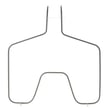
| Broil not working | Broil element | Range broil element WB44T10009 |
| Oven temp inaccurate | Oven temperature sensor | Wall oven temperature sensor WB23X5340 |
| One burner not heating | Infinite switch | Range surface element control switch, 1,250-watt WB24T10022 |
| Intermittent power/burn marks | Power cord connection | Terminal block 330031 |
Why it matters
A proper reset is the fastest way to rule out a temporary electronic or control-state issue. If heating problems continue, focusing on the bake element, broil element, temperature sensor, or terminal block helps you move from “reset” to a real fix.
Last updated: February 2026
What is the F1 code on a Kenmore range?
On a Kenmore range like model 91193401990, the F1 (sometimes shown as F10) error usually points to a problem in the oven’s electronic control system, most often the control board or a stuck key/short in the keypad circuit. It can also be triggered by a faulty oven temperature sensor or damaged wiring.
What F1 typically means on an electric range
F1 is an “electronic control” fault. In real-world troubleshooting, we most often see it caused by one of these:
- A failing electronic oven control (EOC) board
- A stuck or shorted keypad (touch panel) input
- A shorted or out-of-range oven temperature sensor circuit
- Damaged wiring or a loose connector between the sensor, keypad, and control
- Moisture/heat damage behind the control panel
Quick checks you can do safely
Before replacing parts, these steps help narrow the cause.
- Power reset: Turn off the range breaker for 1 minute, then restore power and watch for F1 returning.
- Cancel/clear: Press Cancel/Off once; if F1 returns immediately, suspect a control or keypad issue.
- Look for obvious heat damage: With power off, inspect the back of the control area for scorched wires or loose plugs.
- Check oven performance: If the oven overheats, underheats, or cycles wildly, the sensor circuit becomes a top suspect.
- If the code appears with no cooking: That pattern commonly points to the control board or keypad circuit.
Parts that commonly relate to F1 on this model
If testing indicates a sensor or wiring issue, start there because it is simpler than a control replacement.
| Suspected cause | What you’ll usually notice | Example part on this page |
|---|---|---|
| Temperature sensor circuit problem | Erratic temps, long preheat, burning/undercooking | Wall oven temperature sensor WB23X5340 |
| Wiring/connection problem | Intermittent F1, works when bumped, visible damage | (Inspect harness and terminals) |
| Control/keypad problem | F1 returns immediately after reset, random beeping | (Control/keypad varies by build) |
Why it matters
When F1 is active, the range may disable baking or broiling to prevent unsafe heating. Fixing the root cause restores reliable temperature control and helps protect the electronic control area from repeated overheating.
If you plan to test electrical circuits
Use a meter and safe practices with power disconnected; our DIY resources help with the basics:
Last updated: February 2026




