Installation guide
 Owner’s manual
 Error Codes








How to reset a Frigidaire electric range?
To reset your Frigidaire electric range model LFEF3017LWB, we recommend doing a full power reset: turn the range power OFF at the breaker (or unplug it) for 5 to 10 minutes, then restore power and reset the clock. This clears many control glitches after a power surge or outage.
- Turn OFF the range circuit breaker (preferred) or unplug the power cord.
- Wait 5 to 10 minutes so the electronic control fully discharges.
- Restore power at the breaker (or plug the range back in).
- Set the clock using the steps in the LFEF3017LWB owner’s manual.
- Test Bake and Broil for a quick heat-up to confirm normal operation.
A reset fixes software-type lockups, but it will not fix a failed heating circuit. Check these common causes next:
- Burned-out bake element (often visible blistering or a break)
- Failed oven temperature sensor causing incorrect temperature feedback
- Control problem in the oven control board and clock
- Loose or overheated power connection at the terminal block
If you suspect a failed bake circuit, the range bake element 316075103 is the correct bake element listing for this model.
| What you see | Most likely fix | What to do next |
|---|---|---|
| Blank or frozen display after outage | Control needs reset | Power reset, then set clock |
| Oven runs but never heats | Heating component issue | Inspect bake element, sensor |
| Error code on display | Control detected a fault | Use an error code guide |
The LFEF3017LWB uses an electronic oven control; brief power interruptions can leave the control in an unstable state. A full power reset is the fastest first step before replacing parts like a bake element, temperature sensor, or control board.
Last updated: February 2026
How do I tell what model my Frigidaire stove is?
Your Frigidaire electric range model number is printed on the serial plate; on model LFEF3017LWB, it’s commonly located in the storage drawer area. Pull the storage drawer out and look for a label/plate that lists both the model number and serial number; use a flashlight for easier reading.
Check these common serial plate locations:
- Open the storage drawer and look along the frame area for the serial plate
- If your unit doesn’t have a storage drawer, remove the lower front panel (some models)
- Look for a label that includes Model and Serial fields
- Write the model number exactly as shown (letters and numbers)
- Watch for look-alikes such as 0 (zero) vs O (letter)
For the exact location and how Frigidaire labels it, use the LFEF3017LWB owner's manual.
Having the correct model number lets us match the right Frigidaire parts and instructions for your range, including items like the bake element, oven temperature sensor, and control board.
| You need | Why it matters | Example for this page |
|---|---|---|
| Model number | Ensures correct fit and wiring style | LFEF3017LWB |
| Serial number | Helps identify production changes | Printed on the same plate |
| Product type | Narrows troubleshooting steps | Electric range |
- Take a clear photo of the serial plate before ordering parts
- Copy the full model number, including any suffix letters
- Keep it with your purchase records for future service
A single character difference in a Frigidaire range model number can change which surface element switch, oven sensor, or bake element fits; confirming the serial plate prevents wrong-part returns and repeat repairs.
Last updated: February 2026
Can I look up Frigidaire parts by model number?
Yes. Looking up parts by model number is the most accurate way to get compatible replacement parts for your Frigidaire electric range model LFEF3017LWB, because the model number ties directly to the correct diagrams, part lists, and version-specific components.
For LFEF3017LWB, the serial plate is typically located in one of these spots:
- Inside the storage drawer (some models)
- Behind the lower front panel (some models)
- On the appliance data tag near the lower front area
Use the full model number exactly as shown on the plate (letters and numbers), then confirm it against the information in the LFEF3017LWB owner's manual.
Once you have LFEF3017LWB, match the symptom to the correct part category, then verify fit by description and placement in the diagrams.
- Oven not heating or slow preheat: check the bake circuit first
- Oven temperature seems inaccurate: check the temperature sensing circuit
- Surface element not heating: check the element and the control switch for that burner
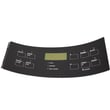
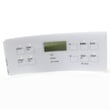
- Control panel issues (clock, buttons, display): check the control board and overlay
- Door won’t unlock after self-clean: check the door lock motor assembly
| Symptom | Likely part to check | Example part for this model |
|---|---|---|
| Oven won’t bake | Bake element | Range bake element 316075103 |
| Oven temp off | Oven temperature sensor | Frigidaire range oven temperature sensor 316490000 |
| Burner won’t heat | Surface element switch | Frigidaire range surface element control switch 316436001 |
| Oven light out | Appliance light bulb | Appliance light bulb, 40-watt 316538904 |
Frigidaire ranges can have small design changes across production runs; using the exact model number helps prevent ordering a part that looks similar but mounts differently, has different terminals, or won’t match your wiring harness.
Last updated: February 2026