Installation guide
 Owner’s manual
 Error Codes
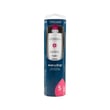


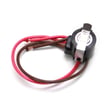


What is the largest capacity KitchenAid refrigerator?
KitchenAid’s largest-capacity refrigerators are typically full-size, 36-inch wide models; the biggest current side-by-side offerings are commonly around 28 to 29 cu. ft. of total capacity. For your KitchenAid KSSC42QMS00 built-in refrigerator, the exact capacity is listed in the KSSC42QMS00 owner's manual.
Capacity is only useful if the refrigerator fits your opening and ventilation requirements.
- Measure the cabinet opening width, height, and depth (built-ins often have tight clearances).
- Confirm door swing clearance and handle projection.
- Compare usable space (shelf layout, bin size) not just total cu. ft.
- Check water supply requirements if you use the ice maker and dispenser.
- Verify electrical requirements and access for service.
| Type | Typical width | Typical capacity range | Notes |
|---|---|---|---|
| Built-in side-by-side (like KSSC42QMS00) | 42 in | Often mid-to-high 20s cu. ft. | Designed to sit flush; capacity depends on insulation and cabinet fit |
| Freestanding side-by-side | 36 in | Often high 20s cu. ft. | More depth available; may offer higher capacity per inch of width |
“Largest capacity” can mean different things depending on whether you need a built-in look, a side-by-side layout, or maximum cubic feet. Matching capacity to your opening and door clearance prevents installation headaches and helps airflow and cooling performance.
If you are comparing models because of water and ice features, we recommend reviewing how to replace the water filter in a KitchenAid refrigerator so you know what ongoing filter maintenance looks like.
Last updated: January 2026
How big is the KitchenAid KSSC42QMS00?
The KitchenAid KSSC42QMS00 is a 42-inch class built-in side-by-side refrigerator. In the installation specs for this platform, the cabinet depth is 25 1/8 in. (64 cm) from the front of the top grille to the back of the refrigerator cabinet; confirm your exact cutout needs in the KSSC42QMS00 installation guide.
Use these common planning dimensions from the installation specifications for this built-in series:
- Depth (cabinet): 25 1/8 in. (64 cm) from top grille front to cabinet back
- Width class: 42 in. built-in platform (verify the exact “A” width line for your configuration)
- Height: shown in the guide with leveling legs extended 1/8 in. (3 mm) below the rollers
- Power cord length: 84 in. (213 cm)
- Water line length: 5 ft (1.5 m)
| Measurement | What it represents | Value shown in specs |
|---|---|---|
| Depth | Grille front to cabinet back | 25 1/8 in. (64 cm) |
| Cord length | Outlet reach | 84 in. (213 cm) |
| Water line | Supply line reach | 5 ft (1.5 m) |
Built-in refrigerators are sensitive to cutout and trim details. We recommend checking these items in the documentation:
- Your cutout width and height (and any required clearances)
- Whether your unit uses custom panels/handles or factory trim
- Door swing clearance for adjacent walls or cabinets
- Water supply location and shutoff access
- Leveling and anti-tip requirements
Getting the size right prevents door interference, airflow restrictions, and installation delays. It also helps you avoid ordering custom panels or trim that will not fit your exact configuration.
Last updated: January 2026
How do I reset my KitchenAid side-by-side refrigerator?
To reset your KitchenAid KSSC42QMS00 side-by-side refrigerator, we recommend doing a power reset using the unit’s POWER (ON/OFF) control or by cycling power at the breaker, then restoring your temperature settings. This clears many control and alarm conditions.
- Control reset (recommended): Press the POWER (ON/OFF) button twice (OFF, then ON).
- Power cycle reset: Turn the refrigerator OFF, wait about 5 minutes, then turn it back ON.
- Breaker reset: Switch the refrigerator circuit breaker OFF, wait about 5 minutes, then switch it back ON.
- Master Alarm Reset: Press POWER (ON/OFF) twice (this is specifically called out as a Master Alarm Reset method).
Some alarms require a specific reset sequence.
| Situation | What you’ll see/hear | What to do |
|---|---|---|
| Over Temperature condition happened | Audio may stop when temps recover; indicator can keep flashing | Press OVER TEMPERATURE RESET (it may take a second press to shut off the indicator) |
| Door Open or Call Service indicators | Indicator/alarm may continue until condition is corrected | Correct the cause first, then use POWER (ON/OFF) twice if you need a Master Alarm Reset |
If you’re removing the top grille, cleaning, or accessing components, we follow these basics:
- Remove the top grille (if needed for access)
- Turn the master power switch to OFF or shut power off at the breaker
- Restore power when finished
- Reset the control back to your desired temperature setting
A reset can clear a stuck control state and reinitialize normal operation, but it will not fix an underlying issue like a failing thermistor, evaporator fan problem, or a door that is not sealing.
For model-specific control locations and alarm behavior, use the KSSC42QMS00 owner’s manual.
Last updated: January 2026
Why is my KitchenAid refrigerator not dispensing water?
If your KitchenAid KSSC42QMS00 refrigerator is not dispensing water, the most common causes are air trapped in the water lines (especially after installation or a filter change), a clogged or misinstalled water filter, or a door switch issue that prevents the dispenser from operating.
- Make sure the dispenser is not locked (if your model has a lock feature).
- Press and hold the dispenser lever with a sturdy container; after a new install it can take 3 to 4 minutes before water begins dispensing.
- Flush the system by dispensing and discarding 2 to 3 gallons of water (about 6 to 7 minutes) to clear air from the lines.
- If water spurts or drips, keep using the dispenser; normal use typically clears air within 24 to 72 hours.
- Confirm the freezer door is fully closed; many models will not dispense if the door switch is not engaged.
For model-specific dispenser operation and flushing steps, follow the KSSC42QMS00 owner's manual.
A filter that is full or not seated correctly can reduce flow noticeably. The manual’s test is simple: remove the filter and try dispensing.
- If flow improves with the filter removed, replace the filter.
- If flow does not improve, focus on the household water supply and inlet valve diagnostics.
If you need help with filter replacement steps, use how to replace the water filter in a KitchenAid refrigerator.
| Symptom | Most likely cause | What to do next |
|---|---|---|
| No water at all | Air in lines after install/filter change | Flush 2 to 3 gallons; wait for flow to start |
| Flow slows over time | Filter clogged or misinstalled | Reseat filter; test dispensing without filter |
| Works only with door pressed | Door switch not closing circuit | Inspect/replace door switch |
These parts are often involved when the dispenser will not run or only works intermittently:
- Door switch (dispenser may not run if the switch is not made)
- Water tubing and reservoir (kinks, freezing, or restrictions)
- Dispenser lever components (mechanical issues at the paddle)
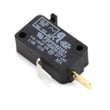
If you suspect a door switch problem on this model, the refrigerator freeer door switch W11457217 is a common related part.
A no-dispense condition is often a simple air or filter issue, but ignoring it can hide low water flow that also affects ice maker fill and overall water system performance.
Last updated: January 2026