 Installation guide
 Owner’s manual
 Error Codes



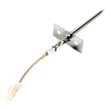
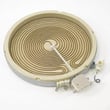



How to replace KitchenAid oven temperature sensor?
On the KitchenAid KESA907PBB00 electric slide-in range, replacing the oven temperature sensor is a straightforward repair: disconnect power, remove the sensor mounting screws inside the oven, pull the sensor forward to access the connector, swap the new sensor in, then reassemble and restore power. See the owner's manual for safety and access details.
Before you start (safety and prep)
- Turn off the breaker (240V) or unplug the range if accessible.
- Let the oven cool completely.
- Use gloves; sheet metal edges can be sharp.
- Keep the sensor wiring from falling back into the rear insulation.
- Take a quick photo of the connector orientation before separating it.
Replacement steps (typical for this model style)
- Remove oven racks for working room.
- Locate the sensor probe inside the oven cavity (usually on the rear wall).
- Remove the mounting screws holding the sensor.
- Gently pull the sensor toward you a few inches to expose the wire connector.
- Separate the connector; do not pull on the wires.
- Connect the new sensor, tuck excess wire back through the opening, and remount the sensor.
- Restore power and test by preheating.
Which part you need
For KESA907PBB00, the correct replacement is the wall oven temperature sensor WPW10131825.
| Symptom | Most likely issue | What to check next |
|---|---|---|
| Oven temp is consistently too hot or too cool | Sensor out of range | Inspect sensor connector and harness for heat damage |
| Oven won’t regulate temperature, long preheat | Sensor or wiring problem | Check for loose plug, pinched wires, or corrosion |
| Error beeps or temperature-related fault | Sensor circuit issue | Verify connector is fully seated after replacement |
Why it matters
The oven temperature sensor is the feedback device the control uses to cycle the bake and broil elements. When it drifts out of spec or has an intermittent connection, baking temperatures can swing, causing undercooked or overcooked results.
Last updated: February 2026
How to reset KitchenAid electric cooktop?
To reset the cooktop on your KitchenAid KESA907PBB00 electric slide-in range, we recommend doing a hard power reset: turn the range off at the breaker for 1 minute, then restore power and watch for 1 minute to confirm normal operation.
Quick reset steps (hard reset)
- Turn all surface controls to Off.
- Switch OFF the range circuit breaker (or remove the fuse) for 60 seconds.
- Switch the breaker ON.
- Wait 1 minute and check whether the display or error returns.
- Test a surface element on a low setting, then increase heat gradually.
If the cooktop is locked, unlock it first
Some “won’t turn on” situations are caused by Control Lock, not a failure.
- Press and hold Control Lock for 5 seconds to toggle lock/unlock.
- When locked, CONTROL LOCK glows red and surface areas will not turn on.
- After unlocking, try turning on a burner again.
For the exact button names and indicators used on your control panel, follow the KESA907PBB00 owner's manual.
What to check if the problem comes back
If the cooktop resets but the issue returns, these checks narrow it down fast:
- Power supply: confirm the breaker is fully seated (not half-tripped).
- Control input: on knob models, push the knob in before turning.
- Overheat condition: let the glass cool if the hot surface light is on.
- Cookware size: use a pan close to the element size; avoid overhang beyond about 1/2 inch.
- Heating performance: if the element does not heat evenly, the radiant element may be failing.
Common symptom vs. likely cause
| Symptom | Most common cause | What to do next |
|---|---|---|
| No burners work | Power issue or Control Lock | Reset breaker; unlock Control Lock |
| One burner won’t heat | Failed radiant element | Inspect and replace the element if needed |
| Error returns after reset | Intermittent control or sensor issue | Re-test after cooling; check wiring connections |
Why it matters
A proper reset clears temporary control glitches and restores normal touch or knob response. If the cooktop is actually locked out, unlocking it prevents unnecessary part replacement and gets you cooking again quickly.
Last updated: February 2026
Why is my KitchenAid range display not working?
If the display on your KitchenAid electric slide-in range model KESA907PBB00 is blank or unresponsive, the most common causes are a tripped breaker or loose power connection, a failed touch control interface, or a problem in the electronic control circuit. Start with a safe power reset and basic power checks from the installation guide.
Quick checks first (no parts needed)
- Confirm the range is plugged into a grounded outlet.
- Check the household fuse or reset the circuit breaker (a partially tripped breaker can leave the display dead).
- Unplug the range (or switch the breaker off) for 3 to 5 minutes, then restore power.
- If the oven light works but the display stays dark, the issue is usually in the control area, not the house power.
- If the display comes on but buttons do not respond, the membrane switch or touch control system is the likely failure.
What to inspect if power is good
Turn power off at the breaker before removing any panels.
- Look for a loose wiring connector at the control (common after moving or cleaning).
- Check for heat damage or discoloration on wiring near the control area.
- If the range recently had moisture or cleaner overspray near the console, the touch panel can short and stop responding.
Parts that commonly relate to a dead or erratic display
On KESA907PBB00, display problems are often tied to the touch interface or control electronics. If your symptoms include incorrect temperatures or runaway heating along with display issues, also test the oven temperature sensor.
| Symptom | Most likely area | What to do next |
|---|---|---|
| Display completely blank | Power supply, control power feed, control board | Verify breaker/outlet; inspect wiring connections |
| Display on, buttons do nothing | Touchpad/membrane switch | Consider replacing the touch interface; verify ribbon connections |
| Temps seem wrong, display works | Sensor circuit | Test/replace oven sensor WP8274149 |
Why it matters
A non-working display can prevent you from setting bake, broil, or self-clean safely. It can also hide error conditions that point to overheating, sensor faults, or a failing touch control system.
Last updated: February 2026






