Error Codes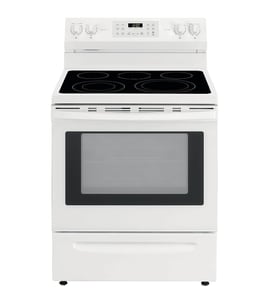


How long should a Jenn air stove last?
A Jenn-Air range like model JDS1450FP0 typically lasts 15 to 20 years. Consistent cleaning, correct burner and oven use, and replacing wear parts early (like an oven element or igniter components) are what most often separate a 10-year range from a 20-year range.
Most premium ranges fall into a predictable service-life window when they are installed correctly and maintained.
| Appliance type | Typical lifespan | What usually ends it first |
|---|---|---|
| Gas range | 15 to 20 years | Ignition parts, gas valve issues, control failures |
| Electric range | 15 to 20 years | Bake/broil elements, control board or keypad wear |
| Dual fuel range | 15 to 20 years | Oven electronics, cooling fan, ignition components |
We see these habits make the biggest difference in real-world longevity:
- Keep burner ports and caps clean so ignition is quick and flame stays even.
- Avoid slamming the oven door; it protects hinges, door alignment, and heat sealing.
- Wipe spills promptly to reduce corrosion and baked-on residue.
- Use cookware that matches burner size to prevent excess heat on grates and the main top.
- Replace failing parts early to prevent secondary damage (overheating wiring, repeated igniter cycling).
A range often feels “worn out” when a few key components start acting up. For JDS1450FP0, these are common repair categories:
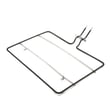
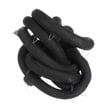
- Oven not heating evenly or not baking: consider the bake element W10779716.
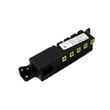
- Clicking or weak/erratic ignition: ignition components like the spark module (red) WPW10475149 are common suspects.
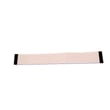
- Display or touch response problems: the keypad W11025616 is a frequent wear item.
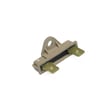
- No power or intermittent power: inspect the cord connection area and consider the range terminal block WPW10245259 if it is heat-damaged.
A 15 to 20 year lifespan is realistic, but only if small failures are handled early. A weak bake element, failing spark module, or overheated terminal block can turn a simple repair into repeated performance problems.
Last updated: February 2026
How to reset jenn air control panel?
To reset the control panel on your Jenn-Air range model JDS1450FP0, we power-cycle the range to clear a temporary control lockup. Turn the range off at the breaker for 5 minutes, restore power, then retest the keypad and display.
- Turn OFF the range circuit breaker (or unplug the range if it is on a cord).
- Wait 5 minutes (this lets the control board fully discharge).
- Turn the breaker ON (or plug the range back in).
- Set the clock if prompted.
- Test Bake, Broil, and a few keypad buttons.
These checks isolate whether the issue is power, the user interface, or an internal control.
- Confirm the range has full power (no tripped breaker, no blown house fuse).
- If the display is blank but the breaker is on, inspect the power connection area and wiring.
- If some buttons work and others do not, the touch panel can be the failure point.
- If the display is on but the oven will not start, the main control or cooling airflow can be involved.
- If you smell burning or see heat damage, keep power off and schedule service.
| Symptom | Most likely area | Example part for JDS1450FP0 |
|---|---|---|
| Dead display, intermittent power | Power connection | Range terminal block WPW10245259 |
| Some keys do not work | User interface | Keypad W11025616 |
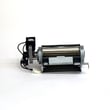
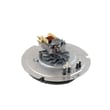
| Oven shuts down or errors when hot | Cooling/airflow | Asm-cooling, W11107275 |
A reset fixes many “frozen” control issues without replacing parts. If the problem returns quickly, it usually points to a failing keypad, a loose power connection at the terminal block, or a control cooling problem.
Last updated: February 2026
Is JennAir considered high end?
Yes. Jenn-Air is widely considered a high-end (luxury) appliance brand; it is typically priced and featured above mainstream lines, with premium styling and performance-focused features that are common in pro-style ranges like the JDS1450FP0.
High-end positioning is less about one single feature and more about the overall package: build quality, design, cooking performance, and the availability of premium components.
Common high-end traits include:
- Pro-style design and heavier-duty knobs, grates, and trim
- Higher-output burners and more precise simmer control (varies by model)
- More robust oven features (convection options, broil performance, temperature stability)
- Premium fit and finish, including upgraded door glass and console styling
- Higher parts and accessory costs compared to mainstream ranges
| Category | Luxury-leaning brands (typical) | Mainstream brands (typical) |
|---|---|---|
| Price tier | Higher | Mid to lower |
| Design | Statement styling, pro look | Practical, value-focused |
| Parts cost | Often higher | Often lower |
| Feature set | More premium options | Core cooking features |
If you own a high-end range, using model-correct parts helps preserve performance and fit. For example, an oven heating issue should be diagnosed with the correct bake component for this platform, such as the bake element W10779716, rather than a “close match” that may not mount or heat the same.
- Match the full model number exactly: JDS1450FP0
- Compare the part name and ID, not just a photo
- For heating complaints, confirm whether the issue is bake, broil, or ignition-related
- If the oven light is out, start with the simplest fix (bulb) before deeper electrical checks
Last updated: February 2026
What are common problems with Jenn Air stoves?
Common problems we see on Jenn-Air ranges like model JDS1450FP0 include the oven not heating or heating unevenly, surface burners that will not ignite, and control panel or display issues. Most causes trace back to a failed heating component, ignition component, airflow/cooling issue, or a power or gas supply problem.
- Oven will not bake: failed bake element W10779716, tripped breaker, loose wiring at the terminal block
- Oven broils but will not bake (or bakes weakly): bake element damage or poor electrical connection
- Surface burner clicks but will not light: dirty burner ports, moisture after cleaning, weak spark, gas supply issue
- No spark on multiple burners: failed spark module (red) WPW10475149 or wiring issue
- Display or keypad not responding: stuck key, failed keypad, control problem
- Hot exterior or fan noise changes: cooling fan issue such as asm-cooling, W11107275
- Confirm power: verify the range is getting full power (reset the breaker fully OFF then ON).
- Check gas supply: make sure the shutoff valve is fully open and other gas appliances work.
- Clean burner heads and ports: remove caps and clear ports gently; let everything dry completely.
- Look for obvious damage: cracks, blisters, or breaks on the bake element; burnt smell at the cord connection.
- Inspect the power connection: a loose or overheated connection at the terminal block can cause intermittent heat.
| Symptom | Common part to check | What it affects |
|---|---|---|
| No/weak bake heat | Bake element (W10779716) | Oven baking temperature and preheat |
| No spark on burners | Spark module (WPW10475149) | Ignition spark to surface burners |
| Overheating or poor airflow | Asm-cooling, (W11107275) | Cooling/venting for controls and oven area |
| Power issues, burning smell at cord | Range terminal block (WPW10245259) | Main power connection to the range |
When a range is not heating or igniting correctly, cooking times and temperatures become unreliable, and electrical or gas ignition problems can worsen quickly. Catching the root cause early helps protect the control board, wiring, and gas components.
Last updated: February 2026
Where to find model number on JennAir stove?
On a Jenn-Air range like model JDS1450FP0, the model number is usually printed on a rating label located around the oven door opening (often on the frame behind the door) or on the storage or warming drawer frame. We use that exact model number to match the correct parts and diagrams.
Look for a paper or metal tag that lists model and serial numbers. Check these spots in order:
- Open the oven door; inspect the front frame around the door opening (left or right side)
- Check the lower drawer area; pull out the storage or warming drawer and look on the frame/rails
- Look behind the control panel area (less common; usually not needed)
- Check the back of the range near the power cord or gas connection (if accessible)
- Turn on a bright light and use your phone camera to zoom in on the label
- Wipe grease or dust off the tag gently so the characters are readable
- Write the model number exactly as shown (letters and numbers matter)
- Take a clear photo of the full label for reference when ordering parts
| What you will see | Why it matters | Example |
|---|---|---|
| Model number | Identifies the exact design and parts list | JDS1450FP0 |
| Serial number | Helps date the unit and confirm production run | Varies |
| Electrical or gas info | Useful for installation and service | Varies |
Jenn-Air ranges can look similar across model families, but parts like a control keypad, bake element, or gas valve can differ by model revision. Using the exact model number helps us match the correct replacement part the first time.
If you are already troubleshooting, these are common parts customers look up after confirming the model:
Last updated: February 2026
Why does my Jenn air oven take so long to preheat?
If your Jenn-Air range model JDS1450FP0 takes a long time to preheat, the most common causes are a weak bake heating circuit, inaccurate temperature sensing, restricted airflow, or heat loss at the door. Start by confirming the bake element glows evenly and the door closes tightly, then troubleshoot the heating and control components.
- Use Bake (not Convect) for the test; convection can change timing and fan behavior.
- Watch the bake element during preheat; it should cycle on and off and heat evenly.
- Verify the oven door seal is intact and the door closes squarely.
- Remove heavy foil or liners from the oven bottom; they can block heat circulation.
- Try a simple reset: turn power off at the breaker for 1 minute, then retry preheat.
| Likely cause | What you notice | What to do next |
|---|---|---|
| Weak bake heat | Preheat drags; baking is slow or uneven | Inspect/replace the bake element W10779716 |
| Temperature sensing issue | Oven overshoots or struggles to reach set temp | Check sensor wiring and connection at the control |
| Cooling/airflow problem | Fan runs oddly; heat seems to “stall” | Check for blocked vents; inspect the asm-cooling, W11107275 if fan is not operating correctly |
| Power supply issue | Slow heat on all oven functions | Have an electrician verify correct voltage at the terminal block |
Use an oven thermometer and time how long it takes to reach 350°F. Most ranges typically reach 350°F in about 10 to 20 minutes under normal conditions.
If the bake element has cold spots, blisters, or only partially glows, it can extend preheat significantly.
An incorrect power connection can reduce heating performance. If you see signs of overheating at the power connection, the range terminal block WPW10245259 is the correct style of part to inspect/replace.
Slow preheat is not just an inconvenience; it often points to reduced heating output or inaccurate temperature control, which leads to underbaking, longer cook times, and inconsistent results.
Last updated: February 2026