 Installation guide
 Owner’s manual
 Error Codes





How do I contact Kenmore customer service?
For Kenmore model 79092302013, we recommend contacting Kenmore Customer Assistance by phone for warranty and product support; have your proof of purchase and the model and serial numbers ready so they can route you to the right service option.
What to have ready before you call
Having these details speeds up troubleshooting, parts identification, and warranty handling:
- Model number: 79092302013
- Serial number (typically on the lower right front frame; sometimes under the cooktop)
- Proof of purchase (receipt or order confirmation)
- A short description of the issue (for example: oven not heating, surface element not working)
- Any error code shown on the control display
Where to find the model and serial number
The serial plate for this freestanding electric range is commonly located on the lower right front frame of the appliance; an alternate location is under the cooktop. The location details are shown in the installation guide.
Quick reference: who to contact
| Need | Best contact | Notes |
|---|---|---|
| Warranty or product support | Kenmore Customer Assistance | Keep proof of sale available |
| Installation questions | Qualified installer or service technician | Proper grounding and code compliance matter |
| DIY troubleshooting | Our DIY resources | Use error codes and symptoms to narrow the cause |
Why it matters
Using the correct model and serial information helps ensure you get the right instructions, correct replacement parts (such as a bake element or oven temperature sensor), and accurate service guidance for the Kenmore 79092302013 electric range.
Last updated: February 2026
How do you reset a Kenmore 79092302013 oven?
To reset a Kenmore 79092302013 electric range oven, we recommend doing a full power reset: turn the range off, shut off power at the circuit breaker for 1 minute, then restore power and set the clock. This clears many control glitches and false error beeps.
Quick reset steps (power reset)
- Turn all surface element knobs to OFF.
- If the oven is running, press Cancel/Off on the control.
- Switch the range circuit breaker OFF (or remove the fuse).
- Wait 60 seconds.
- Switch the breaker ON.
- Re-set the clock and try Bake again.
If the control is still acting up
A reset helps when the electronic oven control locks up, but it will not fix a failed sensor, heating element, or stuck door lock.
- If the oven heats erratically or shows temperature-related errors, check the oven temperature sensor circuit; the sensor itself is commonly replaced as range oven temperature sensor 316490000.
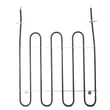
- If the oven will not heat in Bake, inspect the bake element for visible damage (blisters, cracks, burn spots); on this model the listed replacement is range bake element 316413800.
- If the oven is stuck in self-clean lockout, allow the oven to cool fully, then power reset; if it still will not unlock, the lock motor circuit may need service.
Error codes and what a reset can and cannot do
A power reset can clear a temporary fault, but repeated codes usually point to a part or wiring issue.
| What you see | What it usually means | What to do next |
|---|---|---|
| Random beeping, blank display, unresponsive keys | Control glitch or power interruption | Do the 60-second breaker reset |
| Same error returns after reset | Ongoing sensor, latch, or control problem | Use the error code chart and troubleshoot |
| Oven temperature is consistently off | Sensor out of range or calibration needed | Check sensor, then calibration steps |
For model-family code definitions and next steps, use Kenmore 790 self-cleaning range error codes. For model-specific operating steps (clock setting, cancel key behavior, self-clean notes), follow the 79092302013 owner's manual.
Why it matters
Resetting the oven the right way protects the electronic control and helps you separate a one-time power glitch from a real failure in the temperature sensor, bake element, or door lock system.
Last updated: February 2026
How many cubic feet is a Kenmore 79092302013 range?
The oven capacity (cubic feet) for Kenmore electric range model 79092302013 is listed in the product specifications section of the 79092302013 owner's manual. If you need the number immediately, you can calculate it by measuring the usable oven cavity and converting cubic inches to cubic feet.
How we calculate oven capacity (accurate DIY method)
Use the same measurement approach technicians use for electric ranges:
- Remove racks for easier access
- Measure inside width (left wall to right wall)
- Measure inside height (oven floor to oven ceiling)
- Measure inside depth (back wall to the front edge of the cavity, not into the door)
- Multiply:
width × height × depthto get cubic inches - Divide by 1,728 to convert to cubic feet
What to measure vs. what to ignore
Measuring the wrong surfaces is the most common reason capacity looks “too big.”
| Measure (inside the cavity) | Do not measure | Why it matters |
|---|---|---|
| Side wall to side wall | Outside cabinet width | Exterior size is not oven volume |
| Oven floor to oven ceiling | Control panel area | Controls are not part of the cavity |
| Back wall to front edge of cavity | Into the door space | Door space inflates the result |
Why it matters
Oven capacity affects real-world fit for large roasting pans, pizza stones, and multi-rack baking. It also helps when comparing Kenmore ranges or choosing accessories like an extra rack.
Related specs people confuse with cubic feet
These specs are important for setup, but they are not oven capacity:
- Required cabinet clearances above the cooktop
- Anti-tip bracket placement
- Power cord and terminal block wiring (3-wire vs. 4-wire)
For clearances and electrical hookup requirements for model 79092302013, use the 79092302013 installation guide.
Last updated: February 2026
Where can I find my Kenmore electric range model number?
On Kenmore electric range model 79092302013, the model and serial number plate is typically on the lower right front frame of the appliance; an alternate location is under the cooktop. We recommend confirming the exact label location in the 79092302013 installation guide.
Common places to check
- Open the oven door and look along the lower right front frame for a rating plate.
- Look under the cooktop (some versions place the plate there).
- Check around the storage or warmer drawer opening after pulling the drawer out.
- Look on the back panel near the cord/terminal block area.
- Wipe the area with a damp cloth; grease can hide the printed model number.
Quick ID tips (so you record it correctly)
The model number is usually printed with the serial number on the same plate.
| What to capture | Example format | Why it matters |
|---|---|---|
| Model number | 79092302013 | Ensures parts fit your exact range |
| Serial number | Letters and numbers | Helps match production version |
| Brand | Kenmore | Confirms correct parts catalog |
Why it matters
Kenmore ranges can have multiple versions that look similar. Using the exact model number helps us match the correct parts list and diagrams for items like a bake element, oven temperature sensor, or surface element control switch.
Last updated: February 2026
Why is my Kenmore electric oven not getting hot?
If your Kenmore 79092302013 electric range oven is not getting hot, the most common causes are a failed bake element, a bad oven temperature sensor, or a 240-volt power supply problem (one leg missing). Start with quick mode and power checks, then test the heating components.
Quick checks (fastest wins)
- Confirm you selected Bake and set a temperature, then press Start.
- Cancel any Delay Start or special modes that prevent immediate heating.
- Reset the double-pole range breaker fully OFF, then ON.
- Try Broil for 2 to 3 minutes; this helps separate bake vs. power issues.
- If an error code appears, match it using Kenmore 790 range 4-digit error codes.
- Review correct settings and basic operation in the 79092302013 owner's manual.
Parts that most often cause “no heat”
- Bake element: cracks, blisters, or a break; test continuity with power off.
- Oven temperature sensor: out-of-range readings can stop or limit heating.
- Wiring/terminal connections: loose or burned connections can drop voltage.
Helpful model-matched parts:
What the symptoms usually mean
| Symptom | Most likely cause | Next step |
|---|---|---|
| Oven light works, no heat in Bake or Broil | Lost leg of 240V, wiring/terminal issue | Reset breaker; inspect power cord and connections |
| Broil heats, Bake does not | Failed bake element or bake relay/control issue | Test/replace bake element first |
| Heats but won’t reach set temp | Sensor drifting or calibration | Test sensor; check calibration steps in manual |
Why it matters
An oven that will not heat often points to a failing heating circuit or power connection. Fixing it early restores safe, consistent cooking and helps prevent repeated shutdowns and uneven baking.
Last updated: February 2026








