 Installation guide
 Owner’s manual
 Error Codes








How do I turn off the loc on my Kenmore oven?
To turn off LOC (Oven Lockout) on your Kenmore Elite wall oven model 79048133800, press the Oven Lockout pad, then press and hold the same pad for 3 seconds until LOC disappears and the door unlocks. See the steps in the owner's manual.
What “LOC” means on model 79048133800
When LOC is showing, the Oven Lockout feature is on. It locks the oven door and prevents the oven from being turned on, but it does not disable:
- The clock
- The kitchen timer
- The interior oven lights
Steps to turn LOC off (unlock)
- Press the Oven Lockout pad.
- Press and hold the Oven Lockout pad for 3 seconds.
- Listen for a beep; LOC (and the oven indicator such as “UPPER”) disappears.
- Wait while DOOR and LOCKED flash; the door unlocks.
If LOC will not clear right away
- Wait about 15 seconds for the latch to fully unlock.
- Make sure the door is fully closed before unlocking.
- If the display shows SAb (Sabbath mode), turn that feature off first using the key combination listed in the owner's manual.
- If the control is unresponsive after a power flicker, reset power at the breaker for 1 minute, then try again.
Quick reference
| Display message | What it indicates | What to do |
|---|---|---|
| LOC | Oven Lockout is on | Hold Oven Lockout pad 3 seconds |
| DOOR / LOCKED flashing | Latch is moving | Wait for unlock to finish |
| SAb | Sabbath feature is enabled | Exit Sabbath mode, then unlock |
Why it matters
Lockout is a safety and control feature. Turning it off restores normal bake and broil operation and prevents confusion when the oven will not start even though the clock and lights still work.
Last updated: February 2026
How do you reset a Kenmore 79048133800 oven?
To reset a Kenmore Elite wall oven model 79048133800, turn the oven off, then cycle power to the unit (unplug or switch the circuit breaker off, then back on). After power is restored, reset the clock and reselect your cooking function as needed; see the owner's manual.
Quick reset options (what to try first)
- Press STOP/CLEAR to cancel a cooking cycle or clear beeping.
- If the control is unresponsive, turn power off at the breaker for about 1 minute, then restore power.
- After a power interruption, reset the clock before programming Bake, Broil, or Self-Clean.
- If the display shows an F-code and beeps, press STOP to clear it; reprogram the oven.
- If the oven is locked, turn off Oven Lockout (see steps below).
If the oven is locked (Oven Lockout)
This model uses an Oven Lockout feature that prevents the oven from being turned on and locks the door.
To turn Oven Lockout off:
- Press the Oven Lockout pad.
- Press and hold the same pad for 3 seconds.
- Wait for the door to fully unlock.
When a “reset” is really clearing settings
Some control settings can be returned to factory defaults by clearing stored recipes and adjustments.
| Reset type | What it affects | When to use it |
|---|---|---|
| Power reset (breaker off/on) | Reboots the control | Frozen display, odd behavior after outage |
| STOP/CLEAR | Cancels current operation | Wrong mode, beeping, need to restart cooking |
| Clear stored recipes/adjustments | Returns multiple control adjustments to defaults | Settings changed and you want a full control reset |
Why it matters
A proper reset restores normal control operation after a power failure, clears many temporary control glitches, and helps you confirm whether a problem is a one-time electronic hiccup or something that needs troubleshooting (like a temperature sensor or relay control issue).
Last updated: February 2026
Why is my Kenmore Elite oven not heating up?
If your Kenmore Elite wall oven 79048133800 is not heating, the most common causes are a power supply issue, control settings after a power interruption, or a failed heating component (bake element, sensor, or relay control). Start with power and settings, then test heat parts.
Quick checks (no tools)
- Reset the house breaker fully OFF, then ON; a partially tripped breaker can leave lights on but no heat.
- If the display is flashing after a power interruption, set the clock; the oven may not program until the clock is set.
- Press STOP/CANCEL, then reselect Bake or Broil and set a temperature.
- Allow a full preheat before judging performance.
- If a fault code appears, clear it with STOP/CANCEL; if it returns, record it.
Parts to check for “no heat”
- Bake element (bottom heat): open circuit stops baking.
- Broil element (top heat): can fail or heat weakly.
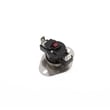
- Oven temperature sensor: incorrect resistance can prevent proper heating.
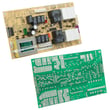
- Relay control board: failed relays stop power to elements.
- Terminal block or wiring: loose or burned connections interrupt power.
Model-matched parts often involved:
- Oven element 318601604
- Frigidaire range oven temperature sensor 316217002
- Frigidaire wall oven relay control board 316443910
What the symptom usually points to
| What you see | Most likely area | Next step |
|---|---|---|
| Broil works, Bake does not | Bake circuit | Test bake element for continuity |
| Bake and Broil both dead | Power, wiring, control | Check breaker, terminal block, relay board |
| Heats but temp is inaccurate | Sensor or calibration | Test sensor; review calibration in manual |
Why it matters
Checking power and programming first prevents unnecessary part replacement; then continuity testing quickly confirms whether the element, sensor, or control is stopping heat.
For control operation and troubleshooting steps specific to this oven, use the owner's manual.
Last updated: February 2026






