









How to hard reset a Kenmore dryer?
To hard reset your Kenmore electric dryer model 11096582100, disconnect power (unplug the cord or switch the breaker off) for at least 1 minute, then restore power and try a normal cycle. This clears many temporary control glitches and restores normal keypad response.
Hard reset steps (safe and effective)
- Turn the dryer OFF.
- Unplug the dryer; if it is hardwired, turn the breaker OFF.
- Wait 1 to 5 minutes (use 5 minutes if the panel was frozen).
- Restore power.
- Open and close the door once, then press Push to Start.
- If the dryer still will not start, test a timed cycle (no sensor features).
If the dryer still will not start after a reset
A reset will not fix a failed safety device or worn drive part. These are the most common next checks:
- Door not fully closing or switch not making contact; inspect the dryer door switch W10820036.
- No drum movement or a squeal/thump; inspect the drum belt 341241 and idler pulley.
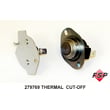
- Runs but shuts off quickly or seems dead; check the thermal cut-off system and airflow.
- Weak airflow or long dry times; clean the lint screen and venting, and inspect the blower wheel.
Quick symptom-to-part guide
| Symptom | What it usually points to | Related part on this model |
|---|---|---|
| No start, door must be slammed | Door switch or latch alignment | Dryer door switch, strike |
| Motor hums, drum does not turn | Broken belt or seized pulley | Drum belt, idler pulley |
| Runs but no/low airflow | Loose or stripped blower wheel | Blower wheel |
| Stops heating or trips safety | Overheating from restricted venting | Cut-off kit, thermostat |
Why it matters
Hard resets clear temporary electronic states, but dryers also have built-in safety circuits (door switch, thermal protection) that stop operation when a real problem exists. Fixing airflow issues and worn mechanical parts prevents repeat shutdowns and overheating.
For more Kenmore troubleshooting patterns, use our Kenmore 110 series electronic control model dryer error codes guide.
Last updated: February 2026
What is the error code f01 on Kenmore model 11096582100?
On Kenmore electric dryer model 11096582100, the F01 error code points to a failed temperature-sensing circuit, most commonly a bad thermistor or a control that is reading the sensor incorrectly. We focus first on airflow and the heating circuit safety devices because overheating can trigger repeat failures.
What to check first (fast, high-impact)
- Unplug the dryer; reset by leaving it unplugged for 2 minutes, then retry.
- Clean the lint screen and inspect the lint chute for blockage; a packed chute can overheat the heater housing.
- Check the vent run to the outside for crushing, kinks, or heavy lint buildup.
- If the code returns quickly, inspect the heater housing wiring for heat damage.
- If the dryer runs but stops and shows F01, suspect a sensor or control input problem.
Parts that commonly relate to F01 symptoms on this model
If you find overheating, burnt wiring, or a no-heat condition along with F01, these model-compatible parts are common fixes:
Quick symptom-to-likely-cause guide
| What you notice | Most likely area | What we do next |
|---|---|---|
| Dryer gets very hot, long dry times | Restricted airflow | Clean lint path and venting |
| No heat, tumbles normally | Thermal cut-off opened | Test/replace cut-off kit |
| Intermittent heat, cycling issues | Operating thermostat | Test thermostat continuity |
| Burnt smell near heater housing | Wiring/terminal connections | Inspect and repair wiring |
Why it matters
F01 is often tied to temperature sensing and overheating. Fixing airflow and heat-circuit protection issues first helps prevent repeat shutdowns, protects the heating element wiring, and restores normal cycle operation.
For model-specific electronic fault interpretation, we also use the Kenmore 110 series electronic control model dryer error codes reference as a cross-check when symptoms suggest a control-related fault.
Last updated: February 2026
What model Kenmore dryer do I have?
If you’re on this Kenmore dryer parts page, your dryer model is Kenmore 11096582100. To confirm on the appliance itself, match the full model number from the dryer’s ID tag to 11096582100; that exact number is what we use to get the right parts and diagrams.
Where to find the model number tag
On most Kenmore electric dryers, the model/serial tag is in one of these spots:
- Inside the dryer door opening on the cabinet frame
- On the back panel of the dryer
- Along the door opening edge near the latch area
- Near the lint screen housing area (depending on design)
How to read Kenmore model numbers (quick guide)
Kenmore model numbers are usually a long string of digits. The first three digits are especially helpful:
- 110: Common Kenmore prefix used on many Whirlpool-built dryers
- The remaining digits: Identify the exact configuration (timer, door style, drum, heater circuit)
| What you see on the tag | What it means | What to do next |
|---|---|---|
| 11096582100 | Exact match | Use parts listed for this model |
| 11096582100 plus extra letters | Not typical for this series | Use the full number exactly as printed |
| Starts with 796 or 417 | Different Kenmore family | Use the matching Kenmore error code guide for that family |
Why it matters for parts and repairs
Even small model-number differences can change the correct drum belt, door switch, or thermostat. For example, if your dryer won’t tumble, the correct belt for this model is the drum belt 341241.
Helpful next step if you’re troubleshooting
If your dryer has an electronic control and is showing a code, use the Kenmore 110 series electronic control model dryer error codes guide to narrow down the failure before ordering parts.
Last updated: February 2026









