Owner’s manual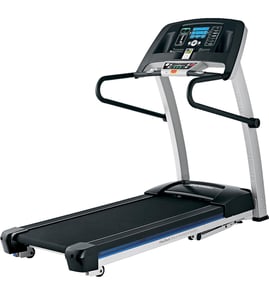

What are common problems with ProForm treadmills?
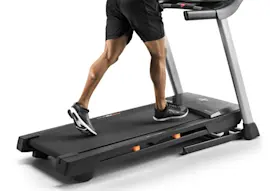
Common problems on the Proform 831297381 (Crosswalk 2.5) treadmill include no power, the belt not moving correctly (slipping, drifting, or noise), and console operation issues caused by power supply or safety-key related conditions. We start with the basic checks and the model’s troubleshooting steps in the 831297381 owner's manual.
Most common symptoms and what they usually mean
- Treadmill will not power on: outlet, surge protector, safety key not fully inserted, or a tripped treadmill circuit breaker.
- Belt slips, hesitates, or feels jerky: walking belt tension or deck friction; sometimes drive belt wear.
- Belt drifts left or right: walking belt alignment needs adjustment.
- Unusual noise (squeal, rubbing, thump): misalignment, roller wear, or belt friction.
- Incline does not change smoothly: incline mechanism binding or loose hardware.
Quick checks we recommend first (in order)
- Plug the treadmill into a properly grounded outlet using a UL-listed surge protector rated for 15 amps.
- Confirm the safety key is fully inserted in the console; replace a missing or damaged key with the treadmill safety key 119038.
- Check and reset the treadmill’s breaker if it has tripped; wait briefly before resetting.
- Inspect the walking belt for center tracking and even tension; use the rear roller adjustment procedure in the manual.
- If alignment is the issue, the treadmill walking belt alignment tool 128457 can help you make small, even adjustments.
Symptom-to-fix guide
| Symptom | What to check first | Likely next step |
|---|---|---|
| No power | Surge protector, safety key | Reset breaker; inspect cord/connection |
| Belt slips | Belt tension | Inspect drive belt condition |
| Belt drifts | Rear roller alignment | Re-check tension after centering |
| Noise | Belt alignment and tension | Inspect rear roller and deck contact |
Why it matters
Power and belt issues are the most common causes of “dead” or unsafe treadmill operation. Correct belt tracking and proper safety-key use help prevent sudden stops, belt damage, and premature wear on rollers and the drive system.
Last updated: January 2026
What is the life expectancy of a ProForm treadmill?
A Proform treadmill typically lasts 7 to 12 years in home use with consistent maintenance. For the Proform 831297381 (CROSSWALK 2.5), keeping the walking belt properly adjusted, reducing dust around the motor area, and replacing wear items on time are the biggest factors in reaching the high end of that range; see the 831297381 owner's manual for model-specific care and adjustment steps.
Typical lifespan by usage level
| Usage pattern | What we typically see | What shortens life fastest |
|---|---|---|
| Light (1 to 3x/week) | 10 to 12 years | Dust buildup, dry belt/deck |
| Moderate (4 to 6x/week) | 7 to 10 years | Loose walking belt, overheating |
| Heavy (daily, multiple users) | 5 to 8 years | Worn rollers, drive belt wear |
Maintenance that extends treadmill life
- Keep the area around and under the treadmill clean to limit dust pulled into the motor compartment.
- Check walking belt tracking and tension regularly; a belt that drifts or slips accelerates roller and deck wear.
- Inspect the drive system for wear and replace worn parts before they damage other components.
- Use the safety key every workout to reduce sudden starts and control-board stress; replace a missing key with the treadmill safety key 119038.
- If the walking belt won’t stay centered, use the treadmill walking belt alignment tool 128457 to make small, even adjustments.
Parts that commonly wear before the treadmill “wears out”
These are normal wear items on many treadmills and are often the difference between a treadmill that lasts 6 years vs. 10+ years:
- Walking belt and deck (friction surfaces)
- Drive belt (motor-to-front roller), such as the Proform treadmill drive belt 224018
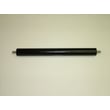
- Rollers and bearings, including the treadmill rear roller 133845
- Electrical protection parts (if nuisance trips occur), such as the treadmill circuit breaker, 15-amp 109382
Why it matters
Most treadmill “failures” start as small wear or adjustment issues (belt slip, misalignment, dust-related overheating). Catching those early protects the motor, controller, and rollers, which are the most expensive components to replace.
Last updated: January 2026
What is the weight limit on the ProForm 831297381 treadmill?
The user weight limit for the Proform CROSSWALK 2.5 treadmill model 831297381 is listed in the product specifications in the 831297381 owner's manual. Use that limit as the maximum user weight for safe operation and to reduce wear on the walking belt, deck, and rollers.
How to confirm the exact rating
Check the specifications and safety sections in the 831297381 owner's manual. If you are comparing treadmills, use the manual’s stated limit (not a similar-looking model) because frame and motor designs vary.
Why the weight limit matters
Staying within the rated capacity helps prevent:
- Premature walking belt and deck wear
- Rear roller and front roller bearing damage
- Drive belt slippage and motor strain
- Excess vibration that can loosen hardware
- Nuisance shutdowns from overload protection
If the treadmill feels strained under load
These checks often help on the 831297381:
- Verify the safety key is fully seated; replace a worn key with the treadmill safety key 119038.
- Center and tension the walking belt using the rear roller adjustment bolts; the treadmill walking belt alignment tool 128457 can help.
- Inspect the rear roller for roughness or wobble; replace if needed with the treadmill rear roller 133845.
- Check the drive belt for glazing, cracking, or slipping; replace with the Proform treadmill drive belt 224018 if worn.
- Reset and test the overload protection if the unit stops; a weak breaker may need replacement with the treadmill circuit breaker, 15-amp 109382.
Quick guidance table
| Situation | What to do first | What it protects |
|---|---|---|
| Unsure of max user weight | Verify in the manual specs | Frame, motor, rollers |
| Belt drifts left or right | Align and re-tension belt | Belt edges, deck |
| Belt slips at start | Inspect drive belt condition | Motor, drive system |
| Treadmill stops mid-workout | Check breaker and load | Electronics, wiring |
Last updated: January 2026