- Kenmore refrigerator water filters
- Whirlpool refrigerator water filters
- Samsung refrigerator water filters
- GE refrigerator water filters
- LG refrigerator water filters
- Frigidaire refrigerator water filters
- KitchenAid refrigerator water filters
- Maytag refrigerator water filters
- Kenmore Elite refrigerator water filters
- Estate refrigerator water filters
- GE Profile refrigerator water filters
- Amana refrigerator water filters
- Bosch refrigerator water filters
- Dacor refrigerator water filters
- Electrolux refrigerator water filters
Top DIY repair help
View All Repair Categories
Appliances
Lawn & Garden
Power Tools
Home Improvement
Sports & Leisure
Heating & Cooling
Quick Links
How to replace a treadmill walking belt
less than a minute readMay 20
Repair time and Difficulty
45 minutes or less
Tools Required
- Work gloves
- Phillips screwdriver
- Allen wrenches
- Wrench set
This DIY repair guide explains how to replace the walking belt on a treadmill. The walking belt slides across the walking board as the front and rear rollers rotate the belt. A worn walking belt slows down or sticks during use. Replace a worn treadmill walking belt with the manufacturer-approved treadmill part.
Use this repair guide and video to replace the treadmill walking belt on ProForm, Weslo, Lifestyler, Weider and Horizon treadmills.
Instructions
- 1. Shut off the electricity
Remove the key and unplug the treadmill’s power cord from the wall outlet.
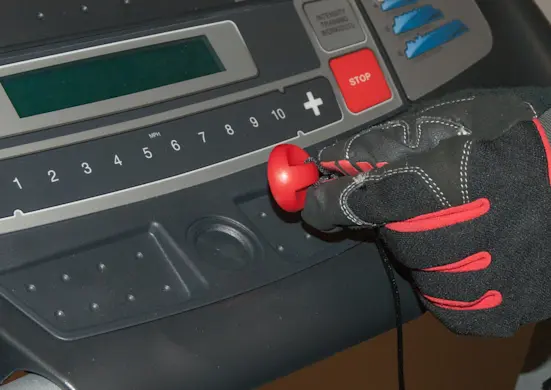
PHOTO: Remove the key.
- 2. Remove the motor hood
Remove the screws securing the motor hood to the belly pan.
Pull the motor hood forward and remove it from the treadmill frame.
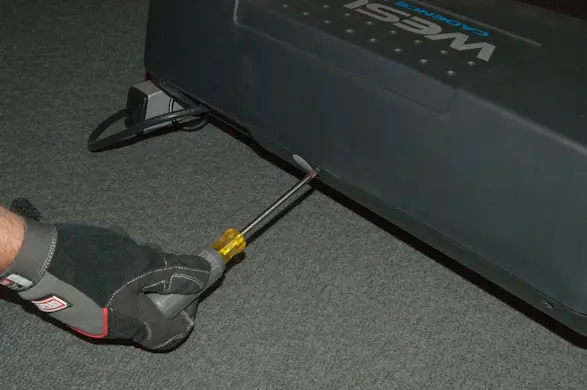
PHOTO: Remove the motor hood screws. 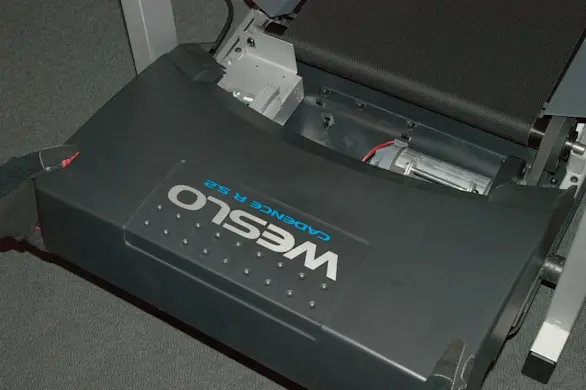
PHOTO: Remove the hood.
- 3. Remove the right side foot rail
Fold the treadmill up and engage the latch.
Remove the screws from under the walking board that fasten the right side foot rail to the walking platform.
Release the latch and unfold the treadmill.
Lift the right foot rail up and off.
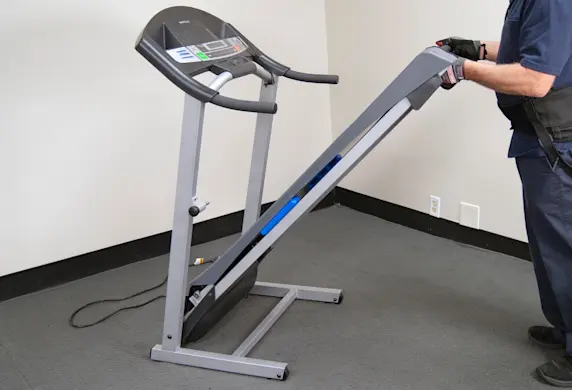
PHOTO: Fold the treadmill up. 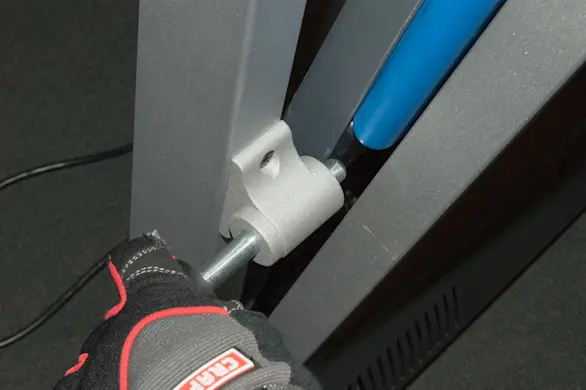
PHOTO: Engage the latch. 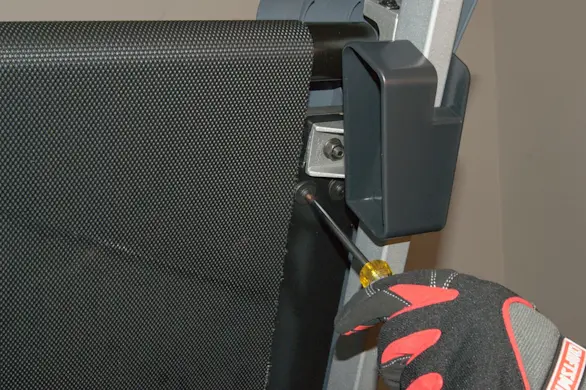
PHOTO: Remove the foot rail screws. 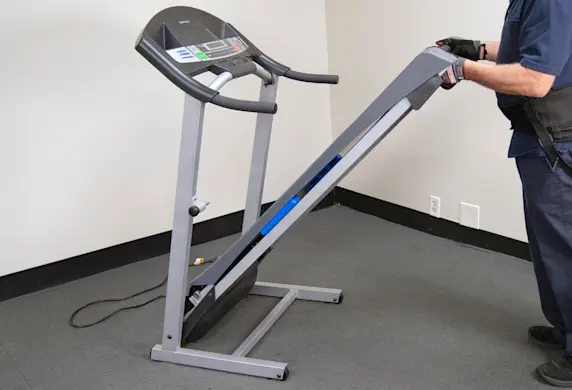
PHOTO: Fold the treadmill down. 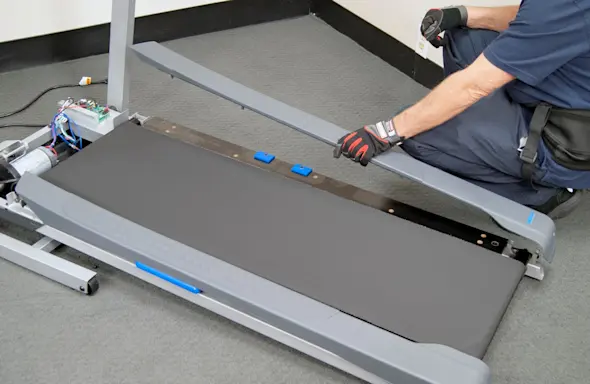
PHOTO: Remove the right side foot rail.
- 4. Remove the walking belt
Turn the right side roller adjustment Allen screw to release the walking belt tension.
Lift the rear roller up and out of the mounting bracket.
Remove the front roller adjustment nut and screw.
Lift the front roller up and out of its mounting bracket.
Fold the treadmill up and engage the latch.
Remove the front and rear corner screws that fasten the right side of the walking board to the frame.
Release the latch and unfold the treadmill.
Lift and hold the right side of the walking platform up and slide the walking belt off the walking board and belt rollers.
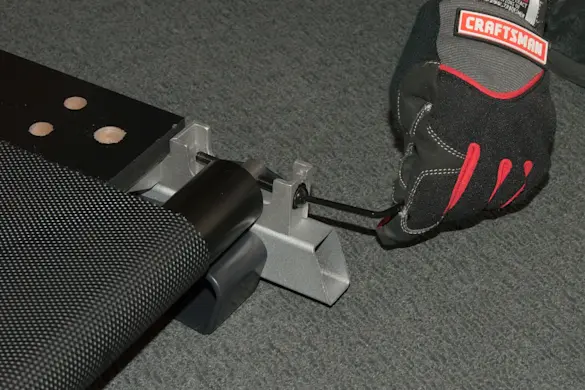
PHOTO: Release the belt tension. 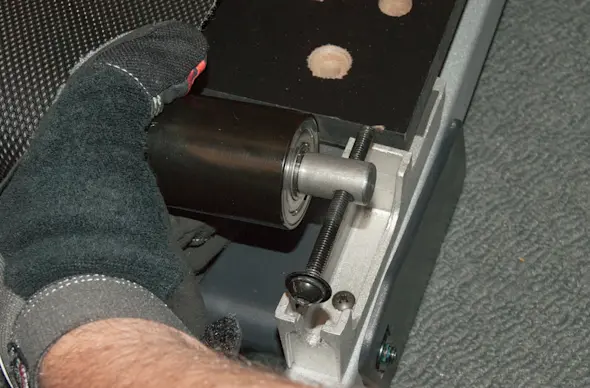
PHOTO: Lift out the rear roller. 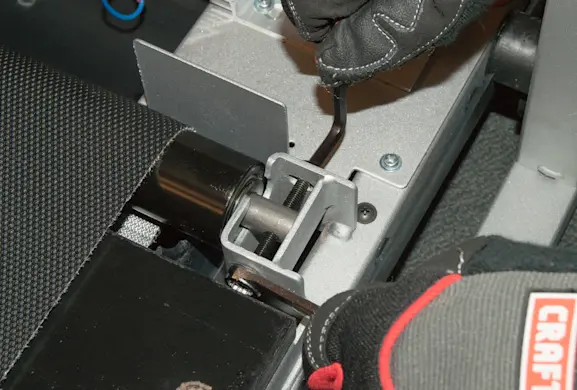
PHOTO: Remove the front roller screw. PHOTO: Fold the treadmill up. 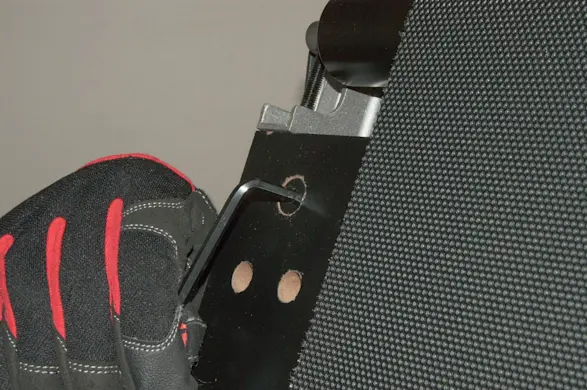
PHOTO: Remove the right side corner screws. 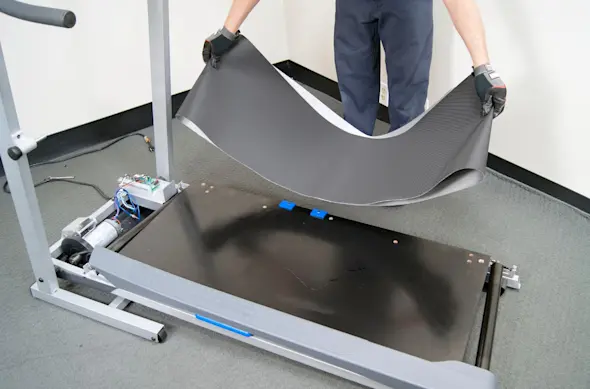
PHOTO: Remove the walking belt.
- 5. Install the new walking belt
Lift the right side of the walking board up and slide the new walking belt over the walking board and belt rollers.
Fold the treadmill up and engage the latch.
Reinstall the right front and right rear mounting screws to fasten the platform to the frame.
Release the latch and unfold the treadmill.
Position the front roller in the mounting bracket and reinstall the mounting screw and nut in their original position.
Position the rear roller adjustment screw with the washers to outer side of the rear roller-mounting bracket.
Rotate the adjustment screw to apply tension to the belt.
When properly tensioned, you should be able to lift the edge of the walking belt 2-3 inches.
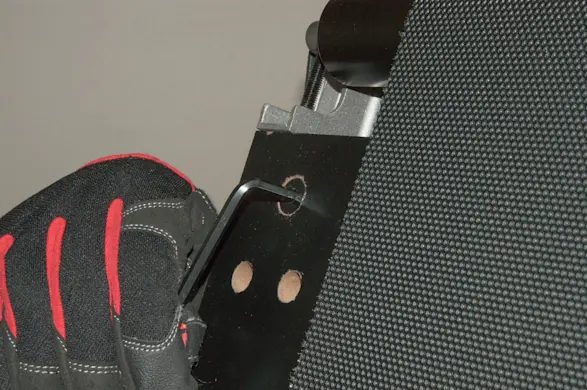
PHOTO: Reinstall the walking board mounting screws. 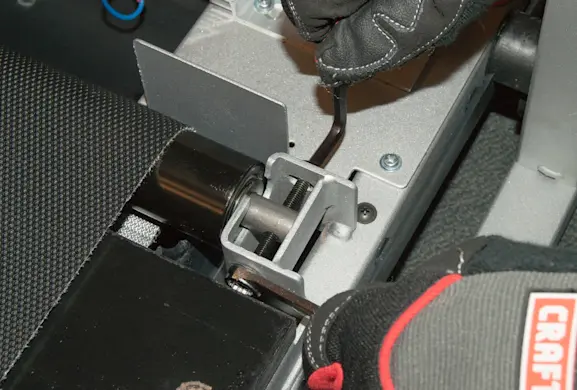
PHOTO: Reinstall the front roller. 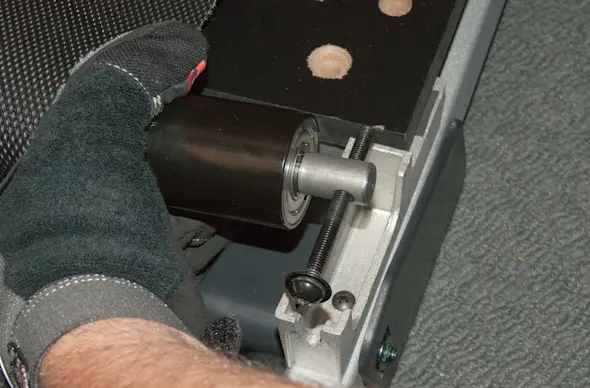
PHOTO: Reinstall the rear roller. 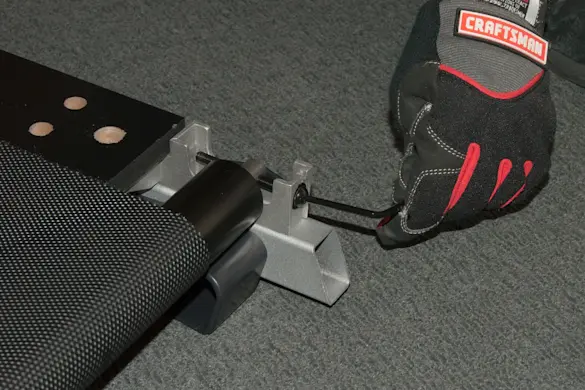
PHOTO: Apply tension to the belt.
- 6. Reinstall the right foot rail
Reinstall the right side foot rail and mounting screws.
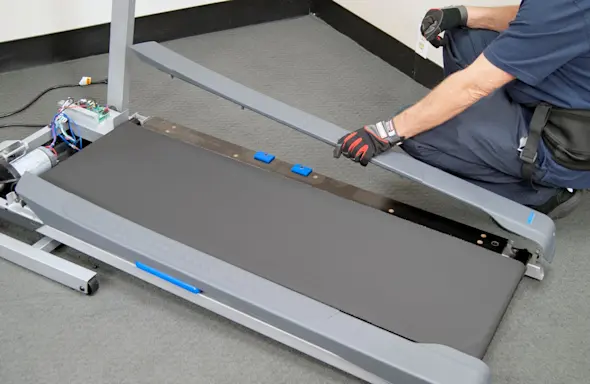
PHOTO: Reinstall the side foot rail.
- 7. Reinstall the motor hood
Release the latch and unfold the treadmill.
Slide the motor hood onto the frame.
Reinstall the motor hood mounting screws.
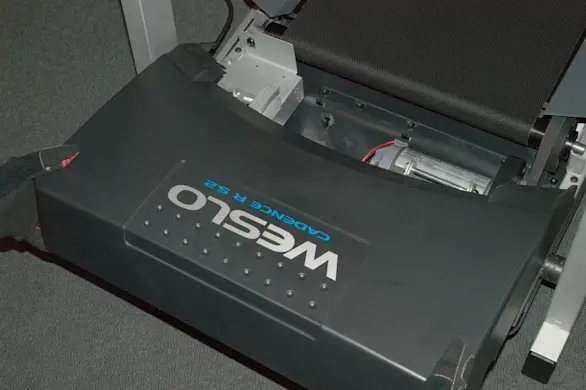
PHOTO: Reinstall the motor hood. 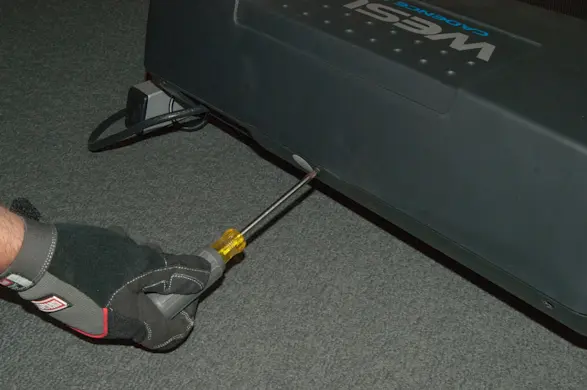
PHOTO: Reinstall the hood mounting screws.
- 8. Restore power
Plug the treadmill into the electrical outlet.
- 9. Check belt tracking
Do not walk on the treadmill while checking and adjusting the belt tracking.
Put the key in and start the treadmill. Set the speed to the slowest setting and let it run for a minute or so.
If the belt is not tracking in the center, remove the key and unplug the power cord.
Use the Allen wrench supplied with the treadmill and adjust the rear rollers as needed to center the walking belt.
If the belt is tracking to the left of center, turn the left roller adjustment screw clockwise 1/2 of a turn.
If the belt is tracking to the right of center, turn the left roller adjustment screw counter clock-wise 1/2 of a turn.
After adjustment, restore power and recheck the tracking.
Repeat until belt is tracking in the center.
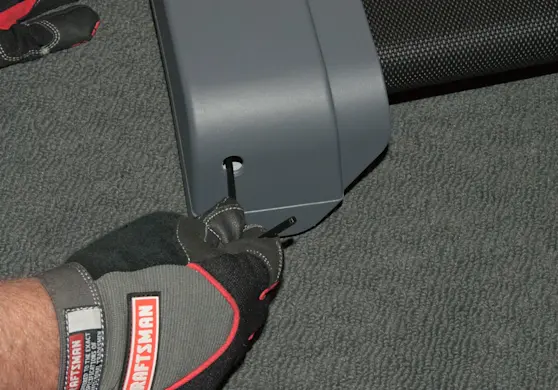
PHOTO: Adjust the belt tracking.
- 10. Shut off the electricity
Remove the key and unplug the treadmill’s power cord from the wall outlet.
- 11. Lubricate the walking board
Lift the sides of the treadmill belt and evenly apply silicone lubricant to the walking board.
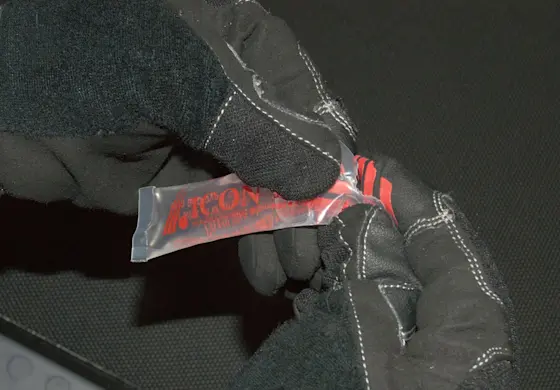
PHOTO: Apply silicone lubricant to the walking board. Spread the silicone with a wood paint stirrer or similar flat item.
- 12. Restore power and disperse the lubricant
Plug the treadmill into the electrical outlet.
Run the treadmill for several minutes on medium speed to disperse the lubricant evenly over the walking board.
Walk on the belt for a few minutes to evenly spread the silicone lubricant across the walking board.
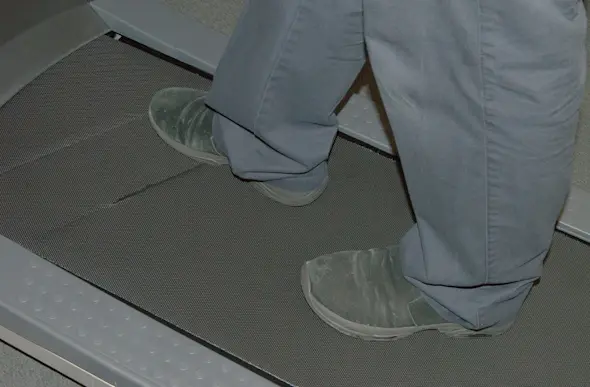
PHOTO: Walk on the treadmill to spread the lubricant.