 Owner’s manual
 Error Codes




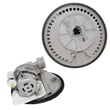
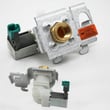
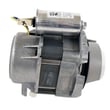
Does the Kenmore 66516032403 dishwasher have a filter?
Yes. The Kenmore 66516032403 dishwasher uses the ULTRA WASH soil removal system with a triple action filtration system that intermittently filters soil from the wash water, so you do not need to pre-rinse dishes before loading.
In this model, filtration is part of the wash module that removes food particles from the water during the cycle.
- It filters soil from the wash water intermittently
- It helps reduce the need to scrape or rinse dishes
- It works alongside the optical soil sensor and automatic temperature control
- Hard items (seeds, nuts, eggshells) can cause grinding or crunching noises if they enter the module
If you notice poor cleaning, gritty residue, or unusual noise, we recommend these checks first:
- Remove hard debris from dishes (bones, toothpicks, fruit pits) before loading
- Make sure spray can reach all surfaces (avoid stacking and overlapping)
- Confirm the lower spray arm can spin freely and is not blocked by tall items
- If the dishwasher is not draining well, check and clean the sink or countertop drain air gap (if your home has one)
| Symptom | Most common cause | What to check first |
|---|---|---|
| Grit on dishes | Food particles recirculating | Loading, spray arm blockage, hard debris in wash module |
| Grinding/buzzing | Hard items in wash module | Remove seeds/nuts/eggshells; avoid metallic screws |
| Poor drying | Water not draining off surfaces | Loading angle, spacing, and cup orientation |
A working filtration system keeps wash water cleaner during the cycle, which improves cleaning results and helps protect key components like the heating element and pump motor from debris-related strain.
For model-specific parts and features, we recommend checking the owner's manual.
Last updated: February 2026
How to clean Kenmore 66516032403 dishwasher filter?
To clean the filter area in your Kenmore 66516032403 dishwasher, we remove the lower rack, lift off the lower spray arm, then lift out the filter basket/screen area and rinse away trapped food and debris. Reinstall everything securely before running a cycle.
- Turn off power at the breaker for safety.
- Pull out the lower rack.
- Remove the lower spray arm (it typically lifts off after releasing its mount).
- Lift out the filter basket/screen area beneath the spray arm.
- Rinse the filter parts under warm water; use a soft brush for stuck-on debris.
- Reinstall the filter basket, then reinstall the spray arm and lower rack.
- Use warm water and a soft brush or soft sponge.
- Use mild dish detergent if needed.
- Avoid harsh cleansers that can cause foaming or damage interior surfaces.
- Wear rubber gloves if you are cleaning inside the tub.
If the dishwasher still leaves grit, smells, or won’t drain well after cleaning:
- Check the drain air gap (if your sink setup has one) for clogs.
- Look for hard items (seeds, nuts, eggshells) that can cause grinding noises.
- Make sure dishes are not blocking spray movement.
- If water is not heating, test the heating circuit components.
| Symptom | Most likely area to check | Related part for this model |
|---|---|---|
| Dishes not drying well | Heating and water temperature | Dishwasher heating element W10518394 |
| Standing water | Drain path restriction | Dishwasher drain hose 8269144A |
| Poor fill or weak wash | Water supply into dishwasher | Dishwasher water inlet valve WPW10158389 |
Your dishwasher uses a filtration system to remove food particles from the wash water. Keeping the filter area clear helps prevent odors, improves wash performance, and reduces drain problems.
For model-specific diagrams and care instructions, use the owner's manual.
Last updated: February 2026
Why is water standing in the bottom of my Kenmore dishwasher?
Standing water in the bottom of your Kenmore dishwasher model 66516032403 almost always points to a drain problem: the cycle did not fully complete, the drain path is restricted (air gap, hose, disposer connection), or the drain pump area is blocked. Use the troubleshooting steps in the owner's manual to pinpoint the cause.
- Confirm the cycle is actually complete; cancel and drain if your model supports it.
- Check the sink drain and garbage disposer for slow draining (a clogged house drain can back water up).
- If you have a countertop air gap, remove the cap and clean out debris.
- Inspect the drain hose for kinks, crushing, or a low loop that can allow backflow.
- If the dishwasher was recently installed or moved, make sure the disposer knockout plug was removed.
Before checking internal parts, shut off power at the breaker.
- Remove the lower rack and look for food, labels, or glass near the sump area.
- Verify the overfill protection float moves up and down freely; clear anything stuck underneath.
- If you hear humming but no draining, the drain pump area is likely obstructed.
| Symptom | Most likely area | What we typically do |
|---|---|---|
| Water remains after cycle ends | Drain path restriction | Clean air gap, hose, disposer inlet |
| Hums but won’t drain | Pump area blocked | Clear debris; inspect pump components |
| Drains slowly | Hose routing or partial clog | Correct routing; replace damaged hose |
If the hose is split, soft, or permanently kinked, replacing it is a reliable fix; use the model-matched dishwasher drain hose 8269144A.
Standing water can cause odors, redeposit soil on dishes, and strain the pump motor over time. Restoring proper drainage also improves wash performance and helps prevent water backing up into the tub.
Last updated: February 2026
How to reset Kenmore 66516032403 dishwasher?
To reset your Kenmore 66516032403 dishwasher, use the CANCEL/DRAIN function to stop the current cycle, clear selected options, and return the controls to a ready-to-start state. If the keypad is locked, turn off LOCK ON first.
- Close the door fully (the door must be closed for draining).
- Press CANCEL/DRAIN once.
- Let the dishwasher run the drain cycle (about 2 minutes, if needed).
- When the Cancel/Drain light turns off, choose a new cycle and any options.
- Press START/RESUME to begin.
This model uses a Control lock feature. When LOCK ON is lit, the buttons are disabled.
- Press and hold HEATED DRY for 4 seconds.
- Confirm the LOCK ON light turns off.
- Then run the reset steps above.
For the exact control layout and indicator behavior, use the 66516032403 owner's manual.
| What you do | What it does | Typical use |
|---|---|---|
| CANCEL/DRAIN | Stops the cycle and drains water (if needed) | Wrong cycle selected, stuck cycle, need to restart |
| CANCEL/DRAIN before starting | Clears cycle and option indicators | Lights will not clear, options will not change |
| HEATED DRY (hold 4 sec) | Toggles LOCK ON off/on | Keypad seems dead, LOCK ON light is on |
Canceling and draining before restarting prevents leftover water from carrying into the next cycle and clears conflicting selections. Unlocking the controls restores normal keypad operation so START/RESUME works correctly.
Last updated: February 2026
What are common problems with Kenmore dishwashers?
Common problems on the Kenmore 66516032403 dishwasher are no-start or stopping mid-cycle, poor cleaning, poor drying, draining problems, leaks, and unusual noises. Most issues trace back to power or door-latch conditions, low incoming water temperature, loading and detergent choices, or a worn part such as a valve, hose, seal, or pump.
- Won’t start or stops: door not fully latched, cycle not selected correctly, power interruption, tripped breaker or blown fuse
- Poor cleaning: incorrect loading, low water temperature (target 120°F / 49°C at the dishwasher), not enough fresh detergent
- Poor drying: rinse aid empty, air-dry option selected, plastics holding water
- Not draining: drain hose restriction or routing issue, drain pump or motor problem
- Leaks: worn door seal, loose clamps, cracked hose, inlet valve seepage
- Grinding or buzzing: hard object in the wash module area; noise should stop after the object breaks down
- Confirm the door closes tightly and latches; then re-start the cycle.
- Verify the dishwasher has power (breaker/fuse); reset if needed.
- Run hot water at the sink until it’s hot; then start the dishwasher (helps reach 120°F at fill).
- Check loading so spray can reach dishes; avoid blocking spray paths.
- Use fresh dishwasher detergent and fill rinse aid.
| Symptom | Part to check/replace | What it affects |
|---|---|---|
| Not heating, poor drying, weak cleaning | Dishwasher heating element W10518394 | Water heating and heated dry |
| Not filling or fills slowly | Dishwasher water inlet valve WPW10158389 | Water entering the tub |
| Not draining | Dishwasher drain hose 8269144A | Water leaving the tub |
| Leaking at the door | Dishwasher door seal W10542314 | Door-to-tub seal |
| Dead/no power symptoms | Fuse W10258275 | Protects the control circuit |
A dishwasher can look “broken” when the real issue is a basic condition (door not latched, low water temperature, or detergent and loading). Fixing those first prevents unnecessary part replacement and helps protect the pump motor and heating system.
For model-specific operating tips and troubleshooting steps, use the owner's manual.
Last updated: February 2026








