 Installation guide
 Owner’s manual
 Error Codes










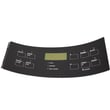
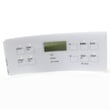
How do I reset my Kenmore electric range?
To reset your Kenmore electric range model 79096011405, turn the range off, then restore power by switching the circuit breaker off and back on (or unplugging and plugging back in). After power returns, reset the clock and any oven settings using the steps in the 79096011405 owner's manual.
Quick reset steps (most common)
- Turn all surface element knobs to OFF.
- If the oven is running, press Cancel/Off.
- Turn the range breaker OFF for about 1 minute.
- Turn the breaker ON.
- Reset the clock and re-enter any bake/broil settings.
- Test a surface element and the oven to confirm normal operation.
If the reset is after a power outage
Your range can resume operation when power returns if it was not turned off during the outage. For safety, always turn the range off during a power failure, then once power is restored, reset the clock and oven function per the 79096011405 owner's manual.
What a reset does (and does not do)
| Action | What it helps | What it will not fix |
|---|---|---|
| Power reset (breaker/unplug) | Clears minor control glitches, restores normal keypad response | Burned-out heating element, failed switch, broken wiring |
| Clock reset | Restores timed bake features and correct display time | Temperature calibration issues |
When a reset is not enough
If the oven still will not heat, heats unevenly, or trips the breaker, check for a failed heating component. A common repair is replacing the bake element on this model, such as the frigidaire range bake element 316075103 (if your element is visibly blistered, cracked, or not glowing during bake).
Why it matters
A proper reset restores safe, predictable operation after a power interruption and helps rule out a temporary control issue before you replace parts like a bake element, control switch, or control panel.
Last updated: January 2026
How to fix F1 error on Kenmore oven?
On Kenmore electric range model 79096011405, an F1 error means the electronic oven control detected a fault. First, press STOP/CLEAR to stop the beeping and clear the display; then reprogram the oven. If the code returns, the problem is typically in the keypad/control area.
Quick reset and first checks
- Press STOP/CLEAR once to clear the code and stop the alarm.
- Turn the range power OFF at the breaker for 1 minute, then restore power.
- Set the clock and try Bake again.
- If the control is locked and shows “LOC”, turn off lockout (press and hold the lockout pad for 3 seconds).
- If F1 returns immediately after power-up, focus on the control panel and wiring connections.
What usually causes an F1 code
F1 is most often triggered by a problem in the oven’s control system (keypad/touch panel input or the electronic control sensing an internal fault).
| Symptom | Most likely area | What to do next |
|---|---|---|
| Beeping with F1 during cooking | Control/keypad input fault | Clear with STOP/CLEAR; power reset; inspect control connections |
| F1 returns right after restoring power | Control board fault or shorted keypad | Plan for control diagnosis and likely replacement |
| “LOC” appears when pressing pads | Control lockout is on | Cancel lockout using the steps in the manual |
Parts that may be involved
If the F1 keeps coming back after a reset, the repair commonly involves the control panel area.
- Range control panel 316402706 (control panel assembly)
- Range control overlay 316419141 (overlay/label for the control area)
Why it matters
An F1 error can disable baking and may cause constant beeping. Clearing the code gets you cooking again temporarily, but repeated F1 codes point to an electrical control issue that can worsen over time.
For model-specific control functions (including lockout and error behavior), follow the steps in the 79096011405 owner’s manual.
Last updated: January 2026
What is the width of a Kenmore range?
Most Kenmore ranges are 30 inches wide, and the installation dimensions for Kenmore model 79096011405 show an overall width of 29 7/8 inches (it fits a standard 30-inch range opening). For exact cutout and clearance details, use the 79096011405 installation guide.
Model 79096011405 width and fit
Here is the practical way to think about width for this Kenmore electric range:
- Appliance body width: 29 7/8 inches
- Standard opening it’s designed for: 30 inches
- Clearance to rear wall: 0 inches minimum (per the installation dimensions)
- Cabinet clearance above cooktop: typically 30 inches minimum to an unprotected cabinet bottom
Quick reference table
| Measurement | What it means | Typical value for this model |
|---|---|---|
| Overall width | Side-to-side width of the range body | 29 7/8 in |
| “30-inch range” class | Standard cabinet opening category | 30 in opening |
| Rear clearance | Space behind the range to the wall | 0 in minimum |
How we recommend measuring at home
To avoid a tight fit, we recommend measuring both the appliance and the opening:
- Measure the opening width between cabinets at the front and at the back.
- Measure the range width at the widest point (often near the cooktop edge).
- Confirm the handle and door swing will clear nearby walls or islands.
- Verify the range is level once installed (leveling affects alignment and gaps).
Why it matters
A range that is even slightly too wide can rub cabinets, sit crooked, or prevent proper positioning against the wall. Using the installation dimensions helps prevent countertop and cabinet issues and ensures safe clearances.
Last updated: January 2026






