Owner’s manual




What is the most common problem with the Samsung washing machine?
On the Samsung WF42H5000AW washer, the most common customer-reported issue is a fill or water-level sensing problem: the washer won’t fill, fills too slowly, or stops and shows a fill-related code. In many cases, the cause is a restricted water supply or inlet screens.
Quick checks we recommend first
Before assuming a failed part, we recommend these simple checks (they solve a large share of “no fill” complaints):
- Confirm both hot and cold faucets are fully open.
- Make sure the inlet hoses aren’t kinked, crushed, or installed backwards.
- Check for clogged inlet screens at the faucet and at the washer’s water valve.
- Verify household water pressure is adequate (low pressure can trigger fill timeouts).
- If the washer shows a code, match it to the troubleshooting steps in the WF42H5000AW user manual.
What the codes usually point to
The WF42H5000AW uses information codes to narrow down the problem. Here’s a quick guide:
| What you see | What it usually means | Most common non-part cause |
|---|---|---|
| 4E / 4E2 | Fill problem or hot/cold hose connection issue | Closed faucets, kinked hoses, clogged inlet screens |
| 1E | Water level sensor issue | Suds/air trap issues, intermittent wiring, sensor fault |
| OE | Water level sensing fault | Sensor or control-related issue |
Why it matters
Fill and water-level problems can stop the cycle mid-wash, leave detergent undissolved, and sometimes cause repeated draining attempts. Fixing the water supply restriction early helps prevent unnecessary wear on the inlet valve and drain pump.
If the basics check out
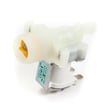
If hoses, screens, and water pressure are all good and the problem repeats, the next likely suspects are the water inlet valve assembly, pressure hose/air trap, or the water level sensor circuit. At that point, we recommend using the diagnostic and code steps in the manual and scheduling service if needed.
Last updated: January 2026
Is the Samsung 4.5 front load washer any good?
The Samsung WF42H5000AW is generally a solid front-load washer when it’s installed level, used with HE detergent, and maintained regularly. It’s designed for efficient cleaning and includes features like Self Clean+ and Smart Care that can help with odor control and troubleshooting.
What “good” looks like for this model
We consider the WF42H5000AW a good choice if you want strong cleaning with lower water use and you’re comfortable doing basic upkeep (door seal wipe-downs, periodic cleaning cycles). For operating details and cycle options, use the WF42H5000AW manual.
Strengths most owners notice
- Efficient wash action typical of front-load washers (good stain removal with proper cycle selection)
- Helpful maintenance features like Self Clean+ (recommended regularly)
- Smart Care support for reading and responding to error codes with a smartphone
- Multiple cycle choices (Normal, Heavy Duty, Bedding, Delicates, Quick Wash, Active Wear)
- High-speed spin capability to reduce dry time (when loads are balanced)
Common downsides (and how to avoid them)
- Odors/mildew: leave the door open between loads and run Self Clean+ routinely
- Excess suds: use only HE detergent and avoid over-dosing
- Vibration/noise: confirm shipping bolts were removed at install and the washer is level
- Drain issues: clean the debris filter if draining slows or an error appears
Quick comparison: front-load vs top-load (in real use)
| Feature | Front-load (WF42H5000AW) | Typical top-load |
|---|---|---|
| Water use | Lower | Higher |
| Cleaning action | Strong tumbling | Agitation/impeller varies |
| Maintenance | Door seal and cleaning cycles matter more | Usually less odor-prone |
| Spin-out | Often better | Varies by design |
Why it matters
A front-load washer like the Samsung WF42H5000AW can clean extremely well and save water, but performance depends heavily on correct installation, using HE detergent, and routine cleaning. Those habits prevent the most common complaints (odor, suds, vibration).
Helpful related resources
Last updated: January 2026
What is the capacity of the Samsung wf42h5000?
The Samsung WF42H5000AW washer has a 4.2 cu. ft. capacity, which is the tub size used to estimate how much laundry the washer can handle per load. For best results, follow the loading guidance in the WF42H5000AW manual.
How much can 4.2 cu. ft. hold?
Capacity is a volume measurement, so the “right” load depends on fabric type and how bulky the items are.
- Most everyday loads (mixed cottons, jeans, towels) fit comfortably
- Bulky items (comforters, blankets) take up space fast even if they are not heavy
- Overfilling reduces tumbling action and can leave detergent residue
- Underloading very small loads can lead to imbalance during spin
Loading tips that help performance
We recommend these habits for the WF42H5000AW to protect the door boot, reduce vibration, and improve cleaning:
- Load items loosely; do not pack them down
- Keep the load around 3/4 full (by drum space) for most cycles
- Mix small and large items to help balance during spin
- Use HE detergent to prevent oversudsing in a front-load washer
- Run Self Clean+ regularly to reduce odor and buildup
Quick reference: capacity vs. what you’ll notice
| _toggle | What it affects | What you may notice |
|---|---|---|
| Bigger capacity | Fewer loads per week | Shorter laundry day overall |
| Overloading | Poor agitation/tumbling | Less cleaning, more wear |
| Bulky loads | Drain/spin balance | More vibration or longer cycle time |
Why it matters
Knowing the WF42H5000AW capacity helps you choose the right cycle (Normal, Bedding, Delicates), avoid overloading, and reduce strain on key components like the drive system, drain pump, and door seal.
Last updated: January 2026
Why is my Samsung WF42H5000AW A2 not filling with water?
If your Samsung WF42H5000AW isn’t filling, the most common causes are closed water faucets, kinked inlet hoses, clogged inlet screen filters, or a fill error (often shown as 4E). Start with the water supply checks, then move to the inlet valve and control checks using the WF42H5000AW manual.
Quick checks (fastest fixes first)
- Confirm both hot and cold faucets are fully open.
- Make sure the door is fully closed and the cycle is started (Start/Pause).
- Straighten any kinked or crushed inlet hoses behind the washer.
- Turn off water, remove hoses at the washer, and rinse the inlet screen filters (sediment can block flow).
- If the washer drains for a few minutes and won’t respond, it may be reacting to a fill-related code.
What the washer is “expecting” on this model
Your WF42H5000AW is designed to have both hot and cold water connected for normal operation. If one supply is missing, the washer can stop filling and may show a “no fill” style error.
Common fill-related symptoms
| What you see | What it usually points to | What to do next |
|---|---|---|
| No water at all | Water supply off, kinked hose, clogged screens | Check faucets, hoses, screens |
| Slow fill | Low water pressure, partially clogged screens | Verify pressure, clean screens |
| Error code 4E | Fill unsuccessful | Recheck supply, screens, hose routing |
If water supply is good but it still won’t fill
If the faucets are on and screens are clean, the likely next causes are:
- Failed water inlet valve (solenoid not opening)
- Wiring issue to the inlet valve
- Water level sensing problem (pressure switch/air hose issue)
- Main control board not sending power to the inlet valve
For electrical testing (multimeter checks) and safe access steps, follow the troubleshooting guidance in the WF42H5000AW manual.
Why it matters
A washer that can’t fill can’t wash, and repeated failed fill attempts can trigger drain-outs and error codes. Fixing the supply or inlet restriction early also helps prevent valve damage and nuisance leaks.
Last updated: January 2026