Installation guide
 Owner’s manual
 Error Codes



How do I reset my Kenmore Elite electric oven?
To reset the Kenmore Elite electric built-in oven model 79048353410 to factory-default user settings, press and hold 7 on the numeric keypad until the acceptance tone sounds and PS appears in the display, then press START to finish the reset. Details are in the 79048353410 use and care manual.
- Press and hold 7 for about 3 seconds.
- You may hear three beeps immediately; ignore them.
- Confirm PS shows on the display.
- Press START.
- Re-set the clock and reselect your cooking mode if needed.
This reset restores multiple control options back to defaults.
| Setting area | After reset | Example of what changes |
|---|---|---|
| User options | Factory defaults | Tones, display preferences, energy-saver options |
| Temperature offset | Returns to 0 | Removes any calibration adjustment you previously set |
| Cooking performance issues caused by failed parts | No change | Sensor, wiring, or control failures still need repair |
A reset is a fast first step, but repeated temperature problems or no-heat symptoms usually point to a component or power issue.
- Verify the oven has power at the breaker (wall ovens often use a 240V double breaker).
- If the display is blank or flickers, check for a loose power connection at the terminal block.
- If baking temperatures are unstable, test or replace the sensor.
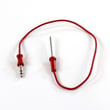
Helpful parts commonly involved in these symptoms include the range oven temperature sensor 5304504897 and the terminal block 5304409888.
Restoring factory defaults clears user-setting changes (especially temperature offset) that can make baking results inconsistent; it also helps you separate a settings issue from a true hardware problem.
Last updated: February 2026
How to read Kenmore model numbers?
Kenmore model numbers read left to right. For Kenmore Elite wall oven 79048353410, the 790 prefix identifies the manufacturing source used for many Kenmore cooking products; the next digits identify the platform, and the remaining digits identify the exact configuration. Use the full model on the 79048353410 owner's manual.
In the Use & Care Guide, you may see the model written as 790.4835*. That asterisk is not part of your actual model number; it is a wildcard that means “this manual covers multiple versions of the same platform.” Your exact version is 79048353410.
- 790: Kenmore prefix (manufacturer source code)
- 4835: platform/series covered by the manual
- 3410: the specific configuration/revision for your oven
On built-in ovens like 79048353410, the tag is usually on the front frame so it stays protected but readable.
- Open the oven door and check the front frame (side or bottom edge)
- Check the side trim area visible with the door open
- Look on the installation paperwork that came with the oven
- If the oven was serviced before, check any service sticker near the frame
| Example | How to read it | What to use for parts |
|---|---|---|
| 790.4835* | Platform covered by the manual (wildcard format) | Not enough by itself |
| 79048353410 | Full model number | Use this exact number |
Parts, wiring, and control layouts can change within the same platform. Using the full model number helps match the correct diagrams and components, such as the range oven temperature sensor 5304504897 when you are troubleshooting inaccurate oven temperatures.
Last updated: February 2026
How to unlock door Kenmore Elite oven?
To unlock the door on your Kenmore Elite 79048353410 wall oven, press and hold OVEN LOCK (sometimes labeled OVEN LOCKED) for 3 seconds, then wait about 15 seconds for the motorized latch to fully release. When Loc disappears, the door can open (see the 79048353410 owner's manual).
- Confirm the oven door is fully closed before you start.
- Press and hold OVEN LOCK for 3 seconds.
- Watch for DOOR LOCKED to stop flashing.
- Wait about 15 seconds for the latch motor to finish.
- Open the door only after Loc is no longer displayed.
If the display still shows DOOR LOCKED or Loc, the latch is still engaged. These steps fix most lock complaints on this model:
- Let the oven cool completely if it was recently baking or self-cleaning.
- Press and hold OVEN LOCKED for 3 seconds again (a second attempt often completes the cycle).
- Do not pull on the handle while DOOR LOCKED is displayed; that can bind the latch.
- If the lock issue started after a self-clean, allow extra cool-down time, then retry.
- If the control beeps and ignores keys, lockout is still active.
| What you see | What it means | What to do |
|---|---|---|
| DOOR LOCKED flashing | Latch is moving | Wait about 15 seconds |
| Loc | Door is locked | Hold OVEN LOCKED 3 seconds to cancel |
| Loc disappears | Door is unlocked | Open the door normally |
The 79048353410 uses a motor-driven latch. Waiting for the full unlock cycle prevents damage to the latch mechanism and helps avoid a door that feels stuck.
Last updated: February 2026
Is Kenmore Elite high end?
Yes. Kenmore Elite is Kenmore’s higher-end appliance line; the Kenmore Elite wall oven model 79048353410 is part of that premium tier, typically offering more cooking features and upgraded fit and finish than standard Kenmore models.
Kenmore Elite models are positioned above standard Kenmore units in features and user experience.
Common “Elite” expectations include:
- More cooking modes (convection is common)
- More advanced electronic controls
- Upgraded rack systems (some models use glide racks)
- More premium trim and handle styling
- More detailed use, care, and troubleshooting guidance
The fastest way is to match your control panel options and rack type to the feature descriptions in the 79048353410 owner’s manual.
Quick checks you can do at home:
- Look for convection settings on the control panel
- Identify rack style (standard racks vs. glide racks)
- Review minimum and maximum temperature settings
- Check door seal condition and how firmly the door closes
- Listen for the cooling fan after cooking; many ovens run it after shutoff
| Feature area | Standard Kenmore (typical) | Kenmore Elite (typical) |
|---|---|---|
| Cooking modes | Basic bake/broil | More modes; convection common |
| Racks | Standard racks | Upgraded racks; glide racks on some |
| Controls | Simpler | More advanced electronic controls |
| Fit and finish | Basic | More premium trim and styling |
“High end” shows up in everyday cooking: more even baking (often via convection), smoother rack operation, and tighter temperature control. If baking temperatures seem off, a common component to test or replace is the range oven temperature sensor 5304504897.
Last updated: February 2026
Where to find model number on Kenmore Elite oven?
On the Kenmore Elite wall oven model 79048353410, the model and serial number are printed on the serial plate along the interior side trim of the oven. You can see it when you open the oven door. For a picture and exact location details, use the 79048353410 installation guide.
- Open the oven door fully and let the oven cool if it was recently used.
- Look along the left or right interior side trim (the vertical trim just inside the door opening).
- Find the serial plate/identification plate with the model and serial number.
- Write down the model number, serial number, and any lot number/letter shown.
- Keep the information with your purchase records for parts lookup and service.
The serial plate location varies by appliance type. Here is a quick comparison:
| Appliance type | Most common model/serial label location |
|---|---|
| Built-in wall oven (79048353410) | Interior side trim; visible with door open |
| Freestanding range | Door frame area, storage drawer frame, or back panel |
| Cooktop | Underside of the cooktop or inside cabinet below |
We use the exact model number to match the correct Kenmore Elite wall oven parts (for example, the correct control board, door seal, or temperature sensor). Using the serial plate information helps prevent ordering a similar-looking part that does not fit.
When you contact service or order parts, record these items from the serial plate:
- Model number: 79048353410
- Serial number
- Lot number or lot letter (if listed)
Last updated: February 2026
Why is my Kenmore Elite oven not working?
If your Kenmore Elite wall oven model 79048353410 is not working at all, the most common causes are a power supply problem (tripped breaker or loose wiring), a failed control board, or a failed oven temperature sensor that prevents normal operation. Start with power checks, then move to component testing.
- Reset the double-pole circuit breaker for the wall oven (turn OFF then ON).
- Confirm the oven is not in a power-failure state; after an outage, reset the clock and reselect a cooking mode (per the 79048353410 use and care manual).
- Make sure the control panel responds (beeps, display changes) when you press keys.
- Check for a burnt smell or visible heat damage at the power connection area.
- If the oven recently ran self-clean, allow it to cool fully and try again (some lock-related issues show up after high heat).
Before servicing, shut off power at the breaker. The manual advises that user servicing is limited; other service should be done by a qualified technician.
- Incoming power and connections: A loose or overheated connection can stop the oven completely. Inspect the terminal block 5304409888 area for discoloration, melted insulation, or loose lugs.
- Oven temperature sensor: A failed sensor can cause no-heat or erratic operation. Test the range oven temperature sensor 5304504897 with a multimeter (resistance check at room temperature is typically around 1,000 to 1,100 ohms for many electric ovens).
- Control boards: If power is good and the sensor checks out, a failed electronic control is a common next suspect. This model has a wall oven control board 316474900 available.
| What you see | Most likely causes | What to do |
|---|---|---|
| Display dead, no lights | Breaker, wiring, terminal block | Verify breaker, inspect connections |
| Display works, no heat | Sensor, control board, wiring | Test sensor, then board outputs |
| Works sometimes, then quits | Loose connection, overheating control | Inspect terminal block, harness, board |
An oven that is completely dead is often a power delivery issue, while an oven that powers up but will not heat usually points to the sensor, wiring, or electronic control. Following a simple test order prevents replacing expensive parts unnecessarily.
Last updated: February 2026