Owner’s manual



How to tell if a Samsung dryer heating element is bad?
A bad heating element in a Samsung dryer typically shows up as “runs but no heat” or very long dry times. On your Samsung DV330AGB, confirm you are using a heated cycle (not Air Fluff), then test the heater circuit for continuity and inspect for a broken coil; also rule out airflow restrictions per the DV330AGB owner's manual.
Quick symptoms checklist
- Dryer tumbles normally but clothes stay cold or damp
- Dry times suddenly get much longer
- Heat comes and goes during a cycle (more than normal cycling)
- Burning smell or scorching near the heater housing
- Lint buildup and weak airflow at the outside vent hood
How we test it (safe, reliable steps)
- Disconnect power (unplug the cord). If it is a gas model, shut off the gas supply as well.
- Confirm settings first: choose a heat setting (not Air Fluff). The manual’s troubleshooting section also calls out checking breakers/fuses and cleaning the lint filter and exhaust duct.
- Access the heater housing and visually inspect the element coil for a break or contact with the metal housing.
- Multimeter continuity test: place probes on the element terminals.
- Good element: continuity (meter beeps or shows low resistance)
- Bad element: open circuit (no beep, OL, or infinite resistance)
- Ground fault check: probe one element terminal and the metal heater housing. Any continuity indicates the element is shorted to ground and must be replaced.
What else can mimic a “bad element”
Even with a good element, the dryer can fail to heat or dry if safety controls open or airflow is restricted.
| What you see | Common cause | What to check next |
|---|---|---|
| No heat, drum turns | High-limit thermostat opened | Test/replace dryer high-limit thermostat DC47-00017A |
| Heat starts then stops | Overheating from poor venting | Clean lint screen, inspect and clean ducting |
| Long dry times | Restricted exhaust | Use 4-inch rigid metal duct; verify outside hood opens |
Why it matters
A restricted vent can overheat the heater circuit and trip safety devices, causing no-heat symptoms and longer cycles. The manual recommends cleaning the lint screen every load and having the exhaust duct cleaned periodically; it also notes ducting should be inspected and cleaned annually.
Parts that commonly relate to no-heat complaints
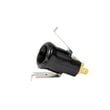
- Dryer high-limit thermostat DC47-00017A
- Dryer thermistor DC32-00007A
- Dryer radiant sensor DC32-00008A (gas heat sensing)
For replacement parts for DV330AGB, use the parts list for this model, or search by model number on Sears PartsDirect.
Last updated: February 2026
What does CL mean on a Samsung dryer?
On the Samsung DV330AGB dryer, CL means Child Lock is turned on. When Child Lock is active, the controls are locked so kids cannot change settings; typically only the Power button works until you turn Child Lock off (see the DV330AGB owner's manual).
How Child Lock affects your dryer
When CL is showing, these are the most common symptoms:
- Most buttons do not respond when you press them
- Cycles and options cannot be changed once started
- The dryer may still run normally, but you cannot adjust settings
- The display continues to show CL until the lock is cleared
How to turn Child Lock off (typical Samsung steps)
We follow the control-panel instructions for your exact button combination, but most Samsung dryers use one of these methods:
- Press and hold the Child Lock button for about 3 seconds
- Press and hold Temp and Time together for about 3 seconds
- Press and hold Signal (or Dry Level) for about 3 seconds
If the dryer is running, pause or stop the cycle first, then try the correct button combo listed in the DV330AGB owner's manual.
If CL will not clear
Use this quick checklist to get the controls responding again:
- Make sure the dryer is powered on (display lit)
- Press and hold the correct button(s) long enough (about 3 seconds)
- Try with the door fully closed
- Unplug the dryer for 1 minute, plug it back in, then try again
- If buttons still do not respond, check for a stuck or damaged control interface
Parts that can be involved (when the panel will not respond)
| What you notice | Common cause | What to check |
|---|---|---|
| Buttons do nothing, CL stays on | Control panel input not registering | Inspect the control panel and wiring connections |
| Some buttons work, others do not | Worn button or control panel issue | Look for physical damage or intermittent response |
If you are ordering replacement parts for the DV330AGB, use the parts list for this model first; you can also search by model on Sears PartsDirect.
Why it matters
Child Lock is a safety feature that prevents accidental cycle changes. If you do not realize it is on, it can look like the dryer has a control failure when it is actually operating normally.
Last updated: February 2026
How do I reset my Samsung dryer?
To reset your Samsung dryer model DV330AGB, we recommend a simple power reset: turn the dryer off, disconnect power for about 5 minutes, then restore power and start a cycle. This clears many temporary control glitches; if the problem returns, check airflow and heat-related components.
Reset steps (power cycle)
- Press Power to turn the dryer off.
- Unplug the dryer (or switch the dryer breaker off).
- Wait 5 minutes.
- Restore power.
- Press Power, select a cycle, and press Start/Pause.
- If buttons still do not respond, check Child Lock status (see below).
If the controls are “locked” (Child Lock)
Your DV330AGB has a Child Lock feature that prevents most buttons from working. To set or release it, press Temp and Time together for 3 seconds (the manual notes Child Lock stays on even after power is restored). See the DV330AGB owner's manual.
When a reset does not fix it
A reset clears symptoms, but it does not correct the cause. These are the most common reasons a Samsung gas dryer acts up after resetting:
| Symptom after reset | Most common cause | What to check first |
|---|---|---|
| Long dry times | Restricted venting | Lint screen, vent hose, outside hood |
| Shuts off or overheats | Airflow restriction or temperature sensing issue | Venting, then temperature sensors |
| No heat (gas model) | Ignition or gas valve issue | Igniter, radiant sensor, gas valve |
Parts that commonly relate to heat and shutdown issues
If airflow is clear and the dryer still overheats or throws heat-related problems, these model-matched parts are often involved:
- Dryer thermistor DC32-00007A (temperature sensing)
- Dryer high-limit thermostat DC47-00017A (overheat protection)
- Dryer radiant sensor DC32-00008A (flame sensing on gas dryers)
- Dryer gas valve DC62-00201A (gas flow control)
Why it matters
Resetting is a fast way to clear a temporary control-board glitch, but repeated errors usually point to airflow restriction, overheating protection, or a failing sensor. Fixing the root cause helps prevent repeat shutdowns and protects the dryer from heat damage.
For additional parts and diagrams for DV330AGB, shop the parts list for this model or search by model on Sears PartsDirect.
Last updated: February 2026